
Discover how to track prices on Amazon using everything from simple lists to powerful no-code automation. Get the best deals and stay ahead of competitors.
Trying to track Amazon prices by hand is a recipe for a headache. Whether you're a shopper hunting for the perfect deal or a seller trying to stay competitive, you need a smarter system. The secret is to blend Amazon's own tools with powerful third-party extensions and—for the serious players—automated workflows. This guide will show you how to turn the chaos of Amazon's marketplace into actionable data you can actually use.
Why Manual Price Checks Are a Thing of the Past
If you're still hitting the refresh button on an Amazon page, it’s time for an upgrade. Prices on Amazon can change millions of times every single day. Trying to keep up manually is like trying to catch rain in a thimble—it's exhausting, and you’re guaranteed to miss what matters. This constant price shuffling isn't a bug; it's a core feature of the world's biggest online store.
This dynamic pricing creates a huge problem for anyone trying to get ahead. As a seller, you risk losing the all-important Buy Box, pricing your products out of the market, or getting left behind by competitors who already use automation. For a shopper, it means you’re almost certainly paying more than you have to.
The High Cost of Being a Step Behind
Amazon's algorithms never sleep. They constantly tweak prices based on dozens of real-time signals. Checking a product page a few times a day gives you a tiny, outdated snapshot of what's really happening. You’re making critical decisions based on old news.
The biggest problem with manual tracking is how inefficient it is. It's a massive time sink that pulls you away from high-level strategy, and for all that effort, the data you get is patchy and often incomplete.
This is exactly why automation has gone from a "nice-to-have" to an absolute must-have. To truly master tracking prices on Amazon, you need a system that does the heavy lifting for you, 24/7.
Smarter Ways to Monitor Amazon Prices
The good news? You don't have to go it alone. There are fantastic tools and methods that can completely change how you monitor Amazon, turning that firehose of data into your biggest competitive advantage. We'll walk through three powerful approaches, each suited for different goals:
Using Amazon's built-in features: Perfect for casually keeping an eye on a handful of items you want to buy.
Leveraging dedicated browser extensions: Great for seeing historical price data and getting automatic alerts without much setup.
Building automated, no-code workflows: The pro-level move for anyone who needs continuous, scalable monitoring.
Each of these is a major upgrade from staring at your screen. By the end of this article, you’ll have a clear plan to stop reacting to price changes and start using price intelligence to win.
Getting Started: Using Amazon’s Built-In Features
Let's start with the tools you already have. Amazon has a couple of built-in features that are surprisingly handy for some light price watching.
These are perfect if you're just keeping an eye on a few items for yourself or dipping your toes into competitor research. Best of all, you don’t need to install a single thing. It's all right there in your shopping cart and list features.
Use the "Save for Later" Cart Feature
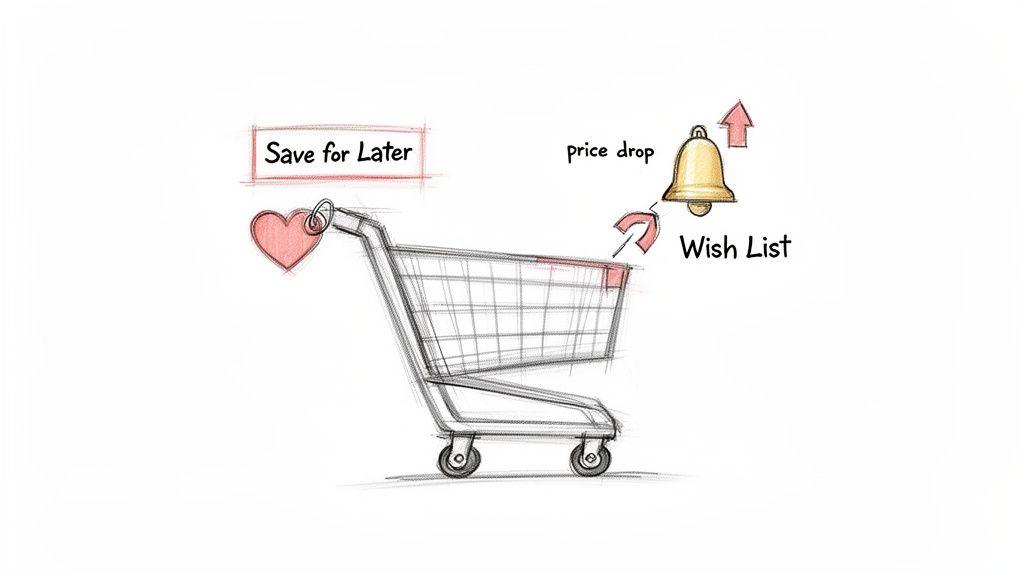
You know that "Save for Later" area in your cart? It's not just for things you might buy someday. It's a clever, passive price tracker. When you move an item from your main cart to "Save for Later," Amazon quietly starts watching it for you.
This is a great low-effort trick. Let’s say you’ve spotted the perfect laptop, but the price is a little high. Just add it to your cart and then shuttle it over to "Save for Later." The next time you visit your cart, you’ll see a note if the price has dropped since you saved it. It’s that easy.
Create Dedicated Wish Lists for Price Alerts
If "Save for Later" feels like a junk drawer, Amazon’s Wish Lists are the organized solution you’re looking for. Instead of jamming everything into your cart, you can create specific lists for whatever you're tracking—think "Office Upgrades," "Competitor Gadgets," or "Holiday Gift Ideas."
This method gives you the same price drop notifications but in a much cleaner way.
Here’s how to put it to work:
Make a New List: Head to "Account & Lists" and click "Create a List." Give it a clear name so you can find it later.
Start Adding: As you browse, click the "Add to List" button on a product page and pick the right list.
Get Notified: Double-check that notifications are enabled in your Amazon account settings so you actually get the alerts.
This is a huge step up from the cart method, especially if you're tracking more than a few items. You can keep dozens of products organized across different categories without creating chaos.
The Limitations of Amazon's Own Tools
While these native features are a fantastic starting point, they have some serious blind spots for anyone who needs to truly understand how to track prices on Amazon. Their simplicity is also their biggest weakness.
You’ll hit a wall pretty quickly, and here's why:
No Historical Data: You get zero context. Is that "sale" price a real bargain, or was it cheaper last month? Amazon’s tools won’t tell you.
Limited Seller Tracking: They only watch the one listing you save. You’ll completely miss out on better deals from other sellers, especially whoever just won the coveted Buy Box.
It's All Manual: The process is entirely reactive. You have to find each item, add it to a list, and remember to check for updates. There’s no automation or bulk data.
For personal shopping, these tools are fine. But if you’re running a business, you’re going to need more firepower. You’ll need historical data, automated monitoring, and a much clearer view of the entire market.
Level Up with Dedicated Price Tracking Tools
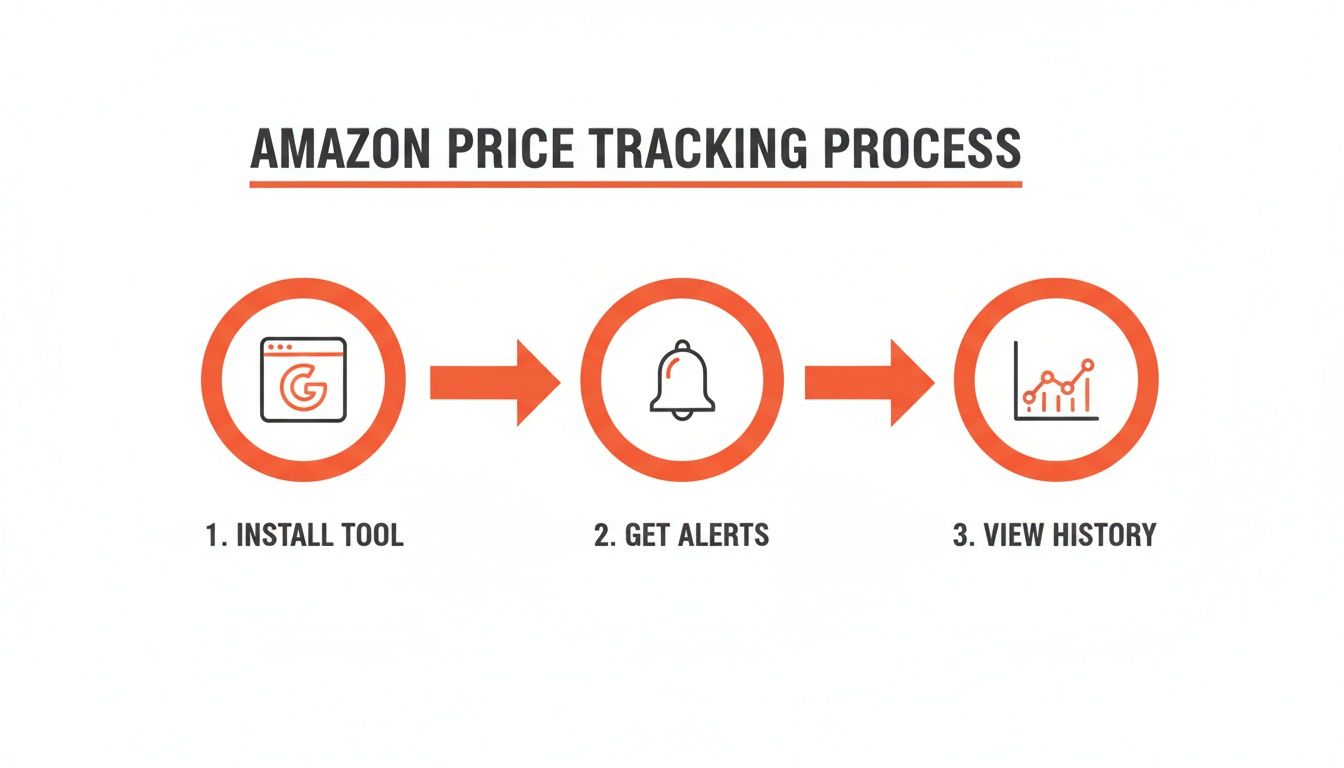
If Amazon's built-in features are a paper map, then dedicated price tracking tools are a GPS with live traffic updates. When you’re ready to get serious, tools like Keepa and CamelCamelCamel offer a massive leap in power and insight. These browser extensions and websites are purpose-built to master Amazon price tracking.
They unlock historical price charts, automated price drop alerts, and data from Amazon marketplaces worldwide. This isn't just about saving a few bucks—it's about strategic analysis. You can finally see the hidden patterns that drive the prices you see today.
See the Past to Predict the Future
The single biggest game-changer these tools offer is historical data. Instead of just knowing today’s price, you get to see a product's entire pricing journey. Was it cheaper during Black Friday last year? Does the price consistently dip at the beginning of the month? This context is everything.
Amazon's algorithms change product prices millions of times daily. For e-commerce teams, a tool like Keepa—which tracks over 5 billion products—provides charts that reveal these critical patterns. For example, you can easily spot how electronics often see average price drops of up to 75% during major sales events.
Meet the Power Players: Keepa and CamelCamelCamel
Two names dominate the world of Amazon price tracking: Keepa and CamelCamelCamel. Both are fantastic, but they solve slightly different problems.
CamelCamelCamel: This is the friendly, accessible entry point for most people. It's completely free and gives you detailed price history charts and email alerts when a product hits a price you set. The interface is clean, simple, and perfect for shoppers who want to set an alert and forget it.
Keepa: This one is a data powerhouse. It offers an incredible amount of information, including historical Buy Box data, stock levels, and deep-dive seller information. While it has a generous free tier, its paid subscription unlocks the kind of data that professional sellers and serious analysts need.
The best part? Both tools embed a data-rich chart right on the Amazon product page. You don't have to click away or open a new tab; the price history is baked into your shopping experience.
For a complete picture, you can complement these trackers with robust Amazon product research tools. And if you want to dive deeper, don't miss our guide on the fundamentals of online price tracking.
A Head-to-Head Comparison
So, which one is for you? It boils down to your goals. Are you a casual shopper or a data-driven seller? This breakdown should help you decide.
Comparison of Popular Amazon Price Tracking Tools
Feature | Keepa | CamelCamelCamel |
|---|---|---|
Primary Use Case | Deep data analysis for sellers and power users. | Simple price alerts and history for shoppers. |
Cost | Freemium (Free tier with a powerful paid subscription for advanced data). | Completely free. |
Historical Data | Extremely detailed, including Buy Box history, new vs. used, and sales rank. | Excellent price history for Amazon, third-party new, and third-party used. |
Alerts | Highly customizable alerts via email, Telegram, and web push notifications. | Simple and reliable email alerts when a product hits your target price. |
Browser Extension | Yes (Chrome, Firefox, Edge, Opera). | Yes (Chrome, Firefox, Edge, Safari). |
International Support | Extensive support for multiple international Amazon domains. | Supports several international Amazon sites. |
Unique Feature | Tracks daily deals and lightning deals, providing data on offers. | The "Camelizer" extension is lightweight and very easy to use. |
For most shoppers, CamelCamelCamel is the perfect sidekick to ensure you never overpay again. Set your dream price, and it'll ping you the second the product hits that number. It’s simple, effective, and free.
For e-commerce pros, however, Keepa is the undisputed champion. The ability to see who held the Buy Box, track competitor stock levels, and analyze sales rank over time gives you a strategic advantage that goes way beyond simple price drop alerts. This detail helps you make killer decisions about your own pricing and market position.
Build a Custom Price Monitoring Workflow with Automation
Dedicated price trackers are a fantastic leap forward, but you're often locked within their ecosystem. But what happens when you need that price data to flow directly into your own tools—like a spreadsheet, database, or business intelligence software?
This is where you graduate from simple tracking to building an automated data engine.
Welcome to no-code automation. With an AI-powered browser agent like Clura, you can build a completely custom price monitoring system that runs on its own. It's the ultimate setup for anyone who needs clean, structured, real-time data without writing a single line of code. This approach puts you in the driver's seat. You decide what to collect, how often, and where that data ends up.
Step 1: Set Up Your First Amazon Monitoring Agent
Think of a browser agent as your personal robot assistant. You show it how to do something once, and it can repeat that action flawlessly, thousands of times over. For our mission, we’ll teach it to pinpoint and grab price information from any Amazon product page.
The process is refreshingly simple—you're basically just pointing and clicking.
Go to the Product Page: Pull up the Amazon page for the item you want to watch.
Launch the Agent: Open the Clura browser extension to start a new workflow.
Point and Click: Select the key info you want to track, such as:
The product title
The current price
The seller's name (especially who holds the Buy Box)
The ASIN
Customer rating and the total number of reviews
The agent instantly understands the page's layout and pulls your chosen data into a perfectly organized table. You just built your first scraper in less than a minute. For a more detailed walkthrough, our guide on creating a dedicated Amazon price scraper has you covered.
Step 2: Schedule Your Daily Price Scrapes
Grabbing the data once is great, but the real magic is automated monitoring. The goal is to set it and forget it.
This is where scheduling is a game-changer. You can tell your agent to run automatically on a recurring basis—hourly, daily, or weekly. This guarantees you have a constant stream of fresh data flowing in without you lifting a finger. For a competitive product, an hourly check keeps you on top of rapid changes. For most items, a daily scrape is the sweet spot for building a rich historical dataset.
Step 3: Export Data for Deeper Analysis
Your automated workflow is now running like clockwork. The final piece of the puzzle is getting that information into a format you can work with.
With just a click, you can export all of your collected data into a clean CSV file. This file is instantly ready for Excel, Google Sheets, or any analytics platform.
Once you have that data in a spreadsheet, the sky's the limit:
Build Historical Price Charts: See a product's price journey over time.
Calculate Average Prices: Figure out the market average for an item.
Create Competitor Dashboards: Put your prices head-to-head against rivals.
Identify Price Ceilings and Floors: Discover a product's highest and lowest prices.
This structured data is your new secret weapon for building smarter pricing strategies. No more guessing—just clean, hard data driving every decision. This is how you truly master how to track prices on Amazon.
Turn Price Data into a Strategic Advantage
Collecting a mountain of price points is only step one. The real magic happens when you turn those raw numbers into smart, proactive decisions.
Effective price tracking isn't a passive hobby; it's a competitive weapon. It’s how you play offense. Instead of just reacting to a price drop alert, you can start anticipating market shifts, fine-tuning your own pricing, and reading the subtle signals your competitors are sending.
Identify the Right Products to Monitor
You don't need to track every product on Amazon. That's a surefire way to get lost in the noise. The key is to focus your energy where it makes the biggest difference.
Start by prioritizing based on a few critical factors:
Your Best-Sellers: Keep a close watch on the competitive landscape for your most important products.
High-Competition Items: For products where you're constantly fighting for the Buy Box, real-time data is essential.
New Product Launches: Monitor a competitor's early pricing strategies to see what you're up against.
Aspirational Products: Thinking about selling a new item? Track it now to understand its pricing history and market viability.
Set Smart Alert Thresholds
A common mistake is setting up alerts that trigger for every tiny fluctuation. You'll start tuning them out in a day. The goal is to create meaningful alerts that signal a real opportunity or threat.
Don't just set an alert for any price drop. Create specific thresholds. For example, tell your system to only ping you when a competitor's price falls more than 10% below yours, or when it dips below a key psychological price point like $49.99.
This simple tweak makes your alerts count. Every notification becomes a clear signal to take action.
Look Beyond Just the Price
Winning on Amazon is rarely about just being the cheapest. To get ahead, understanding how other brands are mastering Amazon pricing changes can give you incredible insight.
Your automated workflows should grab a richer dataset. Think bigger!
Seller Ratings and Review Counts: A sudden nosedive in a competitor's rating is a golden opportunity for you.
Stock Levels: Is a rival about to run out of stock? This could be your moment to capture their sales.
Shipping Times: If your delivery is faster, you can often command a slightly higher price and still win the sale.
By tracking these extra data points, you build a 3D view of the marketplace. You can spot cracks in your competitors' operations and turn them into your strengths.
Common Questions About Amazon Price Tracking
Diving into Amazon price tracking always brings up a few questions. Let's walk through some of the most common ones to get you started with confidence.
Is It Legal to Track Prices on Amazon?
Yes, absolutely. Tracking publicly available price information on Amazon is 100% legal for both personal use and business intelligence. You're simply looking at data that anyone visiting the website can see.
The important thing is to play by the rules. Amazon's terms of service dislike aggressive bots that overload their servers. That’s why using a responsible tool that behaves like a normal user is key. It ensures you get the data you need ethically. For a deeper dive, check out our guide on the legality of web scraping.
How Often Should I Check for Price Changes?
This depends on your goal. For hot-ticket items like the latest smartphone, prices can jump around multiple times a day. In those fast-paced categories, checking every few hours can give you a massive advantage. For most other products, a daily check is plenty to build a solid price history and spot trends.
Rule of thumb: Match your monitoring frequency to the market's velocity. A daily check is a fantastic starting point. If you’re in a price war, you might need hourly updates.
Can I Track Prices on International Amazon Sites?
Absolutely! This is a must-have for global sellers. Most top-tier price tracking tools, like Keepa, are built to handle multiple Amazon marketplaces—like Amazon.ca, Amazon.co.uk, and Amazon.de. If you're using a no-code automation tool, it's even easier. You just point it to the international Amazon site you care about (e.g., amazon.fr) and set up your workflow.
What's the Difference Between a Price Tracker and a Repricer?
Great question. They sound similar but do two very different jobs.
A Price Tracker is your spy. It's a data-gathering tool that watches competitors, records price history, and sends you alerts. Its purpose is to inform you so you can make smarter decisions.
A Repricer is your soldier. It's an action-oriented tool that automatically changes your prices based on rules you define (e.g., "always be $0.01 cheaper than the Buy Box winner").
Think of it like this: a tracker gives you battlefield intelligence, and a repricer carries out your orders. Smart sellers use a tracker first to understand the landscape before unleashing an automated repricer.
Summary
From Amazon’s built-in lists to dedicated tools like Keepa and fully automated workflows, you now have a clear roadmap for tracking prices like a pro. By moving beyond manual checks and embracing automation, you can turn real-time market data into your biggest competitive advantage. Stop reacting and start winning.
