
Unlock e-commerce success with this guide to using an Amazon price scraper. Learn to monitor competitors, track pricing trends, and find profitable deals.

An Amazon price scraper isn't just a fancy tool; it's your secret weapon for navigating the world of e-commerce. Think of it as an automated assistant that tirelessly pulls real-time pricing information straight from Amazon, giving you the intel you need to stay ahead.
Why You Need an Amazon Price Scraper Today
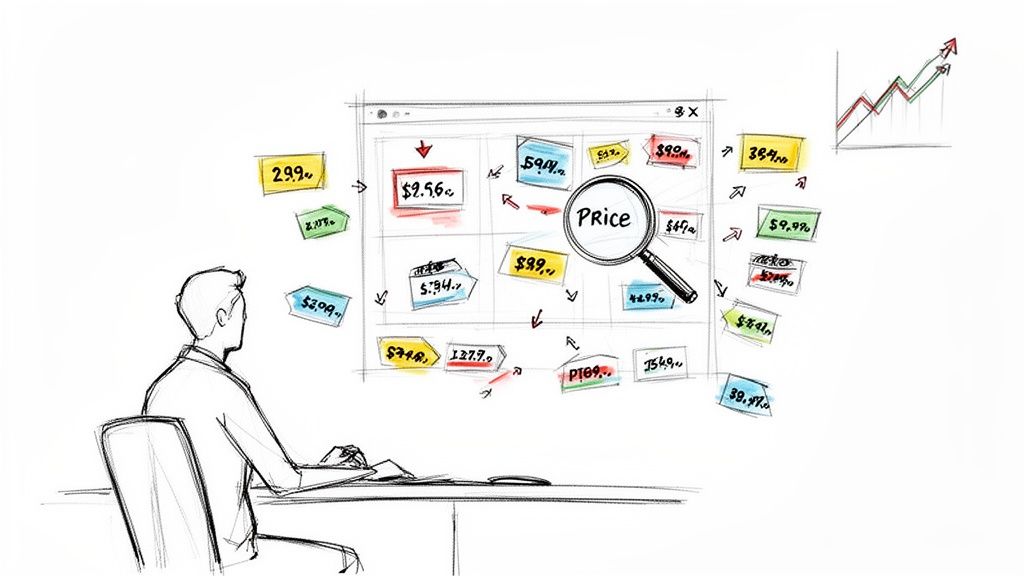
Trying to keep up with Amazon's prices manually is like trying to catch every raindrop in a storm—it's impossible. The marketplace is massive, with over 2.5 million price changes every single day. The average product’s price can shift every ten minutes. It’s a full-time job to watch just a handful of products.
This is where a dedicated Amazon price scraper becomes absolutely essential. It’s the only practical way to turn that chaotic stream of data into a real competitive advantage.
Gain a Powerful Competitive Edge
What if you had a live feed of your competitors' every move? That’s what an Amazon price scraper delivers. It automates data collection so you can instantly see when a rival drops their price, launches a promotion, or runs out of stock.
This isn't just about collecting data; it's about acting on it. With this intelligence, you can react immediately. Stop guessing and start making data-backed decisions to adjust your prices, roll out timely promotions, and capture sales you would have missed. To truly get ahead, you have to understand how to monitor prices on Amazon effectively.
Automate Your Most Tedious Workflows
Let's be honest: manually checking dozens of product pages every day is a huge waste of time. It's repetitive, prone to errors, and pulls your team away from important work like marketing and product development.
An automated scraper takes this task off your plate. It works 24/7, collecting perfect data without you lifting a finger. This frees up your team to focus on what actually grows the business.
Manual Tracking vs. Automated Amazon Price Scraper
Here’s a quick comparison showing why automating your price scraping is a no-brainer.
Feature | Manual Tracking | Automated Scraper (like Clura) |
|---|---|---|
Speed & Scale | Slow; limited to a few products per hour. | Lightning-fast; can track thousands of items. |
Accuracy | Prone to human error, typos, and missed data. | 100% accurate and consistent every time. |
Frequency | Infrequent; maybe daily or weekly at best. | Real-time; can check prices every few minutes. |
Data History | Difficult to maintain and analyze trends. | Builds a rich historical dataset automatically. |
Resource Cost | High; requires dedicated employee hours. | Low; runs in the background with minimal cost. |
Competitive Edge | Reactive; you're always playing catch-up. | Proactive; allows for instant strategic moves. |
The table makes it clear. While manual tracking might work for a hobbyist, any serious business needs the power and reliability of an automated solution to stay competitive.
Here’s what automation means for your daily operations:
Price Monitoring: Get instant alerts when a competitor's price changes.
Catalog Upkeep: Automatically check your listings against supplier data or your own pricing rules.
Opportunity Spotting: Be the first to spot underpriced items or identify emerging sales trends.
By turning raw data into clean, actionable insights, a price scraper does more than save time. It unlocks new opportunities for growth that are impossible to find manually.
Choosing Your Tool: How to Scrape Amazon Prices
So, you’re ready to start pulling price data from Amazon. Great! The first big decision is how you're going to do it. Will you build something from scratch or use a powerful tool that’s ready to go out of the box?
This choice will shape your experience, costs, and frustration levels. Let's break down the two main paths.
The DIY Path: Building Your Own Scraper
If you have a programming background, building a custom scraper might sound appealing. You get total control and can design it to pull exactly the data you want. It’s your creation, built for your specific needs.
But here's the reality check. Building the scraper is the easy part. The real challenge is keeping it running. Amazon constantly tweaks its website, changing layouts and adding anti-bot measures. Your script that worked perfectly yesterday will inevitably break tomorrow. You’ll be stuck in a never-ending cycle of debugging and rewriting.
To go down this road, you'll need:
Serious tech skills: Comfort with Python and scraping libraries like BeautifulSoup or Scrapy is a must.
A lot of time: We're not talking hours; we're talking weeks or even months to build and maintain it.
A patient mindset: You'll be navigating IP blocks, CAPTCHAs, and other anti-scraping traps. It’s a constant cat-and-mouse game.
Building your own Amazon scraper is like building your own car. It's a fantastic project if you're a mechanic, but if you just want to get to your destination quickly, you're better off with a car that's ready to drive.
The Smart Path: Using a No-Code Browser Tool
Now, let’s talk about the modern approach: a no-code, browser-based tool like Clura. This is all about getting results, fast. Instead of getting buried in code, you use a simple, visual interface. You just point and click on the data you want.
Think of it as the ultimate shortcut. These tools are built and maintained by specialized teams whose job is to stay one step ahead of Amazon. When a website layout changes, they fix it. When a new anti-bot system appears, they find a way around it. All the complex stuff—like managing proxies and solving CAPTCHAs—is handled for you.
For anyone in e-commerce or marketing, this is a game-changer. You don't need a technical background. You can install a browser extension and start scraping prices in minutes, not months.
Let’s Compare Them Head-to-Head
Here's how the two methods stack up.
Feature | DIY Scraper (Python) | No-Code Tool (like Clura) |
|---|---|---|
Setup Time | Weeks to months | Under 5 minutes |
Skills Needed | Expert coding knowledge | None; just point and click |
Maintenance | Constant, frustrating fixes | Zero; it's all handled for you |
Reliability | Breaks with every site update | High; automatically adapts |
Cost | "Free" but costs a fortune in developer time | A predictable, low monthly fee |
The choice is clear. While the DIY route offers control, the cost in time and technical headaches is massive.
For 99% of business users, a no-code tool is the obvious winner. It delivers the perfect blend of power and simplicity, giving you the data you need without the engineering nightmare.
How to Scrape Amazon Prices in 3 Easy Steps
Enough theory. Let's see how fast you can actually pull clean, structured price data from Amazon. I’ll walk you through the process from start to finish. It takes less time than making a cup of coffee.
Forget wrestling with code. Using a modern browser-based tool is a game-changer for anyone who needs market intelligence without the headache.
Step 1: Install the Browser Extension
Getting started is incredibly easy. The whole process is designed to be intuitive, even if "web scraping" sounds intimidating.
First, add the Clura extension to your Chrome browser. Think of this as your new command center for data collection—it just sits quietly in your browser until you need it.
Step 2: Navigate to Amazon and Choose a Template
Once it's installed, head over to Amazon. You can go to a specific product page or a search results page if you want to grab data from multiple listings at once.
With the Amazon page open, click the Clura icon in your browser bar. You’ll see a menu with pre-built templates. Find the one called "Amazon Product Listings Scraper," and click it.
Step 3: Run the Scraper and Export Your Data
Watch as the tool instantly gets to work, identifying and pulling all the key data points right before your eyes. Within seconds, a clean table full of information appears in your browser.
This approach flips the script on web scraping. Instead of spending weeks wrestling with Python, you’re getting actionable data in minutes.
What Data You Can Extract Instantly
The magic of an Amazon price scraper is the richness of the data you get. These templates are designed by people who know what e-commerce sellers need. You're not just getting the price—you're getting the whole story.
With a single click, you can capture a goldmine of information:
Product Price: The current live price for competitive analysis.
Seller Name: Know if it's Amazon or a third-party merchant.
Stock Status: See if a product is in stock, running low, or sold out.
Star Rating: Quickly gauge product quality and customer sentiment.
Number of Reviews: Understand how established a product is.
Product URL: A direct link back to the page for easy reference.
This structured dataset gives you a complete snapshot. You can explore everything the Amazon Product Listings Scraper template can do and imagine how it could fit into your workflow.
From a Single Product to an Entire Category
Tracking one product is great, but the real power comes from scaling up. Let's say you want to analyze every air fryer on the first page of Amazon's search results. Doing that by hand would be a nightmare.
With a browser tool, this is simple. Just run your search on Amazon. Then, open the extension and run the same template. The scraper is smart enough to see you're on a search results page and will automatically loop through every listing.
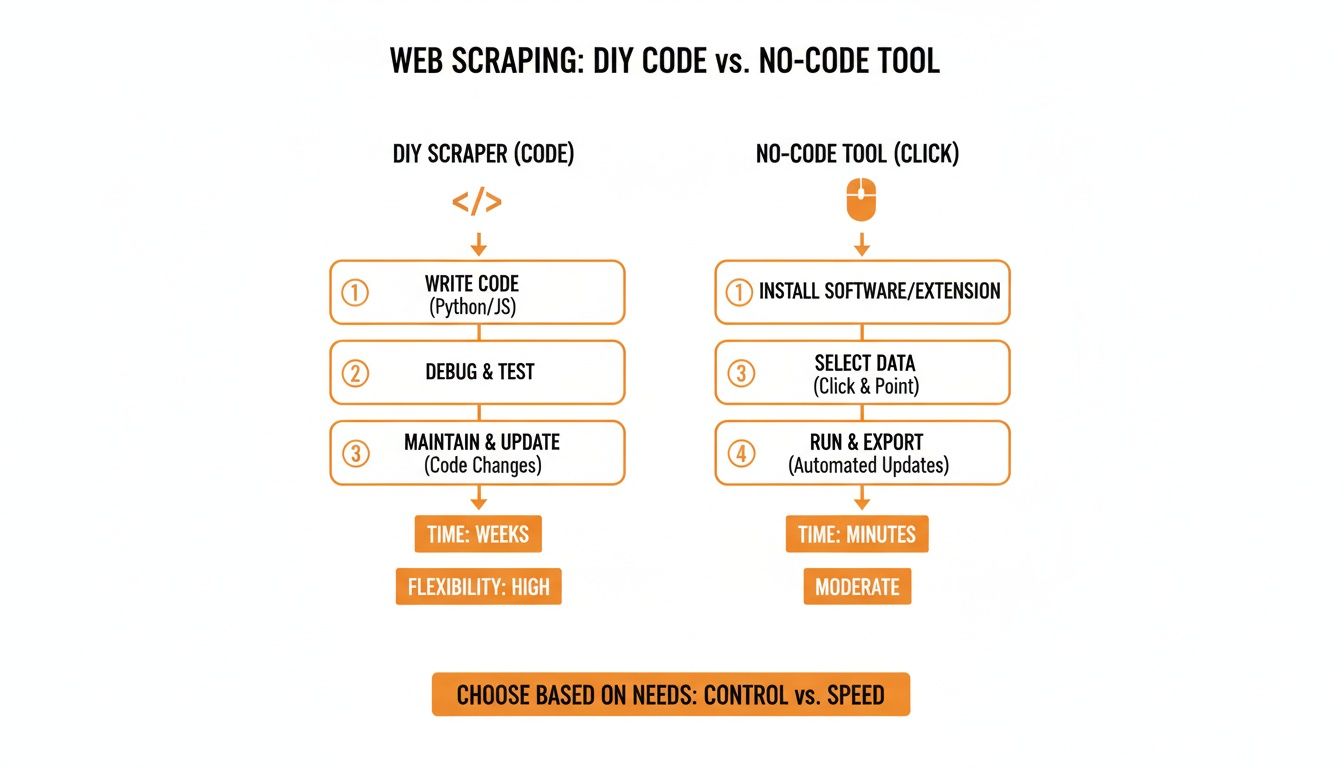
As you can see, the no-code path eliminates the technical complexity, getting you to the data faster.
From Raw Data to a Clean CSV Export
Once the scraper is done, all your data is in a neat table. With one more click, you can export the entire dataset as a clean CSV file.
This CSV is ready to be opened in Google Sheets, Microsoft Excel, or any other tool. From there, you can:
Sort and Filter: Instantly find the most or least expensive items.
Create Charts: Visualize pricing trends across different brands.
Run Formulas: Calculate average prices or track changes over time.
Share with Your Team: Send your findings to colleagues without a hassle.
This effortless process from a live website to an analyzable file makes a modern Amazon price scraper an essential tool.
How Modern Scrapers Beat Amazon's Defenses
Let's be real: Amazon doesn't exactly welcome data scrapers. It’s one of the most sophisticated platforms on the planet, armed with defenses designed to block automated bots. If you've ever tried a DIY approach, you’ve likely hit these walls head-on.
These roadblocks are why so many homemade scrapers fail within hours. It's a tough battle to fight on your own.
The Most Common Scraping Roadblocks
Amazon’s defenses are designed to shut down non-human traffic. Understanding these challenges helps you appreciate how modern tools are engineered to bypass them.
Here are the big three that stop most scrapers:
Aggressive IP Blocking: Send too many requests from the same IP address, and Amazon’s servers will flag you as a bot and block you.
CAPTCHA Challenges: The infamous "I'm not a robot" tests are a scraper's worst nightmare. They are easy for humans but nearly impossible for simple scripts to solve.
Dynamic Website Layouts: Amazon’s developers constantly tweak the site's code. A scraper hard-coded to find a price in a specific tag yesterday might find that tag has a different name today, breaking the script.
These aren't just minor inconveniences; they are strategic barriers. For a DIY scraper, each issue requires a complex, time-consuming workaround.
How Smart Tools Stay One Step Ahead
So how do modern browser tools like Clura pull data so reliably? It's not magic; it's smart engineering. These tools are built to anticipate and navigate Amazon's defenses, handling the complexity behind the scenes.
Intelligent Proxy Rotation
To get around IP blocking, smart scrapers use a massive pool of residential proxies. Instead of hitting Amazon's servers from a single address, the tool automatically rotates through thousands of different IP addresses from real devices worldwide.
To Amazon, this activity looks like it's coming from thousands of individual shoppers, not a single bot.
AI-Powered Element Detection
The problem of changing website layouts is where AI shines. Instead of relying on fragile, hard-coded selectors, modern tools use machine learning to understand the context of a page.
The AI can identify the price not by its specific HTML tag but by its position and relationship to other elements like the product title. When Amazon updates the site, the AI adapts on the fly. This ensures your data collection continues without a hiccup.
Amazon's defenses make reliable price scraping a challenge, but tools achieving 98% accuracy like Clura can turn the tide. You can dive deeper into how to monitor Amazon prices even with these obstacles.
Ultimately, a modern Amazon price scraper succeeds because it doesn't fight Amazon's defenses—it outsmarts them.
Putting Your Scraped Data to Work
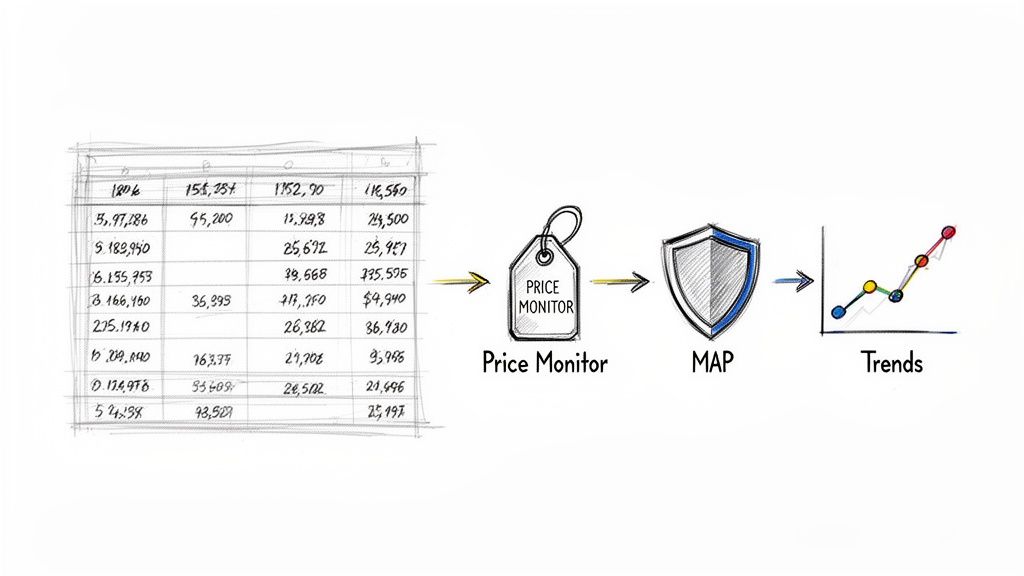
Okay, you've collected the data. Great! But rows of prices in a CSV file don't pay the bills. The magic happens when you turn that raw data into smart, profitable business decisions. An Amazon price scraper is more than a data-gathering tool; it's an engine for growth.
Dominate with Competitive Price Monitoring
The most immediate win is keeping a laser focus on your competition. A simple daily export of competitor prices gives you a bird's-eye view of the entire market.
Imagine your scraper pulls data on the top five competing products every morning. You open your spreadsheet and see your main rival just slashed their price by 10%.
Now you can make a strategic call:
Match the Price: Adjust your price on the fly to stay competitive.
Hold Firm: If your product has better reviews, hold your price and market your superior value.
Launch a Promotion: Counter with a limited-time coupon to attract price-sensitive shoppers.
Without this data, you'd be flying blind. With it, you're making proactive decisions that protect your market share. This data is key to achieving optimal pricing on Amazon.
Protect Your Brand with MAP Monitoring
For brands that sell through third-party retailers, protecting your brand's value is crucial. Minimum Advertised Price (MAP) policies are your best defense against rogue sellers tanking your prices.
But enforcing these policies manually is a nightmare.
This is where your Amazon price scraper becomes your brand's best friend. You can set it up to automatically scan the prices of all your authorized sellers, flagging anyone who breaks the rules. This automated workflow protects your brand and ensures healthy profit margins for you and your retail partners.
Uncover Opportunities with Market Trend Analysis
While daily price checks are great for tactics, the real strategic gold is in historical data. Running your scraper consistently over weeks and months builds a valuable dataset that reveals the bigger picture.
For example, tracking the "air fryer" category for a quarter might reveal:
Seasonal Swings: You notice prices rise in late November and crash in January. Now you know how to plan your inventory and ad spend for next year's holidays.
New Challengers: A new brand appears with a low price. You can track its sales and reviews to see if it’s a genuine threat.
Price Elasticity: After a market leader raises their price by 15%, you can watch their sales rank. If it plummets, you learn how sensitive customers are to price hikes.
This level of analysis takes you beyond simple price matching. You're using data to predict market shifts and build a long-term strategy. Our guide on online price tracking has more ideas on how to use this data.
Amazon Price Data Use Cases
Use Case | Business Goal | Key Data Points to Track |
|---|---|---|
Competitive Analysis | Stay ahead of rivals by understanding their pricing strategies. | Competitor prices, sales rank, stock levels, promotions. |
MAP Enforcement | Protect brand value and ensure fair pricing across all retail channels. | Prices from all third-party sellers. |
Dynamic Pricing | Maximize profit by adjusting prices based on market conditions. | Competitor prices, demand signals (sales rank), seasonality. |
Catalog Upkeep | Ensure your product listings are accurate and competitive. | Your own prices, "Buy Box" status, shipping costs, stock. |
Market Research | Identify new product opportunities or category trends. | Average category price, new product entrants, sales velocity. |
Scraping Amazon data isn't just about knowing a price; it's about understanding the "why" behind it.
Common Questions About Scraping Amazon Prices
Jumping into web scraping for the first time? It's normal to have a few questions. Let's clear up some of the most common ones about using an Amazon price scraper.
Is It Legal to Scrape Prices from Amazon?
This is the big one. Scraping publicly available data—like prices on an Amazon product page—is generally legal for market research and competitive analysis. The key is to be a good digital citizen.
Ethical scraping means respecting Amazon's terms and not overwhelming their servers with too many requests. Modern tools are built to work within these responsible limits, letting you gather intelligence without crossing any lines. To dig deeper, you can explore more on whether scraping websites is illegal.
How Many Products Can I Scrape at Once?
This depends on the tool you choose. A free extension might struggle after a few dozen products. Professional-grade tools, on the other hand, are built for scale.
With the right setup, you can grab every product from a search results page in one go. You can even create workflows that automatically click through multiple pages, collecting data from thousands of products. It’s about picking a tool that can keep up with your goals.
What Is the Best Format for Exporting Scraped Data?
For flexibility and ease of use, you can't beat a CSV (Comma-Separated Values) file. It’s the universal language of data. A CSV file organizes everything into a clean table that you can open with any spreadsheet software:
Microsoft Excel: The go-to for deep data analysis.
Google Sheets: Perfect for collaborating with your team.
Apple Numbers: A great option for Mac users.
The best scraping tools offer a one-click export to CSV, giving you a perfectly structured dataset that’s ready for analysis.
How Often Should I Scrape Amazon Prices?
Amazon's prices can change every ten minutes, so the right frequency depends on your goal. There’s no single magic number, but here are some guidelines:
For High-Stakes Products: In a competitive niche or during a sale like Prime Day, checking prices every few hours is a smart move.
For General Market Monitoring: For broader trend analysis, running your scraper once or twice a day is usually enough to keep your finger on the pulse.
A great place to start is to schedule a scrape every 6 to 12 hours. This gives you timely data without putting unnecessary strain on Amazon's servers.
Ready to turn this knowledge into action? Explore prebuilt templates and see for yourself how easy it is to get the competitive insights you need.
