
Discover how a social media finder automates data collection for sales, recruiting, and research. Learn to find profiles and insights in one click.

A social media finder is your secret weapon for web data. Think of it as a smart assistant that automatically finds and extracts public information from social networks like LinkedIn or X (formerly Twitter). It then neatly organizes that data into a clean spreadsheet you can actually use.
Forget the soul-crushing task of manually copying and pasting data one profile at a time. These modern tools grab hundreds or even thousands of data points—names, job titles, contact info, you name it—in just a few minutes.
This guide will show you exactly how to use a social media finder to automate your work, save time, and get better results.
Why You Need a Social Media Finder
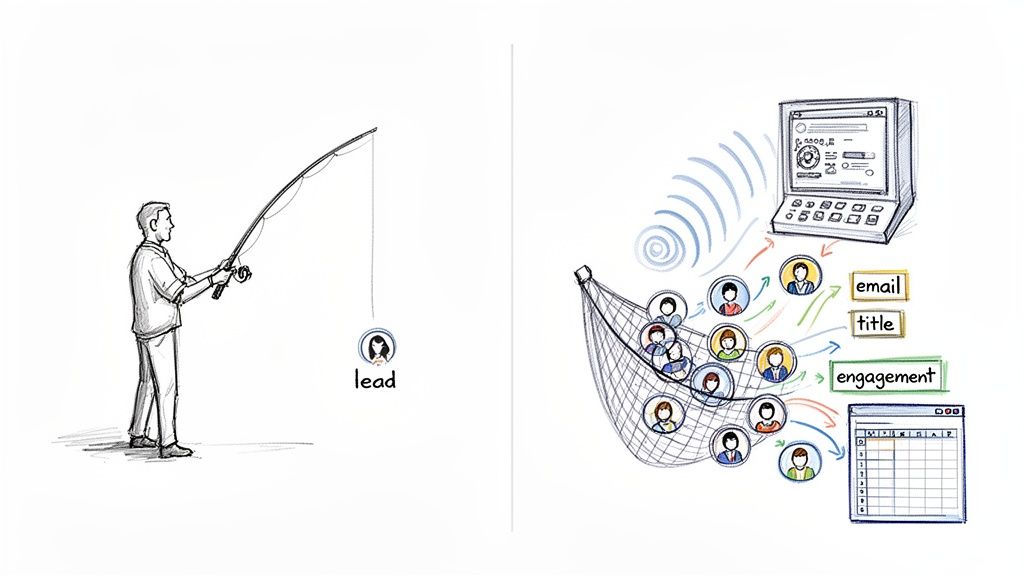
Let's be real. Finding prospects, monitoring competitors, or spotting new trends on social media is overwhelming. Billions of people are posting constantly. Searching by hand is slow, inefficient, and simply doesn't scale. You can burn an entire afternoon just to get a handful of contacts, only to do it all over again tomorrow.
This is where a social media finder completely changes the game.
Here’s an analogy: searching social media manually is like fishing with a single line, hoping for a random bite. Using a modern finder tool is like deploying a high-tech sonar and a massive net, letting you pinpoint and scoop up exactly who you're looking for with incredible speed and precision.
More Than Just a Search Bar
These tools do more than just find profiles. They are built to automatically collect structured data that your business can use right away. An AI-powered tool like Clura can extract specific details and organize them perfectly for you.
Picture this: you need a fresh list of potential clients. Instead of endless clicking and copying, you could:
Pinpoint every marketing manager in a specific city on LinkedIn.
Automatically extract their names, company details, and job titles.
Export the entire list into a clean CSV file with one click.
This leap from manual grunt work to automated data collection is a huge time-saver. It frees you up to focus on what actually moves the needle: connecting with people, analyzing insights, and growing your business.
To get the most out of these tools, it helps to know how to search effectively on each platform. Mastering skills like advanced Twitter search, for example, can help you uncover powerful insights and find conversations you would have otherwise missed.
Ultimately, a social media finder turns the noisy chaos of social data into a clear, actionable goldmine. It's all about working smarter, not harder.
How a Social Media Finder Works
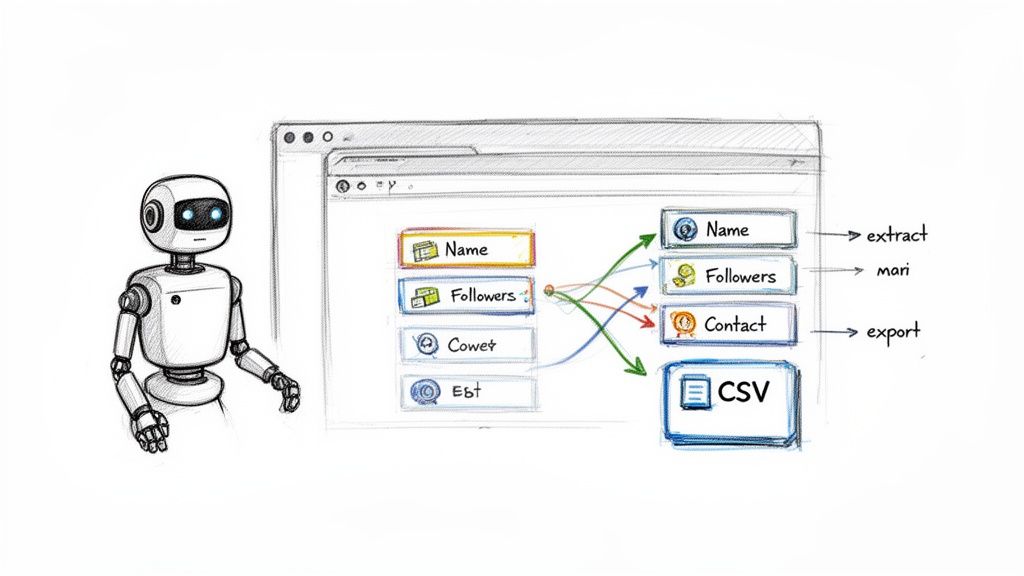
Let’s get right to it. A social media finder is like a personal digital assistant—one that’s lightning-fast and incredibly organized. It lives in your browser and its sole purpose is to hunt down and collect public information from social networks for you.
Imagine sifting through hundreds of profiles on LinkedIn or X (formerly Twitter). You'd be copying and pasting names, job titles, or follower counts for hours. This tool does all that heavy lifting automatically. It zips through web pages just like a person would, but at a speed that's simply not humanly possible.
Then, the magic happens. It pulls the specific details you need and arranges them into a perfectly clean spreadsheet (like a CSV file). What used to be hours of tedious work becomes a task you can finish in minutes.
How Does It Work Without Writing Code?
Here's the best part: you don't need to be a developer. Modern tools like Clura use a simple browser extension paired with AI-powered templates. This means all the complicated work of figuring out what to grab from a page is already done for you.
There are over 5.4 billion people on social media, creating a massive amount of public data. It's an impossible firehose for any team to manage by hand. A social media finder automates the process of grabbing public posts, profiles, and engagement signals, turning chaos into clear insights.
This automation is what makes these tools a game-changer for everyone—from sales reps and marketers to recruiters and researchers.
Key Takeaway: A social media finder isn't just another search bar. It’s an automation powerhouse that transforms messy, scattered information into structured data you can use for outreach, analysis, or research.
While there are many tools available, like an AI Social Media Tool like Postful for general tasks, a dedicated finder focuses on one thing: getting you the right information, fast.
Practical Use Cases for a Social Media Finder
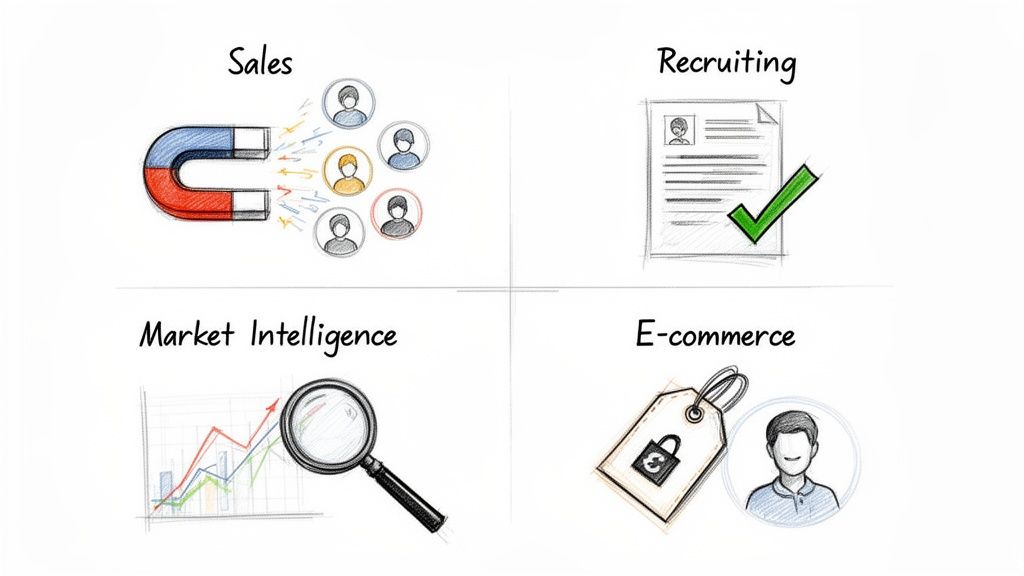
A social media finder is more than just a cool gadget; it’s a powerful engine for business growth. The real magic happens when you use it to automate data collection for specific tasks that boost revenue, attract top talent, and give you a competitive edge.
Let’s dive into how different teams are using these tools to get tangible results.
1. Sales and Lead Generation
For any sales team, a social media finder is a prospecting superpower. Kiss those days of endlessly scrolling through LinkedIn goodbye. You can now build a hyper-targeted list of hundreds of ideal customers in minutes.
For example, say you want to connect with every 'Director of Marketing' in Austin, Texas.
Run that search on LinkedIn.
Launch an automation tool like Clura.
Instantly get all their public profile data—names, companies, job titles, and more—in a clean spreadsheet.
You can build a targeted list of 500 qualified prospects in the time it takes to drink your morning coffee. This frees you up to spend less time digging and more time selling.
2. Recruiting and HR
Recruiters are always hunting for the perfect candidate on sites like Indeed and professional networks. A social media finder streamlines this process by pulling scattered info into one clean, unified view.
Instead of juggling a dozen browser tabs, an AI tool can do the heavy lifting for you.
Instantly pull specific skills from multiple candidate profiles at once.
Scrape job postings to analyze requirements and salary benchmarks.
Monitor target company pages for new openings or hiring surges.
This saves an incredible amount of time, letting HR pros focus on what they do best: connecting with amazing people.
3. Market and Competitor Intelligence
Keeping tabs on your competitors is crucial, but doing it manually is a recipe for burnout. A social media finder automates this entire process, delivering key intel right to you.
You can set up automations to monitor competitor activity on platforms like X or Crunchbase, tracking everything from product launches to new funding rounds. It’s like having a real-time feed of your market without lifting a finger.
4. E-commerce and Product Research
In the world of e-commerce, data is king. The ability to quickly gather information on pricing, reviews, and product listings gives you a massive advantage.
E-commerce sellers can instantly pull structured data from review sites, monitor competitor prices on Shopify, or analyze product trends. This data-driven approach helps businesses stay competitive and spot new opportunities.
Summary of Applications
Role | Primary Use Case | Example Task | Key Benefit |
|---|---|---|---|
Sales Rep | Lead Generation | Scrape LinkedIn for contacts in a target industry. | Build large, qualified prospect lists in minutes. |
Recruiter | Talent Sourcing | Aggregate candidate skills from multiple online profiles. | Get a 360-degree view of candidates and hire faster. |
Marketer | Competitor Analysis | Monitor a competitor’s activity on X (formerly Twitter). | Gain real-time market intelligence to sharpen your strategy. |
E-commerce Manager | Price Monitoring | Scrape product listings from competitor stores to compare pricing. | Stay competitive and optimize pricing on the fly. |
As you can see, the applications are incredibly practical. It's all about automating repetitive tasks to unlock strategic insights and save time.
How to Choose the Right Social Media Finder
With so many tools available, picking the perfect social media finder can feel tricky. But it doesn't have to be. The best tool is the one that gets you the data you need quickly and reliably, without a steep learning curve.
You need something that’s easy to use right out of the box. A modern tool should feel intuitive. This is why one-click data collection is no longer a "nice-to-have"—it’s a must.
Ditch Manual Labor for No-Code Automation
The biggest game-changer is the move away from clunky, manual setup. The old way was a drag. You had to painstakingly point and click on every single name, title, and link you wanted to grab from a page.
Thankfully, the new standard is AI-powered smart templates.
Think of it like this: you land on a LinkedIn search results page, and a template instantly recognizes all the important stuff. You just click one button, and the tool does all the heavy lifting. It's the difference between building a model airplane from a thousand tiny pieces and flying a ready-to-go drone.
This AI-first approach makes advanced data collection a breeze for everyone, not just developers. The most important question to ask is: does this make my life easier?
Key Features to Look For
As you compare options, look for these essential features.
Ease of Use: You should be up and running in minutes. Look for a clean interface and pre-built templates that take the guesswork out of the equation.
Data Accuracy: The tool has to pull the correct information every time. What's the point of automation if you have to spend hours cleaning up messy data?
Flexible Exports: Getting the data is only half the job. You need to be able to instantly download it as a clean CSV file or another format that works with your other tools.
Works Everywhere: Your work isn't limited to one website. Your tool needs to operate flawlessly across major platforms like LinkedIn, X (formerly Twitter), and other company or e-commerce sites.
A great tool will offer a free plan to get you started and have the power to grow with you. To learn more, explore our guide to the top social media scraping tools on the market.
Get a Prospect List in 3 Simple Steps
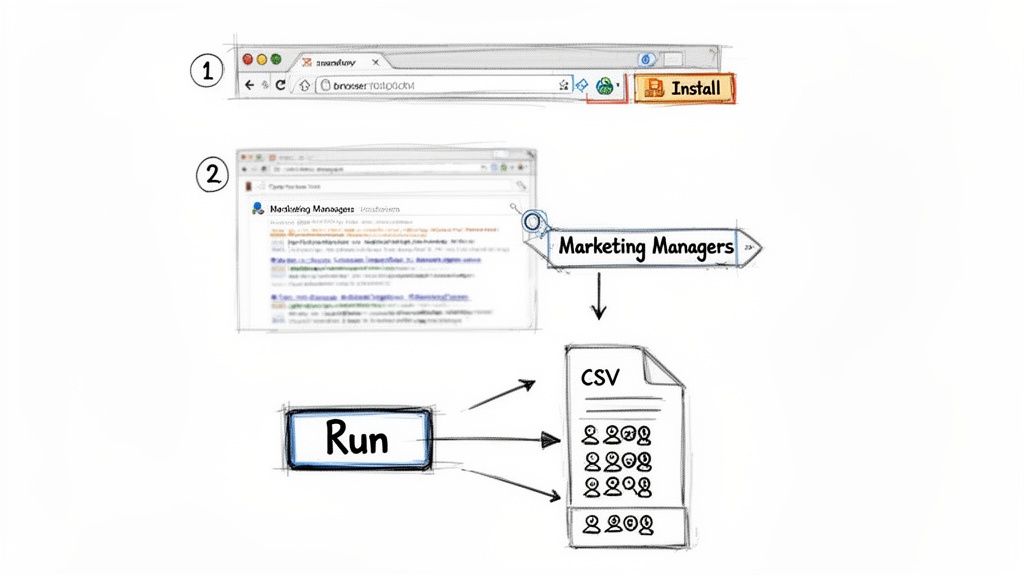
Ready to see how fast you can put a social media finder into action? Let’s walk through building a targeted prospect list in under five minutes. Forget complicated setups or code—this is all about one-click magic that gives you clean, organized data.
The old way was a grind. The new way? It's a simple, three-step process anyone can master.
Step 1: Install the Browser Extension
This first part takes about 30 seconds. Just install the Clura Chrome extension. Think of it as giving your browser a new superpower—it’s lightweight, secure, and ready to go when you are.
Once installed, the Clura icon will appear in your toolbar.
Step 2: Find Your Targets and Pick a Template
Now for the fun part. Go to the site you want to pull data from. For this example, let's head to LinkedIn and search for "Marketing Managers in California."
As soon as your search results load, just click the Clura icon. The tool is smart enough to see what page you're on and will instantly suggest a ready-to-go template, like "LinkedIn Search Results." No more tedious field mapping.
Step 3: Run the Automation and Export Your Data
With the template selected, the only thing left to do is hit "Run." The tool will immediately get to work, zipping through the page and collecting all the public data—names, job titles, companies, and locations.
In moments, you’ll have a full list. Click "Export to CSV," and a perfectly clean spreadsheet lands on your computer, ready for your sales outreach. You just took a task that would've burned hours and finished it in minutes. Want to see what else is possible? You can learn more about how to automate data collection in our detailed guide.
Summary: Stop Digging, Start Automating
The daily grind of hunting for prospects and gathering market intel is more than just slow—it's unsustainable. Sinking countless hours into repetitive tasks is the bottleneck holding you back.
The fix is simple: trade grunt work for smart automation with an AI-powered social media finder. Imagine closing all those browser tabs and saying goodbye to endless copy-pasting. It’s time to let a smart tool do the heavy lifting so you can reclaim your day.
Your Competitive Edge
Switching to automation gives you three game-changing advantages:
Massive Time Savings: What used to take an entire afternoon can now be done in minutes. Build a fresh lead list or analyze a competitor while you focus on your next big idea.
Clean and Structured Data: An AI tool delivers perfectly organized data in a neat CSV file, ready to plug into your sales and marketing pipelines. No cleanup required.
Smarter, Faster Decisions: With accurate, real-time information, you can make confident decisions in a fraction of the time. Stay ahead of the curve, not just trying to keep up.
A social media finder isn't just another tool; it’s a new way of working. You're swapping manual labor for intelligent automation, giving you a powerful, lasting competitive advantage.
Stop wasting another minute on tasks a machine can finish in seconds. The power to transform your productivity is just one click away.
Explore prebuilt templates.
Frequently Asked Questions
Thinking about diving in? It's normal to have a few questions. Let's tackle the most common ones so you can start with confidence.
Is using a social media finder legal?
Yes, but it all comes down to how you use it. Scraping publicly available information is generally permissible. The golden rule is to be ethical. You're not accessing private accounts or breaking into anything; you are simply automating the process of viewing a public page.
The key is to use this data for legitimate business purposes—like outreach or market research—and never for spamming. As long as you respect a site's rules and people's privacy, you're on solid ground.
Do I need to be a tech expert to use this?
Not at all. In the old days, data scraping often required coding skills. Thankfully, those days are over. Modern, AI-powered tools like Clura are built to be no-code.
If you know how to browse the internet and click a button, you've got this. Pre-built templates do the heavy lifting for you. These tools are designed to be simple, putting powerful automation into the hands of sales reps, marketers, and recruiters—no IT team required.
How is this better than searching on LinkedIn myself?
Manual searching is fine for one or two profiles. A social media finder operates on a completely different level. It comes down to three things: scale, speed, and structure.
Scale and Speed: You might pull a handful of profiles in an hour. A good tool can grab hundreds or even thousands in minutes. The difference is staggering.
Structured Data: Searching by hand leaves you with a mess of open tabs and copied notes. A finder tool instantly exports everything into a clean, organized CSV file, ready for your CRM or outreach platform.
Manual searching is like jotting notes on sticky pads. A social media finder is like having a lightning-fast assistant who types everything up and organizes it neatly into a spreadsheet for you.
Ready to stop wasting hours on mind-numbing data entry? Try this workflow today. Explore our pre-built templates and get your first automation running in minutes.
