
Discover how to automate data collection from any website. Our guide offers actionable workflows and strategies for sales, marketing, and research teams.

Tired of the soul-crushing grind of manual data entry? Let's be real—copying and pasting information from websites into spreadsheets is a massive time sink. It’s tedious, mind-numbing, and a recipe for errors. This guide is your way out.
Automating your data collection isn't just a nice-to-have anymore; it's a strategic must. Whether you're a sales pro hunting for leads, a marketer keeping tabs on competitors, or a recruiter sourcing top-tier talent, clinging to manual processes is holding you back.
By using AI-powered browser agents, you can visually scrape and organize information from literally any website, no code required. This turns hours of manual drudgery into a simple, one-click workflow that delivers clean, accurate data in an instant.
Stop Wasting Time on Manual Data Entry
Think about all the time spent manually pulling data. Every single minute is a minute you could have spent on strategy, analysis, or building relationships with clients. This hidden cost snowballs fast, tanking everything from team morale to your bottom line.

The True Cost of Manual Work
Modern AI tools can shrink a process that takes hours down to just a few minutes, all while giving you cleaner and far more reliable data. If you want to go deeper on this, our guide on data entry automation breaks down even more specific strategies.
This shift lets your team finally focus on what they were hired to do—find insights, make smart decisions, and drive growth.
Why Automation is Exploding in Popularity
It's not just you. The demand for automation is blowing up everywhere. The database automation market is set to skyrocket from USD 3.19 billion in 2026 to an unbelievable USD 22.2 billion by 2034. Why the massive jump? We're all drowning in data, and trying to manage it manually is becoming flat-out impossible.
This explosive growth makes one thing crystal clear: businesses that don't automate are going to be left in the dust. The advantages are just too good to pass up.
Skyrocket Productivity: Free up your team from the grunt work so they can tackle the high-impact projects that need a human brain.
Get Pristine Data: Say goodbye to typos, formatting nightmares, and missed details that sneak in with manual copy-pasting.
Make Faster Decisions: Get your hands on fresh, relevant data exactly when you need it, so you can jump on opportunities before they disappear.
The real win here isn't just collecting data faster. It's about giving your team back their time and creative energy for the strategic work that actually moves the needle.
Adopting automation isn't about replacing people; it's about empowering them. It’s about giving them the right tools to work smarter, not harder.
How to Automate Data Collection: 3 Simple Methods
Alright, you’re pumped and ready to put your data collection on autopilot. That’s the spirit! But before you dive in, let’s figure out which tool is right for you. Picking the right approach is everything—it’s the difference between a quick win and a frustrating headache.
We're going to walk through the three main ways you can automate data gathering: AI Browser Agents, classic Web Scrapers, and direct API connections. Don't worry about the jargon; I'll break it all down in simple terms. Each one has its own superpowers, and by the end of this, you'll know exactly which one fits your mission.
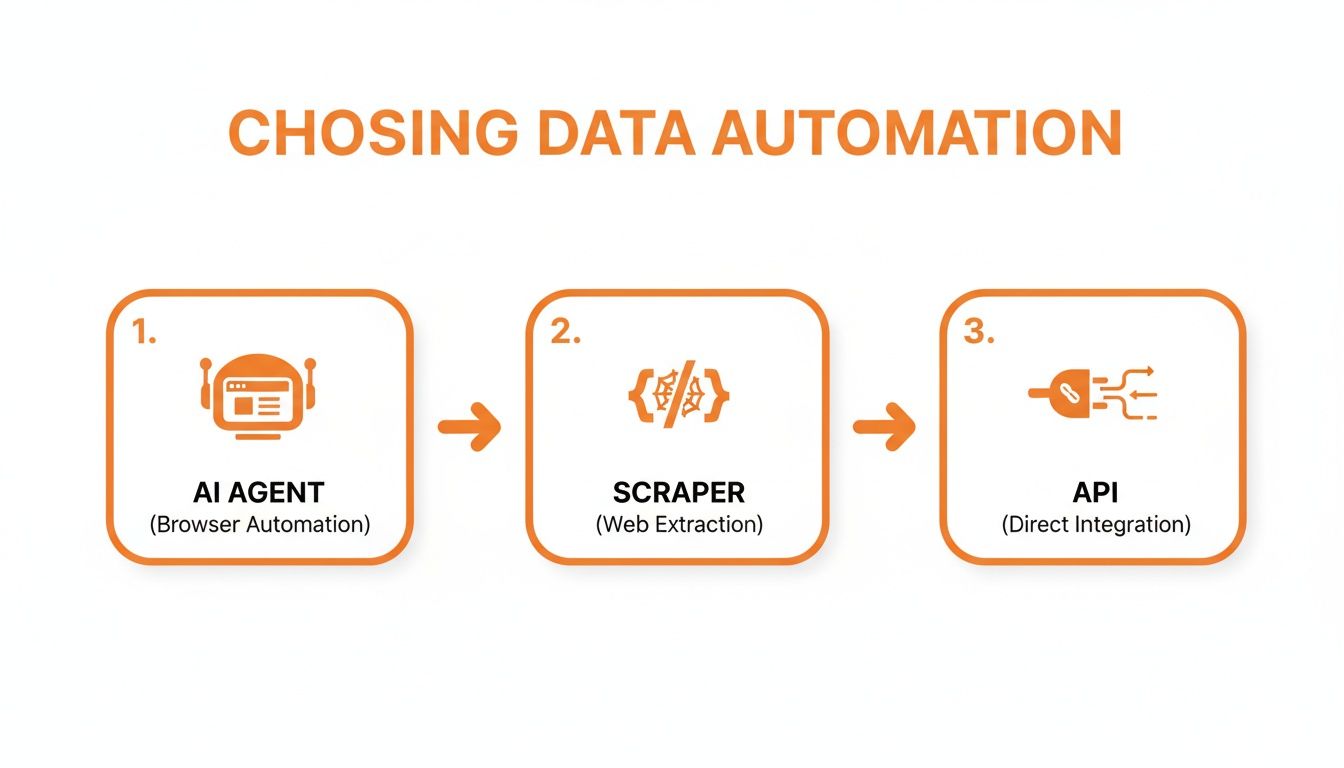
1. AI Browser Agents: The "Point-and-Click" Champions
Honestly, this is the easiest way to get started. Think of an AI Browser Agent as your personal data assistant that lives right in your web browser. You just navigate to a webpage, point at the stuff you want—like names, prices, or job titles—and click. The agent figures out the rest and pulls it all into a neat spreadsheet for you.
These tools are built for business pros, not coders. They're perfect for when you need data now without a complicated setup.
Who they're for: Sales reps pulling leads from LinkedIn, marketers keeping an eye on competitor pricing, or recruiters grabbing candidate profiles from job sites.
What's the learning curve? Next to nothing. If you can browse the internet, you’re already an expert. This is why teams love them—you can get everyone up and running in minutes.
Best use case: Fast, focused data grabs from public websites. Need a list of speakers from a conference page? This is your go-to.
2. Traditional Web Scrapers: The Power User’s Toolkit
Ready to roll up your sleeves a bit? Traditional web scrapers give you way more muscle and control, but they expect a little more from you in return. You'll often need to know a tiny bit about how websites are built (think basic HTML tags) to tell the scraper exactly what to grab.
While some have visual interfaces, these tools are really for people who are comfortable with a bit of technical tinkering. They're fantastic for tackling more complex websites or massive data collection jobs that would overwhelm a simpler tool.
This method is the perfect middle ground. It's for when you need more power than a simple no-code agent can offer but you're not quite ready to start writing custom code from scratch.
This approach lets you fine-tune the entire process, which is a lifesaver for pulling data from weirdly structured sites or applying specific cleaning rules on the fly. For a deeper dive into the top players here, check out our guide on the best data extraction software.
3. Custom API Integrations: The Developer’s Direct Line
Last but not least, we have APIs (Application Programming Interfaces). Forget scraping what’s on the screen—an API is like having a direct, private hotline to a company's database. You use code to send a request, and their servers send back precisely the data you asked for, perfectly formatted.
This is, without a doubt, the most stable and efficient method out there. But it comes with a big catch.
Requires technical skills: This is developer territory. You'll need to know how to code to hook into an API.
Provides the cleanest data: Since you're getting data straight from the source, it's pristine. No messy HTML to clean up, just pure, structured information.
Limited by availability: Here's the catch—not every site offers a public API. You can only use this method if a company has explicitly built and opened one up for you.
So, while a developer building a real-time e-commerce price tracker would absolutely use an API for its speed and reliability, a marketer who just needs to export a list of attendees from an event page is way better off with a no-code AI agent.
Comparison of Data Collection Methods
To make it even clearer, let's put these methods head-to-head. Seeing them side-by-side really helps highlight where each one shines.
Method | Ease of Use | Technical Skill | Speed to Implement | Best For |
|---|---|---|---|---|
AI Browser Agents | Very Easy | None | Minutes | Quick, targeted extractions by non-technical users (sales, marketing). |
Traditional Scrapers | Moderate | Basic (HTML/CSS) | Hours to Days | Complex sites & larger datasets for tech-savvy users. |
Custom APIs | Difficult | High (Coding) | Days to Weeks | High-volume, real-time, reliable data for developers. |
Ultimately, the right choice always boils down to your specific goal, your timeline, and your comfort level with technology. Start with what feels most achievable, and you'll be automating in no time.
A Step-by-Step Guide to Your First Automated Workflow
Alright, enough theory—let's get our hands dirty. This is where the magic really happens. We're going to walk through building a simple, yet incredibly powerful, automated workflow from scratch. You'll see firsthand just how quickly you can turn a tedious research task into a pristine dataset.
Let's imagine you're a marketing manager on the hunt for top-notch partners. Your mission? To build a list of the highest-rated web design agencies from Clutch, a huge B2B review platform. Doing this manually would be a soul-crushing exercise in copying and pasting. It’s the perfect job for automation.
Step 1: Define Your Goal
Before you even think about clicking a button, you need a clear goal. What information do you actually need? A well-defined objective stops you from grabbing useless data and keeps your workflow lean and mean.
For our Clutch example, the goal is crystal clear. We want to pull a few key details for the top-ranked agencies:
Company Name: Who are they?
Website URL: Let's see their portfolio.
Services Offered: Do they have the skills we need?
Client Rating: How good are they, really?
This list is our treasure map. It tells our automation tool exactly what to look for, guaranteeing we end up with clean, relevant data in just a few minutes.
Step 2: Launch Your AI Agent
Now for the fun part. With an AI-powered browser agent, this whole process feels less like work and more like a video game. You just navigate to the website you want to get data from. That’s it. No complicated setup, no code—just go to the site.
Here's the Clutch web designers page we're targeting. This kind of structured layout is exactly what AI agents are built for. They can spot these repeating patterns instantly and figure out how the information is organized.
Once your browser agent is running, you simply start clicking. Point your mouse at the name of the first agency on the list and click. The AI immediately analyzes the page's code, highlights all the other company names, and understands you want to grab every single one.
You just repeat this point-and-click motion for the other data points on your list: the website link, the list of services, and the star rating. Every click trains the agent, which builds a visual map of the data you want to collect automatically.
Step 3: Export Your Data in One Click
After you've pointed out all the data you want, the AI agent shows you a real-time preview of the table it's about to build. This is your chance to give it a quick once-over and make sure everything looks right. You’ll see all your data lined up in neat columns, just like you wanted.
This preview step is an absolute game-changer. It means no more surprises. You know the final export will be perfect before you even commit to running the full automation.
If it all looks good to go, you hit "Run." The agent gets to work, zipping through the page (and even clicking to the next pages, if you told it to) and gathering all the info. A task that would have taken you hours is done in seconds.
The last step? Getting your data out. A single click is all it takes to download the entire dataset as a clean, perfectly formatted CSV or Excel file.
Ready to Use: The file is immediately ready to be uploaded to your CRM, shared with your sales team, or dropped into a tool for analysis.
Zero Manual Cleanup: Forget about fixing typos, deleting weird characters, or reformatting columns. The data is clean from the get-go.
This quick run-through shows just how straightforward it is to automate data collection with the right tools. You’ve successfully turned a mind-numbing, multi-hour chore into a fast, repeatable workflow you can fire up anytime you need fresh leads. For a deeper dive into the mechanics, check out our complete guide on how to scrape a web page.
3 Powerful Use Cases for Automated Data Collection
Let’s be real: automation isn't just some fancy tech buzzword. It's a strategy that blows the doors wide open for growth. To get your own ideas flowing, let's jump into a few real-world scenarios where automated data collection is an absolute game-changer.
These examples will show you exactly how you can tie the raw power of automation directly to your most ambitious professional goals.
1. Supercharge Your Sales Pipeline
Picture this: your sales team needs to find 100 new, high-quality leads in the software industry. The manual way is a total nightmare. They'd burn days just clicking through LinkedIn profiles, copying names, and then hunting for contact info. It's a grind.
But with automation, the entire game changes. A sales rep can spin up an AI agent to hit LinkedIn Sales Navigator and automatically pull key data points from profiles that perfectly match their ideal customer.
The Goal: Build a hyper-targeted list of decision-makers.
The Data: Name, Job Title, Company, Company Website, and Location.
The Payoff: The team gets a pristine, ready-to-use lead list in less than an hour, not a week. This frees them up to do what they do best—actually sell and build relationships, not just dig for data.
Suddenly, lead generation transforms from a slow, manual chore into a fast, repeatable engine for growth.
2. Dominate Your Market with Competitor Intelligence
Okay, imagine you run an e-commerce store selling electronics. Your competitors are constantly tweaking their prices, and if you can't keep up, you're losing sales. Manually checking every single product on a dozen different websites every morning? It’s just not going to happen.
This is where you can automate data collection for a massive competitive edge. Set up an automation that zips through your top competitors' product pages every morning at 8 AM sharp.
It automatically scrapes the current price, stock availability, and any special promotions for the products you’re tracking. All that fresh data gets piped right into a simple dashboard, giving you a complete market overview before you've even finished your first coffee.
This isn't just about saving time; it's about making smarter, faster pricing decisions. You can spot trends, react instantly to a competitor's flash sale, and make sure your prices are always dialed in.
3. Revolutionize Your Recruiting Workflow
A recruiter’s biggest headache? Finding top talent before the competition does. Sifting through hundreds of profiles on job boards like Indeed or LinkedIn is a huge time suck that pulls them away from what really matters: interviewing and engaging with great candidates.
Now, imagine this instead: a recruiter sets up an automated workflow to scan job boards for new candidates with specific skills, like "Python" and "Data Science," in a particular city. The agent works around the clock, even while they sleep.
The Goal: Source a continuous stream of qualified candidates for open roles.
The Data: Candidate Name, Current Role, Key Skills, and a link to their profile.
The Payoff: The recruiter wakes up to a fresh list of potential hires every single day. This lets them be the first to reach out, giving them a huge head start in a cutthroat hiring market.
The demand for these kinds of data workflows is exploding. The market for extract, transform, and load (ETL) tools—which are the engine behind these processes—is projected to rocket from USD 7.63 billion in 2026 to an incredible USD 29.04 billion by 2029. This boom is proof of just how essential efficient data collection has become for any business that wants to win.
Pro Tips to Scale Your Automation Efforts
Alright, so you've built your first workflow and experienced that "aha!" moment. Awesome! But now it's time to go from one-off tasks to building a real, sustainable data pipeline that works for you around the clock. This is where you graduate from simply collecting data to creating a powerful system that consistently fuels your business growth.
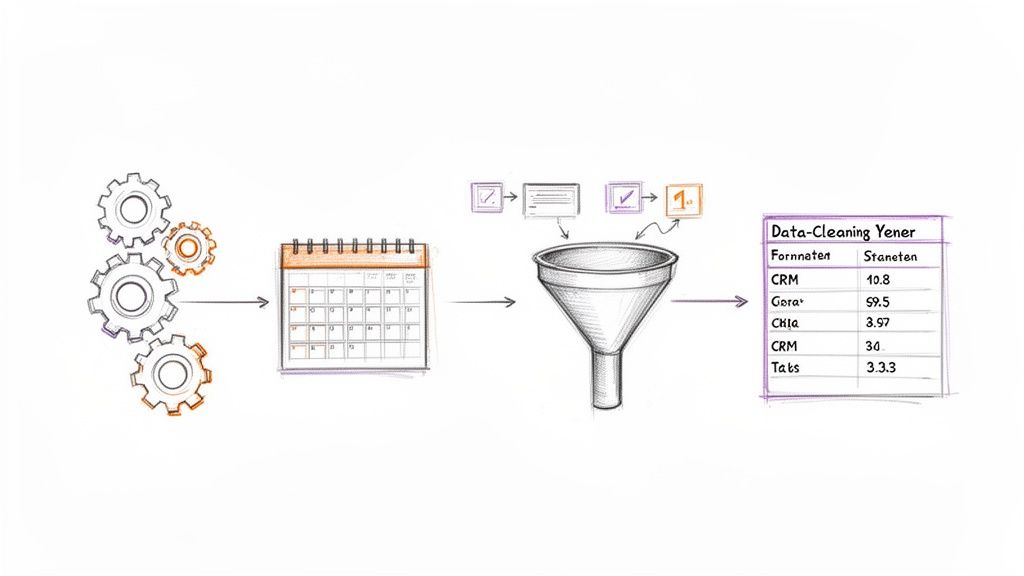
Honestly, this isn't just a "nice to have" anymore; it's becoming a business necessity. The market for data center automation is absolutely exploding—it's projected to hit a whopping USD 27.64 billion by 2031, according to a report from Mordor Intelligence. That kind of growth screams one thing: companies that automatically collect, organize, and manage data are the ones who will stay competitive.
Schedule Your Workflows to Run on Autopilot
Why manually run your automations when you can just put them on a schedule? This is one of the most powerful—and easiest—ways to scale up. Instead of having to remember to launch your agent, you can just set it and forget it.
Think about that competitor intelligence workflow you built. You can schedule it to run every single morning at 7 AM. Bam! You walk into the office with a fresh, updated report on their pricing and product changes waiting for you, all without lifting a finger.
Set it and forget it: Schedule your automations to run daily, weekly, or even hourly.
Always have fresh data: Keep your lead lists, market research, and competitive analysis constantly up-to-date.
React faster: Get timely alerts on market shifts, which gives you a massive strategic advantage.
Setting up a schedule basically turns your browser agent into a tireless employee who works 24/7 to deliver the exact data you need, right when you need it.
Master Pagination for Complete Datasets
So, what do you do when the data you need is spread across dozens, or even hundreds, of pages? We've all been there. Manually clicking "Next Page" over and over on an e-commerce site or a job board is a total nightmare. This is where pagination handling saves the day.
Modern AI agents are smart enough to recognize those "Next" buttons or page numbers. You can literally teach your agent to click through every single page automatically until it’s scraped everything.
This simple feature is the key to capturing complete, comprehensive datasets. Instead of just grabbing the first 20 results, you can effortlessly collect all 2,000, ensuring you never miss a critical piece of information.
For anyone serious about building robust datasets for market analysis, lead generation, or academic research, this is a non-negotiable.
Clean and Format Data on the Fly
Let's be real: raw data is usually a mess. It comes loaded with extra spaces, inconsistent capitalization, or weird symbols that make it a pain to work with. If you're spending hours cleaning up a spreadsheet by hand, you're defeating the whole purpose of automation.
The pro move? Clean and format your data while it’s being collected.
Most of the advanced automation tools out there let you apply rules to your data before it even hits your spreadsheet. This is a game-changer and a massive time-saver.
Remove extra text: Easily strip out unwanted currency symbols (like "$") or units (like "lbs") to get clean, usable numbers.
Standardize formatting: Automatically trim that annoying whitespace from the beginning and end of text entries.
Extract specific info: Pull just an email address from a block of text or a username from a social media URL.
When you build these cleaning steps directly into your workflow, your final export is a pristine CSV file. It's ready to be imported directly into your CRM, marketing platform, or analytics dashboard—no manual cleanup required. This is how you truly automate data collection from start to finish. For even more advanced processing, you can start leveraging Large Language Models (LLMs) to categorize and analyze text data on the fly.
Stop Manual Work, Start Automating
Let's be real: learning to automate data collection is one of the most valuable skills you can pick up right now. It's not just a nice-to-have; it's your key to unlocking hundreds of saved hours, getting ridiculously accurate data, and frankly, leaving the competition in the dust.
You’ve seen just how easy it is to get started. Forget the old-school image of needing a computer science degree—today’s AI-powered tools let you pull off some seriously impressive stuff in a matter of minutes.
It's Time to Ditch the Drudgery
The days of mind-numbing copy-pasting and endless spreadsheet updates are officially over. It’s time to fully embrace automation and get your time and energy back for the kind of strategic work that actually moves the needle.
Look, this isn't just about being more efficient. It’s about unlocking your own potential. When you hand off the repetitive grunt work to a machine, you free up your brain to focus on what humans do best: analysis, creative strategy, and driving real growth.
Just think about what you could build with all that time back in your day.
Whether you're compiling lead lists that practically build themselves, keeping a constant pulse on market trends, or finding the best talent before anyone else, the right automation workflow changes everything. You now have the blueprint to build smarter, faster systems that work for you 24/7.
Ready to take the plunge? Don't put it off. Grab a prebuilt template and kick off your first automation—you'll be amazed at what you can do. Explore prebuilt templates.
Frequently Asked Questions
Jumping into automation for the first time? It's totally normal to have a few questions swirling around. Let's tackle some of the most common ones so you can get started with total confidence.
Is automating data collection legal?
Yes, absolutely—as long as you're smart and ethical about it. The main principle is simple: only collect publicly available information. If you can see it on a website without having to log in, it's generally considered fair game.
Ethical data collection is all about playing by the rules. Respect a website's terms of service, never try to grab data from behind a password-protected wall, and don't bombard a site's servers with a crazy amount of requests. Think of it this way: you're just doing what a human could do manually, but way, way faster.
Do I need to know how to code to do this?
Not a chance! It's true that web scraping used to be a domain reserved for developers, but those days are long gone. The game has completely changed thanks to modern no-code tools.
The new wave of AI browser agents is built for everyone. Seriously, if you can point and click on a website, you have all the technical skill you need to build some seriously powerful automations.
These tools are all about visual, intuitive interfaces. You literally just show the AI what data you want by clicking on it. No scripts, no coding, no developer headaches.
How do I know the data is accurate?
Great question—because what's the point of collecting data if it's not right? Top-tier automation tools use sophisticated AI to recognize and structure data fields, which massively reduces the kind of errors you get from tedious manual copy-pasting.
But for your own peace of mind, here's a pro-tip: spot-check the first few rows of any data you export. It takes just a few seconds and instantly confirms that your agent is grabbing everything exactly the way you want it to. A quick check upfront guarantees your entire dataset is solid.
Ready to stop copying and pasting forever? Clura gives you the power to automate data collection from any website in a single click. Explore prebuilt templates and try it for free today.
