Discover how to scrape a web page using simple no-code tools and powerful Python scripts. This guide covers everything you need to start collecting data today.

Ever wonder how businesses get laser-accurate competitor pricing or find endless sales leads? The secret is web scraping, and it's simpler than you think. Imagine having a smart assistant that automatically pulls valuable information from websites, so you can make smarter, faster decisions.
This guide will show you exactly how to scrape a web page, from easy point-and-click tools to powerful custom code. Let's dive in.
What is Web Scraping?
Web scraping is the process of automatically extracting information from websites. Instead of manually copying and pasting data—which is slow and error-prone—a scraper programmatically fetches a web page and pulls out exactly what you need, like product names, prices, or contact details.
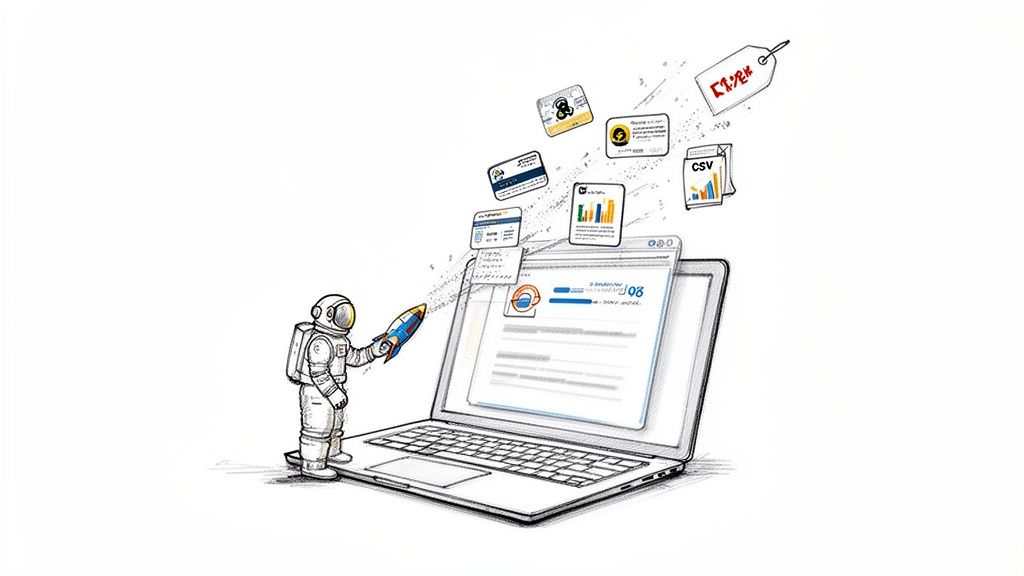
This automated approach is a game-changer. Thanks to modern AI-powered tools, web scraping is no longer just for developers. It's accessible to everyone, regardless of technical skill.
And this skill is in high demand. The web scraping market is booming, with a 2026 industry report valuing it at over $1 billion and projecting it to double by 2030. Why? Because businesses need real-time data to stay competitive.
Why You Should Learn to Scrape a Web Page
Learning how to scrape a web page gives you a serious advantage in any industry. Whether you're in sales, marketing, e-commerce, or research, the ability to collect and organize web data opens up a world of possibilities.
Here are a few practical use cases:
Generate High-Quality Leads: Effortlessly pull contact details from professional directories and networking sites.
Monitor Competitor Pricing: Keep a close eye on competitor prices in real-time to perfect your own strategy. A great first step is learning how to download images from websites to build a visual catalog of rival products.
Conduct In-Depth Market Research: Aggregate customer reviews, track social media trends, or compile real estate listings to spot opportunities.
Automate Content Creation: Gather statistics and information to fuel your articles, reports, and industry analysis.
The real magic is efficiency. A task that would take a human days of tedious work can be done by a scraper in minutes. This frees you up to focus on what matters: analyzing the data and taking action.
Ready to see what’s possible right out of the box? You can explore prebuilt templates to get a head start.
Method 1: Scrape Any Web Page with No-Code Tools
Want to extract data from a website without writing a single line of code? No-code tools, especially AI-powered browser extensions, have made web scraping incredibly simple for everyone.
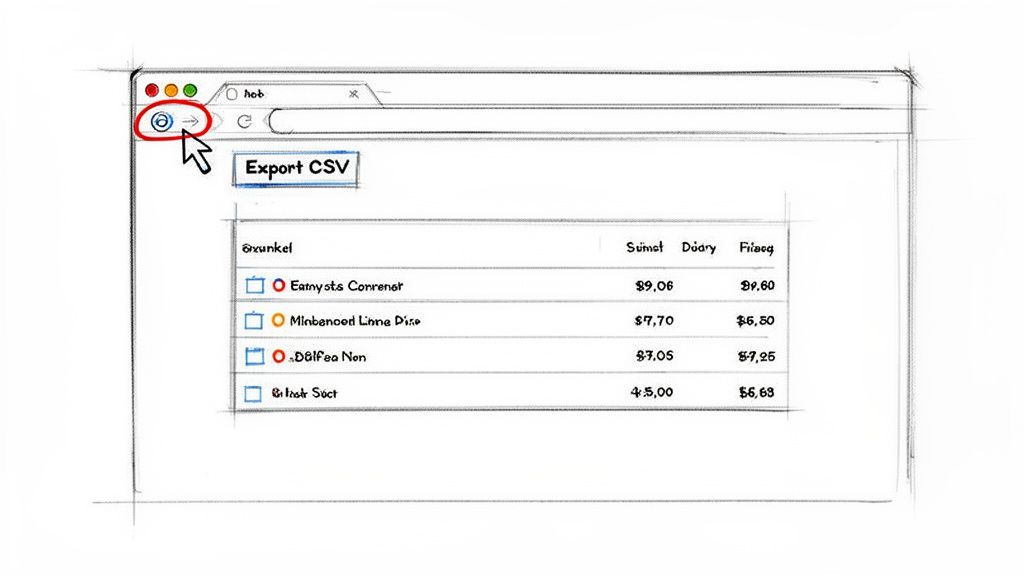
Think of these tools as a smart assistant in your browser. You visit a website, click a button, and the tool intelligently identifies the data you want and organizes it into a clean table. It’s the perfect way to get started and see immediate results.
Your First Scrape: A Practical Example
Let's say you're a marketer who needs to analyze competitor products on Amazon. You want a list of product names and prices from a search results page—a classic data collection task.
With a no-code browser extension like Clura, this entire process takes less than 60 seconds. The tool uses pre-built "agents" or templates that are already trained to understand the layout of popular websites like Amazon, LinkedIn, or Zillow.
Just find the right agent, click "Run," and watch the data pour into a spreadsheet right before your eyes. No more mind-numbing copy-pasting.
How to Use a No-Code Scraping Extension in 4 Steps
Getting started with a browser-based scraper is incredibly easy. The process is designed to be intuitive so you can focus on the data, not the technology.
Here’s the simple, four-step workflow:
Install the Extension: Find a tool like Clura on the Chrome Web Store and add it to your browser with one click.
Navigate to Your Target Page: Open the website you want to scrape. For our example, this would be an Amazon search results page.
Activate the Scraper: Click the extension's icon in your browser toolbar. A sidebar will appear, often suggesting pre-built agents that match the site you're on.
Run and Export Data: Select the right agent (e.g., "Amazon Product Listings"), hit "Run," and watch it collect the data. When it's done, export your clean dataset as a CSV file.
A good Chrome extension data scraper can completely transform your data gathering workflows.
The best part about this approach is the speed. What could easily be an hour of manual work becomes a 30-second task. This efficiency allows you to gather more data more often for sharper insights.
Getting Your Data Ready for Analysis
Extracting data is just the first step—you need to use it. No-code tools make this easy by letting you export your collected information into a universally compatible format.
The most common format is CSV (Comma-Separated Values). Here's why:
Universal Compatibility: CSV files open in any spreadsheet program, including Microsoft Excel, Google Sheets, and Apple Numbers.
Simple and Lightweight: It's a plain text format, making the files small, fast, and easy to share.
Ready for Analysis: Once in a spreadsheet, you can instantly sort, filter, and create charts to analyze your data.
With one click on an "Export to CSV" button, your data is downloaded and ready for action. This seamless workflow is why no-code tools are the best entry point for anyone learning how to scrape a web page.
Method 2: Build Your First Scraper with Python
While no-code tools are great for quick jobs, sometimes you need more power and control. That’s where Python comes in. It’s the #1 language for web scraping for a reason, and getting started is easier than you might think.
We're going to build a real, working scraper right now. By the end of this section, you'll have a script that pulls live data from a website, giving you a powerful foundation to build on.
Your Python Scraping Toolkit
Before we start, we need two essential Python libraries. Think of them as the perfect team for web scraping.
Requests: This library fetches the raw HTML source code from a web page, just like your browser does. It’s how you get the document you want to scrape.
BeautifulSoup: Raw HTML is messy. BeautifulSoup parses that chaos, turning it into a structured object so you can easily find and extract the exact data you need.
To install them, open your terminal or command prompt and run these two commands:
Now your scraping workshop is ready.
Your First Mission: Scraping Blog Post Titles
For our first project, we'll tackle a common task: scraping all the blog post titles from a website's main blog page. It’s a perfect starter project that teaches you the fundamentals of targeting and extracting information.
Here’s the plan:
Tell our script which URL to visit.
Find every blog post title on that page.
Print a clean list of the titles we found.
Mastering this is the first step toward bigger projects, like tracking competitor content or building a news aggregator.
Let's Write Some Code: Your First Python Scraper
Time to get hands-on. Create a new Python file named scraper.py and let's build it step-by-step. I'll explain what each line does so you understand the logic.
First, let's import our libraries and define the target URL.
The requests.get(url) function sends a request to the server, and the page's entire HTML is stored in our response variable.
Next, we'll pass that raw HTML to BeautifulSoup to parse it.
With that one line, our messy HTML is transformed into a structured soup object, ready for us to query.
The secret to successful scraping is finding the right HTML tags. In your browser, right-click on an element you want to scrape (like a blog title) and click "Inspect." This opens the developer tools and shows you the HTML structure. Look for the tag and class of the element you want.
Let's say our inspection revealed that all blog titles are wrapped in an <h3> tag. Now we can tell BeautifulSoup to grab all of them.
The soup.find_all('h3') command scans the document and returns a list of every <h3> tag it finds. We then loop through that list and use .get_text() to extract only the clean, readable text.
Run that script, and you should see a tidy list of blog post titles in your console. Congratulations—you just built your first web scraper from scratch!
How to Scrape Dynamic Websites
Have you ever tried to scrape a website, but the data you see in your browser isn't in the HTML source code? This is a common problem.
Modern websites often use JavaScript to load content after the initial page loads. A simple scraper built with Requests and BeautifulSoup only sees the initial HTML skeleton and misses all the dynamically loaded data.
To solve this, you need a tool that can act like a real user in a real browser.
The Power of Headless Browsers
This is where headless browsers come in. Think of them as real web browsers—like Chrome or Firefox—that run invisibly in the background, controlled by your code.
Because they are full browsers, they can do everything a human can:
Click buttons to reveal hidden content.
Scroll down to trigger "infinite scroll" and load more items.
Wait for data to load from an API before scraping it.
Fill out and submit login forms.
The two champions in this space are Selenium and Playwright. While Selenium is a trusted veteran, Playwright is a fast and modern alternative from Microsoft that has become very popular. For this guide, we'll use Playwright for its clean API and excellent performance.
Choosing Your Scraping Path
So, should you use a simple no-code tool or write your own script with a headless browser? This decision tree can help you choose the best approach for your project.
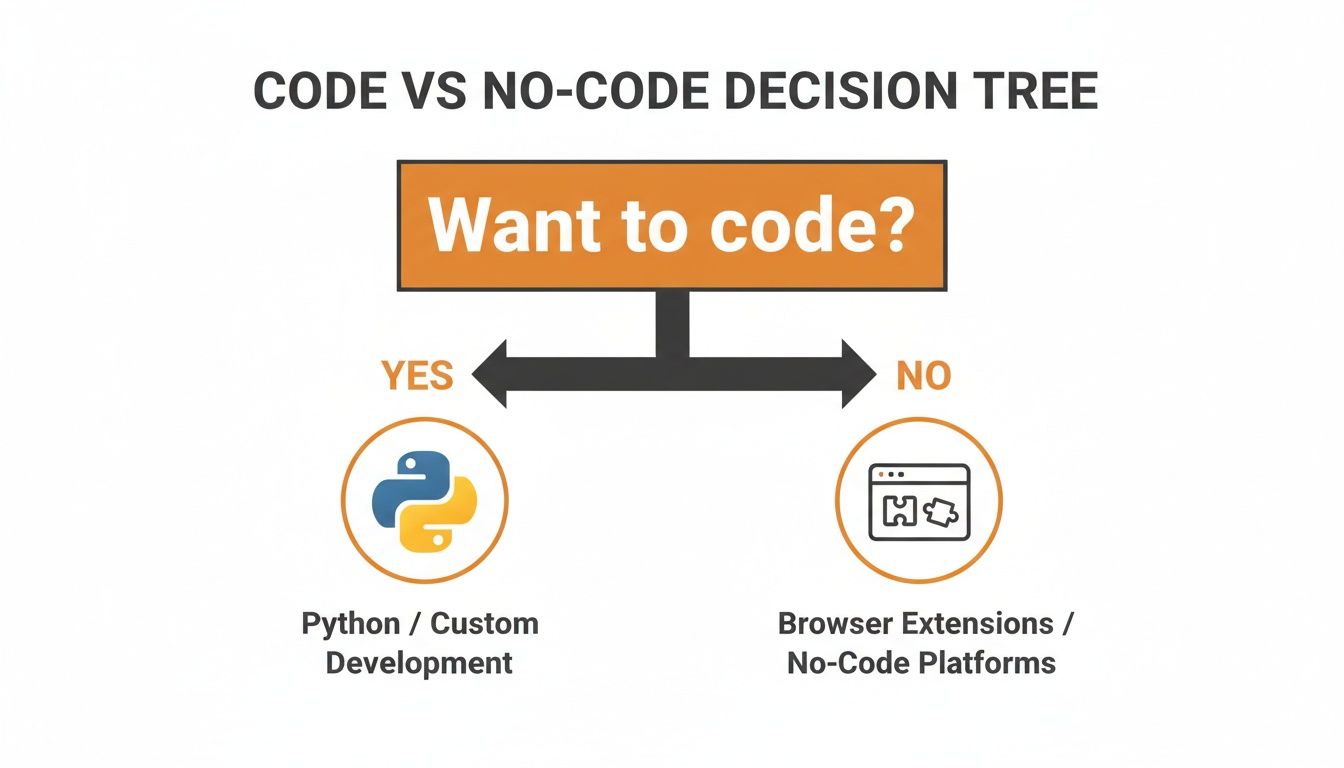
No-code tools are fantastic for quick, straightforward jobs. But when you face a complex, dynamic site, custom code gives you total control and limitless possibilities.
Here's a quick table to break down the different scraping methods.
Choosing Your Web Scraping Method
Method | Best For | Technical Skill | Pros | Cons |
|---|---|---|---|---|
No-Code Extensions (e.g., Clura) | Quick one-off scrapes, simple static sites, beginners. | None | Extremely fast setup, visual, no coding required. | Limited customization, struggles with complex JavaScript or anti-bot measures. |
Simple Scripts (Requests + BS4) | Scraping static HTML content at scale, API data fetching. | Basic Python | Lightweight, fast execution, low resource usage. | Cannot handle JavaScript-rendered content, easily blocked. |
Headless Browsers (Playwright/Selenium) | Scraping dynamic/interactive sites, SPAs, mimicking user behavior. | Intermediate Python | Can scrape virtually any site, simulates real user actions. | Slower, more resource-intensive, more complex setup. |
Scraping Frameworks (Scrapy) | Large-scale, complex, and ongoing scraping projects. | Advanced Python | Highly scalable and efficient, handles concurrency, built-in pipeline. | Steep learning curve, overkill for simple tasks. |
This framework should help you decide which approach makes the most sense for your project's complexity and your technical comfort level.
A Practical Example: Scraping Dynamically Loaded Reviews
Let's put this into practice. Imagine you're scraping an e-commerce page, but the customer reviews only load when you scroll down. A basic scraper would find nothing.
Here’s how you can solve it with Playwright.
First, install Playwright and the browsers it controls with this one-time command:
Now, the script below will launch a browser, navigate to a product page, scroll down to load the reviews, and then extract them.
The page.evaluate(...) line executes JavaScript to scroll the page, while page.wait_for_selector(...) tells the script to pause until the review section is visible. This ability to wait for elements is what makes headless automation so powerful.
With bad bots accounting for over 10% of global web traffic, and AI boosting data extraction accuracy to over 99%, mastering advanced techniques is critical. You can check out more web scraping trends and statistics to see how the industry is evolving.
Learning to use a headless browser unlocks a huge part of the modern web that simpler tools can't touch, giving you a powerful edge.
How to Overcome Common Scraping Challenges
As you move from simple sites to more complex targets, you'll encounter a few common roadblocks: IP blocks, CAPTCHAs, and data spread across hundreds of pages.
Don't worry. This is where the real skill of scraping comes in. Think of this section as your playbook for building resilient scrapers that don't give up.
Let's cover how websites detect bots and, more importantly, how to make your scraper blend in.
Staying Under the Radar
If your script sends hundreds of requests from the same IP address in a short time, you'll trigger alarms on the server. To avoid getting blocked, you need to make your scraper act less like a robot and more like a human.
Here’s how to stay undetected:
Rotate User-Agents: A User-Agent is a text string your browser sends to identify itself (e.g., "Chrome on Windows"). Using the same one for every request is a red flag. By cycling through a list of common User-Agents, you make it look like each request comes from a different user.
Use Proxies: A proxy server acts as a middleman, routing your request through a different IP address. This makes your requests look like they're coming from all over the world, not just from your server.
When you run into an IP block, knowing how to change your IP address is an essential skill. For serious scraping, residential proxies are the gold standard because they use IP addresses assigned to real homes, making your traffic nearly indistinguishable from a genuine user.
The goal isn't to be invisible—it's to look normal. Combining rotating User-Agents with a pool of proxies mimics the natural pattern of real human traffic.
Handling Pagination Like a Pro
What do you do when data is spread across dozens or even hundreds of pages? This is called pagination, and it's a common challenge when you need a complete dataset. You need to automate it.
A smart scraper can be programmed to find and "click" the "Next" button, or it can identify the page number pattern in the URL (e.g., .../products?page=1). Your script can then loop through, incrementing that number until there are no pages left.
As you plan your projects, it's always a good idea to stay informed. Our guide on the legality of web scraping can help ensure you're operating on solid ethical and legal ground.
Keeping Up with a Changing Landscape
The world of web data is constantly evolving. AI-assisted scraping is becoming the new standard, and over 26.1% of scraping professionals now use cloud-based methods for better scalability.
However, this comes with challenges like rising costs and increasingly sophisticated anti-bot technologies. This is why more teams are using smarter, managed tools to handle the heavy lifting. You can learn more about how the industry is changing in this report on the AI-first data revolution.
Mastering these anti-blocking and navigation techniques is what separates beginners from pros. It’s how you build systems that reliably deliver the data you need, day in and day out.
Web Scraping FAQ: Your Questions Answered
Jumping into web scraping can bring up a few questions. Let's tackle some of the most common ones so you can start scraping with confidence.
Is Web Scraping Legal?
This is the big one. The short answer: scraping publicly available data is generally considered legal, but it’s essential to be ethical and respectful.
If the data is visible to anyone with a browser, you're usually in the clear. However, you should never scrape personal data, information behind a login screen, or copyrighted content.
Always check a website's robots.txt file (e.g., example.com/robots.txt). This file outlines the rules for bots and crawlers.
The golden rule is to be a good digital citizen. Don't overload a server with requests, and for large commercial projects, consulting with a legal professional is a smart move.
How Do I Scrape Data from Multiple Pages?
Rarely is all the data you need on a single page. The process of moving from page to page is called pagination, and mastering it is crucial.
Simple URL Patterns: For sites with URLs like
?page=1,?page=2, you can write a simple loop in your script to cycle through the pages."Next" Buttons: Use a headless browser like Playwright or Selenium to program your script to find and "click" the "Next" button until it's no longer present.
Infinite Scroll: Your script can mimic a user scrolling down the page to trigger the JavaScript that loads the next batch of results.
AI-Powered Tools: A smart tool like Clura can often detect and handle pagination automatically, saving you the trouble.
What’s the Best Way to Save Scraped Data?
Once you've collected your data, you need to store it. For most business use cases, the best format is a CSV (Comma-Separated Values) file.
Here's why CSV is the top choice:
It’s lightweight and universally compatible.
You can open it in any spreadsheet tool like Microsoft Excel or Google Sheets.
It organizes your data in a clean, table format, ready for analysis.
For developers working with complex, nested data or APIs, JSON (JavaScript Object Notation) is an excellent alternative. But for creating lead lists, tracking prices, or conducting market research, CSV is your best friend.
How Do I Avoid Getting Blocked?
Getting your scraper blocked mid-run is frustrating. To keep your scripts running smoothly, they need to behave more like a human and less like a robot.
Here are three powerful tactics to stay under the radar:
Use Proxies: This is non-negotiable for serious scraping. Routing your requests through proxy servers makes your traffic appear to come from many different users in various locations.
Rotate User-Agents: Cycling through different User-Agent strings (the identifier your browser sends) makes your scraper look like different people using different browsers and devices.
Slow Down: A real person doesn't click a new link every 50 milliseconds. Add small, randomized delays between your requests. It's more polite to the server and one of the easiest ways to avoid detection.
Ready to put this all into practice without getting lost in code? Clura is an AI agent that lives in your browser, turning complex scraping jobs into a simple, one-click workflow. Automate lead generation, competitor monitoring, and market research in minutes.
