
Unlock powerful insights with data scraping LinkedIn. Learn to legally and efficiently extract leads, profiles, and market data with our hands-on guide.
Tired of manually copy-pasting contact info? Data scraping LinkedIn is the secret to automatically pulling public information from profiles, company pages, and job listings. For sales, recruiting, and marketing teams, this is a game-changer for building lead lists, tracking competitor hiring, and doing market research—without the soul-crushing grind.
Why LinkedIn Is a Goldmine for Business Intelligence

Stop thinking of LinkedIn as just a place to network. It’s a massive, living database overflowing with real-time business intelligence. With over 900 million members across the globe, it offers an incredible window into company org charts, talent movements, and shifting industry trends.
Trying to gather all this information by hand is painfully slow and just doesn't scale. Can you imagine spending an entire day clicking through profiles to build a prospect list? Or trying to manually track every new hire at a competitor? That's where smart automation comes in and completely changes the equation.
The Strategic Value of LinkedIn Data
Scraping LinkedIn gives you a serious strategic advantage. You’re turning a firehose of unstructured public data into clean, structured insights you can actually use. Instead of relying on gut feelings, you get to make decisions based on what’s happening in your market right now.
But the real magic isn’t just in the names and job titles; it’s in seeing the connections. When you map out these relationships, you unlock powerful new plays.
Build Hyper-Targeted Lead Lists: Go beyond basic demographics. Pinpoint decision-makers with specific skills, work histories, or recent job changes. This makes your outreach incredibly relevant and far more likely to get a response.
Monitor Competitor Talent: See exactly who your rivals are hiring, where they're poaching from, and what roles they're prioritizing. This gives you clues about their strategic direction and upcoming product moves.
Gain a Real-Time Industry Pulse: By analyzing job postings, you can spot which skills are in high demand. Or you can track a company’s growth by watching its headcount change over time. Dive deeper into these signals with our guide on the LinkedIn posts and activity scraper.
Automating Intelligence Gathering
The true power here is automation. With a modern browser-based tool, you can build a workflow that runs on its own, constantly feeding you fresh data without you lifting a finger.
This isn't just about grabbing data. It's about creating an automated intelligence engine that turns hours of manual work into a simple, one-click process anyone on your team can use.
Imagine your sales team having an automated flow that finds every new VP of Marketing at SaaS companies with 50-200 employees. Or your recruiters getting an alert the moment an engineer at a key competitor flips their status to "Open to Work."
This kind of automation frees up your people to do what they're best at—analyzing the data, talking to prospects, and making smart moves. It gets rid of the mind-numbing busywork and replaces it with a reliable stream of valuable, structured data, perfectly formatted for your CRM or analytics platform.
3 Ways to Scrape LinkedIn (And Which One Is Best)
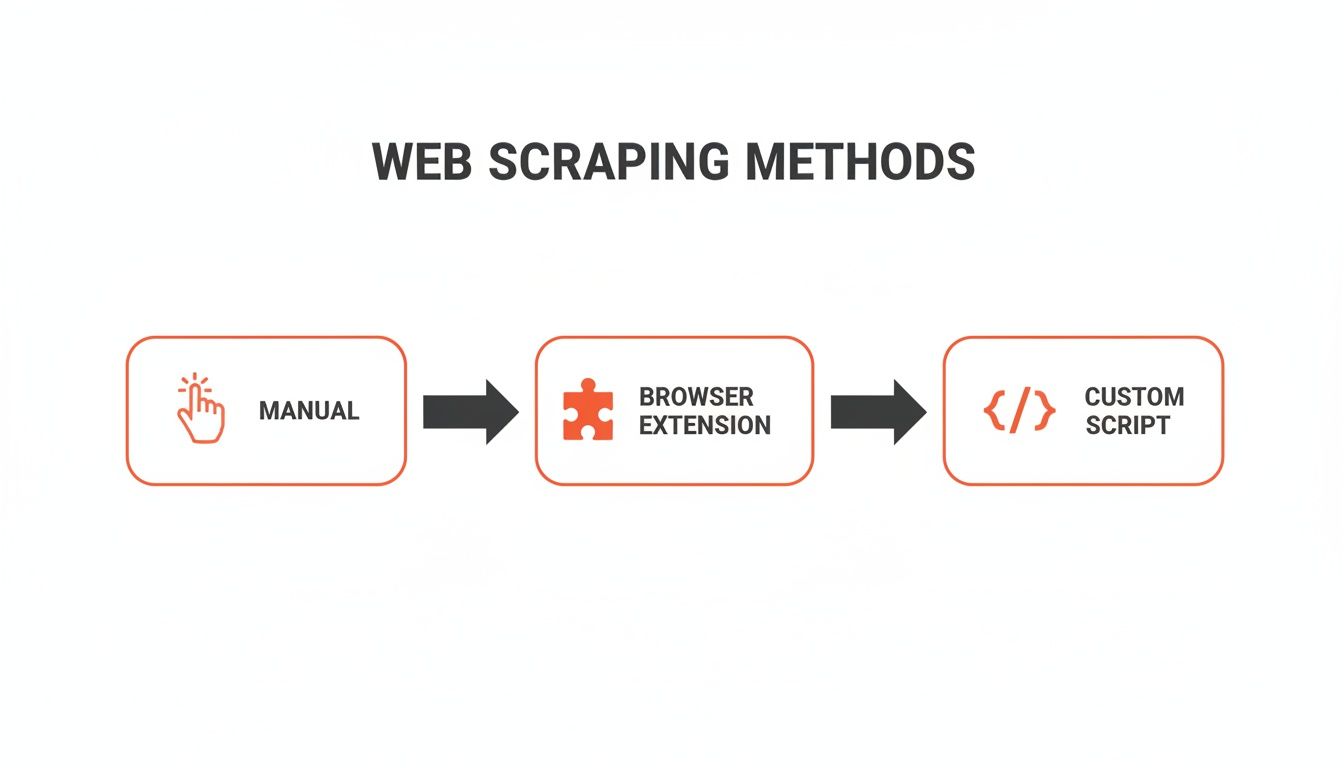
So, you're ready to start pulling data from LinkedIn? It's a goldmine, but figuring out how to get that gold can be a headache. There are a few ways to do it, and picking the right one from the start will save you a world of pain. The best path for you boils down to what you're trying to accomplish, how comfortable you are with tech, and the volume of data you need.
Let's walk through the three main methods: the old-school manual slog, the super-technical custom script route, and the modern, user-friendly browser agent approach.
The Manual Grind (And Why to Avoid It)
First up is the most straightforward method: manually copying and pasting information from LinkedIn profiles into a spreadsheet. On the surface, it's appealing because it's free and requires zero technical skills. But the appeal wears off fast.
This approach is painfully slow and riddled with human error. Imagine spending an entire day just to build a list of 50 prospects. It's tedious work that simply doesn't scale. For any real sales, recruiting, or market research, it’s a non-starter. Your time is far too valuable.
Custom Scripts for the Technically Savvy
At the other end of the spectrum, you have custom-built scripts, usually coded in a language like Python. This is the "power user" option, offering total control and flexibility. You can build a scraper that does exactly what you want, pulling specific data points and plugging into other systems.
But this path isn't for the faint of heart. It demands serious coding skills, constant upkeep as LinkedIn changes its website, and a deep understanding of how to manage proxies and avoid getting flagged. Building and maintaining a custom scraper is a full-blown development project—too expensive and complex for most teams.
Browser Agents: The Sweet Spot
This brings us to the modern, elegant solution: AI-powered browser agents like Clura. These tools, typically delivered as a simple browser extension, give you the power of automation with an easy point-and-click interface. It’s the perfect middle ground—a scalable and safe way for anyone to scrape LinkedIn without writing a line of code.
These tools work right inside your browser, mimicking how a real person would navigate the site. This dramatically lowers the risk of getting your account suspended. You can set up workflows in minutes, use pre-built templates for common tasks, and export clean data with just a few clicks. As you explore options, you might try an instant data scraper just to see how these browser-based tools work.
For most sales, marketing, and recruiting teams, browser agents are the clear winner. They make data collection accessible, turning a complex technical challenge into a simple, repeatable process that anyone can master.
To really put it all into perspective, let's look at how these methods stack up.
Comparison of LinkedIn Data Scraping Methods
Here’s a quick side-by-side comparison to help you visualize which approach fits your needs best.
Method | Ease of Use | Cost | Technical Skill Required | Best For |
|---|---|---|---|---|
Manual Scraping | Very Easy | Free (Time is the cost) | None | Extremely small, one-off tasks where time isn't a factor. |
Browser Agent (e.g., Clura) | Easy | Low (Subscription) | None | Sales, recruiting, and research teams needing scalable, no-code data collection. |
Custom Script | Very Difficult | High (Dev time) | Expert | Developers building highly custom, large-scale data solutions. |
At the end of the day, the right choice is all about balancing efficiency, cost, and safety. While manual scraping is too slow and custom scripts are too complex, a browser agent hits that perfect sweet spot to get the job done right.
How to Scrape LinkedIn Sales Leads in Minutes
Enough theory—let's get practical. I'm going to walk you through exactly how to use an AI-powered browser agent, like Clura, to pull a killer lead list straight from a LinkedIn Sales Navigator search. This is a simple, repeatable workflow you can master in a few minutes flat.
The goal is to work smarter, not harder. We’ll pinpoint a specific search, tell our AI agent what to grab, and let it build a pristine spreadsheet for us automatically.
Step-by-Step Guide to Your First Scraping Workflow
Let's use a real-world scenario. Imagine your ideal customer is a "VP of Marketing" at a SaaS company with 50-200 employees, based in North America. Doing this manually would be a soul-crushing grind. With a browser agent, it's just a few clicks.
First, head over to LinkedIn Sales Navigator and dial in your search filters. This is your starting point, so make sure your results page shows your ideal prospects. Once it's loaded, it's time to unleash the agent.
This is where the magic happens. Instead of mindlessly copying data, you're teaching an AI assistant what to look for.
The AI agent is smart enough to instantly see the page structure—the names, titles, companies, and locations. Your job is to just point and click.
Select Your Data Points: Just click on the first prospect's name, then their job title, and their company name. The AI understands the pattern and will automatically identify those same data points for everyone on the page.
Handle Multiple Pages: Don't even think about clicking through dozens of pages. Tell the agent to automatically scroll or click the "next" button, pulling data from all of your search results into one unified list.
Launch the Scrape: With your data fields selected and pagination handled, just hit "Run." The agent gets to work, navigating the site and collecting information just like a human would, but at lightning speed.
From Raw Data to a Clean Spreadsheet
As the agent runs, you’ll see the data populating in a clean table right inside the tool. It's totally transparent. Once it’s finished, you get the payoff: exporting the entire list as a perfectly formatted CSV or Excel file with a single click.
What used to be an entire afternoon of mind-numbing work is now a background task that completes in minutes. You get a clean, structured dataset ready for your CRM or outreach tool.
That spreadsheet is the goldmine. Every row is a qualified lead, and every column is an insight you can use to craft a truly personalized and effective outreach message.
Supercharge Your Workflow with Pre-Built Templates
Setting up a workflow from scratch is a breeze, but why not make it even faster? Most modern scraping tools come packed with pre-built templates for popular sites like LinkedIn. These are pre-configured recipes for extracting the most valuable data.
This means you can often skip the point-and-click setup entirely. For instance, to get profile data, you could use a pre-built LinkedIn profiles scraper that’s ready to go right out of the box.
Company Page Template: Need to grab details like the website, industry, and employee count for a list of target accounts? Just navigate to a company page and fire up the template.
Job Postings Template: Want to analyze hiring trends? Use a job postings template to pull titles, descriptions, and locations from a search results page.
Profile Scraper Template: Effortlessly extract a person’s complete work history, education, skills, and more directly from their public profile.
Think of these templates as incredible shortcuts. They turn the powerful process of data scraping into a simple, fire-and-forget solution that delivers consistent, high-quality results every time.
How to Scrape LinkedIn Without Getting Banned
Alright, let's tackle the elephant in the room. When you're pulling data from LinkedIn, you’re playing in their sandbox. That means you have to think about their terms of service, user privacy, and keeping your own account safe.
Staying on the right side of the line isn't about memorizing rules; it’s about being smart and respectful in your approach. The goal is to build a data pipeline that’s both sustainable and ethical. If you get the principles right, you can confidently data scrape LinkedIn without constantly looking over your shoulder.
Respecting the Rules of the Road
LinkedIn's User Agreement is blunt: they don't want you using automated tools to scrape profiles. They have sophisticated systems to protect user data, and they're not shy about using them.
So, what does that mean for you? Going full-throttle with an aggressive scraper is the fastest way to get your account flagged or shut down.
The secret isn't to ditch automation—it's to use it intelligently. Always ask: "Does my activity look human, or does it scream 'ROBOT'?"
Think of it like being a guest at a party. You wouldn't barge in and start interrogating everyone. You'd move around, chat, and act like a normal person. A responsible scraper does the same, moving at a natural pace and only gathering information that's already public.
The Art of Mimicking Human Behavior
This is where the magic happens. The safest way to automate data collection is to use tools that behave just like a person would. This is the whole idea behind modern browser agents like Clura. Instead of bombarding LinkedIn’s servers with requests, these tools work inside your browser, clicking and scrolling just like you.
Here’s how to stay safe:
Pace Yourself: You can't physically click on 500 profiles in a minute, and your tools shouldn't either. Good scrapers automatically add small, random delays between actions to fly under the radar.
Mix It Up: A real person scrolls, views different tabs, and spends a few seconds on a page. The best automation tools bake in these varied actions to look completely natural.
Know the Limits: LinkedIn has invisible daily and weekly limits on actions like profile views. Hitting these ceilings is a massive red flag. Always work in smaller, focused batches.
This human-centric approach is your best defense. From LinkedIn's perspective, your activity is virtually indistinguishable from a very efficient, but very real, power user.
Stick to Public Information
This is non-negotiable. Responsible scraping means focusing only on publicly available data. We’re talking about details anyone can see on a public profile, company page, or job post without being a 1st-degree connection.
Trying to grab private information—like data from a profile you don't have access to or private messages—crosses a serious ethical and legal line. Just don't do it.
Data Privacy Is Your Responsibility
Once the data is on your hard drive, the job isn't over. Privacy laws like GDPR in Europe and CCPA in California govern how you collect, store, and use personal information. While scraping public data is generally on solid legal ground, what you do with it is what really counts.
Follow these core principles:
Have a Purpose: Only collect data you need for a specific, legitimate reason. Don't be a data hoarder.
Take Only What You Need: If you just need a person's title and company, don't scrape their entire work history. This is called data minimization.
Honor Opt-Outs: If someone asks you to delete their data, you must do it. No questions asked.
By making these practices second nature, you ensure your data scraping LinkedIn efforts are effective, safe, and built to last.
Turning Scraped Data into Real Business Opportunities
Collecting data is just the starting line. The magic begins when you put that information to work. A raw export from data scraping LinkedIn is powerful, but it needs refining. The trick is turning that jumble of names and titles into a strategic asset that grows your business.
This is where you separate the amateurs from the pros. A clean spreadsheet becomes the fuel for smarter sales outreach, pinpoint recruiting, and killer market analysis. The goal is to stop just having data and start using it to make better decisions.
From Raw Export to Sales-Ready Leads
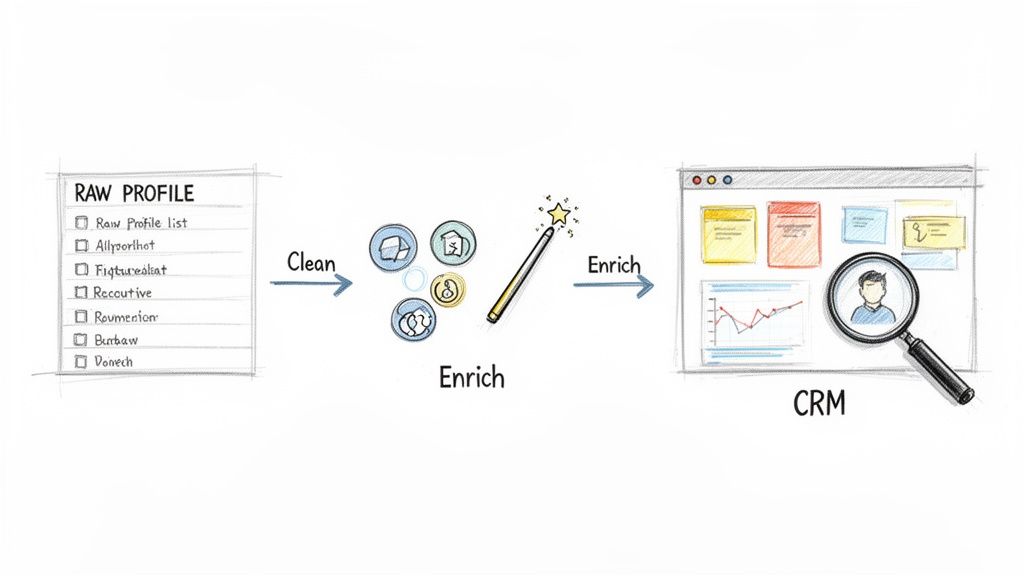
For any sales or business development pro, a freshly scraped list is a goldmine. But just dumping it into your CRM without cleaning it up first is a recipe for a messy pipeline. The first step is data hygiene: ensuring every entry is accurate, complete, and properly formatted.
This means standardizing job titles ("VP of Marketing" instead of "VP Marketing" or "V.P. of Mktg"), removing duplicates, and fixing formatting issues. Once your list is clean, it's time to enrich it. This is where you add key details that weren't on LinkedIn, like a verified business email or a direct-dial phone number.
The most successful teams don't just collect data; they enrich it. A list of names is just a list. A list of names with verified contact details and company data is high-octane fuel for your sales engine.
To get the most out of your efforts, you can use tools that automate personalized outreach that converts prospects into customers. Once your list is clean and enriched, import it into your CRM and let your automated, personalized campaigns fly.
Fueling a Smarter Recruiting Pipeline
If you're a recruiter, you know LinkedIn data is your key to finding hidden talent. Scraping lets you build a private, searchable talent pool in a fraction of the time.
Imagine you're hunting for a software engineer with Python and AWS skills who has experience at a fintech startup. Instead of endless searching, you can run a targeted scrape and analyze the results all at once.
Skill Analysis: Instantly filter your list to find candidates who mention specific programming languages, tools, or certifications.
Experience Mapping: Quickly see who has worked for competitors or in industries you’re targeting.
Talent Pool Building: Keep an internal database of amazing passive candidates ready for future openings. This alone will slash your time-to-hire.
This approach takes you way beyond simple keyword searches. You start to see patterns in top talent, giving you a serious advantage in a competitive hiring market. You can even use pre-built tools like our LinkedIn companies scraper to get a head start.
Uncovering Market and Competitive Insights
For market researchers and competitive analysts, scraped LinkedIn data is a real-time intelligence feed. By regularly pulling data on key competitors or industry segments, you can spot trends long before they hit the headlines.
For example, monitoring a competitor’s hiring is an incredibly powerful tactic. See a sudden spike in job posts for "machine learning engineers" at a rival? That’s a massive clue they’re doubling down on AI. You can also track employee tenure to get a feel for a company's culture and stability. As of 2026, LinkedIn is home to over 900 million users across 200+ countries, and the average professional has between 930-1,300 connections. This data is packed with actionable insights.
By setting up automated scraping workflows, you can build dashboards that track:
Headcount Growth Over Time: See how fast the key players in your market are growing.
Key Hires and Departures: Get alerts when senior-level talent makes a move.
In-Demand Skills: Analyze job postings to see which skills and technologies are trending in your space.
This transforms data scraping LinkedIn from a simple lead gen tool into a core part of your business intelligence strategy. It's how you stay ahead of the curve.
Your Top LinkedIn Scraping Questions Answered
Diving into LinkedIn data scraping can feel a bit confusing. There's a lot of conflicting information out there, so let's tackle the biggest questions head-on. Getting these answers straight will help you move forward confidently and safely.
Is It Legal to Scrape LinkedIn?
This is the million-dollar question. The short answer is yes, scraping publicly available data is generally considered legal, a position backed up by major court rulings. The key distinction here is public versus private data. If you can see the information without logging in or being connected to the person, it's typically fair game.
However, legality isn't the whole story. You also have to consider LinkedIn's own rules—their Terms of Service explicitly forbid automated scraping. So, while you may not be breaking any laws by gathering public info, you are breaking platform rules, which can put your account at risk.
Can LinkedIn Ban My Account for Scraping?
Absolutely. If you're not careful, there's a real risk. LinkedIn has sophisticated systems to detect and shut down activity that looks robotic or aggressive. Trying to pull thousands of profiles in an hour is a surefire way to get your account flagged or banned.
The secret to staying under the radar is making your scraping activity look human.
Pace yourself: Good tools intentionally build in natural-feeling delays between actions.
Think in batches: Instead of trying to boil the ocean, scrape smaller, targeted lists.
Use the right tech: A high-quality browser agent is built to be virtually indistinguishable from a real person, which dramatically lowers your risk.
The goal isn't to be sneaky; it's to be respectful of the platform. By using automation that acts like a human assistant rather than a brute-force bot, you can gather the data you need without raising red flags.
What's the Best Tool for Scraping LinkedIn?
The "best" tool really boils down to your specific needs and technical skill. For most people in business—sales pros, recruiters, and marketers—the ideal solution is a no-code, AI-powered browser agent. These tools are a game-changer because they're easy to use, built with safety in mind, and give you clean, structured data without writing a single line of code.
Sure, a developer could build a custom script for a massive project. But that comes with the headache of building it, constantly maintaining it, and managing proxy networks. For 99% of use cases, a user-friendly browser agent is the clear winner. It hits the perfect sweet spot of power, safety, and simplicity.
Ready to turn LinkedIn data into your competitive advantage? With Clura, you can build powerful scraping workflows in minutes, no code required. Explore pre-built templates and start gathering clean, actionable data today.
