
Unlock powerful market insights with our guide to web scraping eBay. Learn to extract pricing, competitor, and product data to dominate your niche.

Scraping eBay isn't just a tech trick—it's your strategic advantage in a crowded e-commerce world. Imagine automatically tracking competitor prices, spotting hot new products, and optimizing your own listings based on real market data. It’s the secret sauce for making smarter, faster decisions when the competition is fierce.
Ready to turn messy listings into clean, actionable intelligence? Let's dive in.
Why Web Scraping eBay Is a Game-Changer
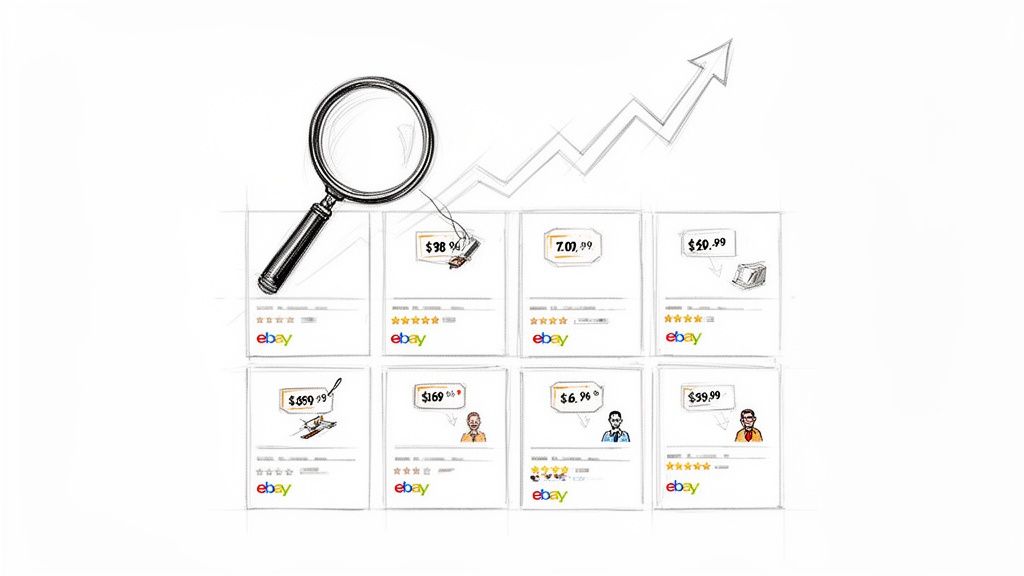
Manually tracking prices, inventory, and trends across billions of items is a recipe for burnout. This is where scraping eBay becomes your superpower. It automates the entire process of gathering and organizing data, giving you a crystal-clear view of the market.
Suddenly, you can see what your competitors are selling, how they're pricing their products, and what customers are saying. This isn't just data; it's the foundation of a winning business strategy. Stop guessing and start making moves based on what's really happening.
Unlock a Treasure Trove of Data
eBay is a massive marketplace with over 133 million active users and 2.1 billion live listings. That’s an ocean of information. Modern tools make it easy to collect this data without getting tangled up in code, so you can focus on answering the big questions:
Are my prices competitive, or am I leaving money on the table?
What trending products should I stock next?
Which keywords are top sellers using to dominate search results?
How much do customer reviews really affect sales?
By pulling eBay's public data into a structured format, you're essentially building a custom, real-time market report tailored to your business. This goes way beyond saving time—it’s about gaining an unbeatable strategic edge.
Here’s a snapshot of the valuable data you can collect from eBay.
Key Data You Can Extract from eBay
This table shows the most valuable data points you can scrape from eBay and how they translate directly into smarter business decisions.
Data Point | Description | Business Use Case |
|---|---|---|
Product Title & Description | The full title, subtitle, and detailed item description. | Analyze competitor keywords and optimize your own listings for better search visibility. |
Price & Shipping Costs | The current listing price, "Buy It Now" price, and any associated shipping fees. | Monitor competitor pricing in real-time to ensure your prices are competitive and profitable. |
Seller Information | Seller username, feedback score, and number of ratings. | Identify top-performing competitors and analyze their strategies for success. |
Item Specifics | Details like brand, color, size, condition, and other product attributes. | Discover which product features are most in-demand and optimize your inventory accordingly. |
Sales History & Sold Items | Data on recently sold items, including final sale price and date. | Track sales velocity for specific products to identify trends and gauge market demand. |
Customer Reviews & Ratings | Star ratings and written feedback from buyers. | Understand customer sentiment, identify product weaknesses, and find opportunities to improve. |
Scraping these fields gives you the raw material to build a powerful understanding of the market.
From Technical Task to Strategic Advantage
Not long ago, web scraping was a complex job for developers. But today, AI-powered browser tools have made this technique accessible to everyone—no code required. You can now pull valuable prices, seller details, and customer reviews with just a few clicks.
This shift turns scraping from a technical task into a core part of your business intelligence. Set up automated workflows to monitor competitors, track pricing, or analyze customer sentiment effortlessly.
If you're new to this concept, our guide on what is market intelligence is a great place to start. Easy data collection lets you focus on what really matters: using insights to grow your business.
How to Scrape eBay: 3 Popular Methods
Ready to start collecting data from eBay? You have three main options: using the official API, building a custom scraper from scratch, or using a modern no-code tool.
Each path has its own pros and cons. The best choice depends on your goals, technical skills, and how much time you want to spend.
Let’s break them down.
1. The Official Route: Using eBay's API
First up is eBay's official Application Programming Interface (API). An API is a structured, sanctioned way for developers to request data. It's stable and reliable because it’s the official method.
However, APIs come with strict rate limits, capping how many requests you can make. If you need a large volume of data quickly, you'll hit that limit fast. Plus, APIs don't always provide access to all public data, like historical sales information.
Best for: Developers building an app who need a reliable, limited data feed.
Not for: Marketers or sellers who need comprehensive data without coding.
2. The DIY Path: Building a Custom Scraper
If you're a skilled coder, you can build your own scraper using a language like Python. This approach offers complete control—you can target any data on a page and structure it exactly how you want.
But this freedom comes at a cost. Building and maintaining a custom scraper requires significant time and technical expertise. E-commerce sites like eBay frequently update their layouts, which can break your code. You'll also have to manage anti-bot systems, CAPTCHAs, and proxies on your own.
Building a custom scraper isn't a one-and-done project. It's an ongoing technical challenge that requires constant maintenance.
3. The Smart and Simple Way: Using a No-Code Scraper
No-code browser tools, like a simple Chrome extension, offer the perfect balance of power and simplicity. They deliver the flexibility of a custom scraper without requiring you to write a single line of code.
These tools are incredibly intuitive. Simply navigate to an eBay page, click on the data you want—like the price, seller name, or shipping cost—and the tool does the rest. It intelligently extracts the information and organizes it into a clean spreadsheet.
Here’s how the three methods compare:
Method | Technical Skill | Flexibility | Maintenance |
|---|---|---|---|
eBay API | High (Coding) | Low | Low |
Custom Scraper | Very High (Coding) | Very High | High |
No-Code Tool | None | High | None |
Modern browser scrapers are designed to handle the tricky parts for you, like clicking through multiple pages (pagination) and navigating anti-scraping defenses.
For anyone who needs to scrape eBay for market research, price monitoring, or lead generation—without a team of developers—a no-code tool is the fastest and most efficient solution.
How to Scrape Any eBay Page in Minutes
Let's walk through just how easy it is to pull data from eBay without writing any code. This visual, click-based workflow turns a complex task into something anyone can master in minutes.
The goal is to get the right data, fast. Modern tools let you pinpoint exactly what you want, grab it from hundreds of pages automatically, and export it as a clean spreadsheet for analysis.
Step 1: Set Up Your First Scraping Workflow
Let's say you want to research "vintage leather jackets." First, go to eBay and search for that term, just like you normally would.
Once the results load, open a no-code tool like the Clura Chrome extension. Now, instead of digging through code, you just click on the data you want:
Click a product title to select all titles.
Click a price to grab all prices.
Click a seller's name to collect every seller.
Click the shipping cost to add it to your dataset.
As you click, the tool intelligently highlights the same element on every other listing. It’s a visual way of teaching the scraper what to collect.
Step 2: Scrape Data from Multiple Pages
Getting data from the first page is great, but what about the other 20 pages of results? Manually clicking "Next" is a waste of time. This is where automated pagination comes in.
A smart scraping tool will recognize the "Next" button. With one click on that button, you tell the scraper to repeat the process on every single page until it runs out of results. It will automatically navigate through each page, pulling the data you selected and compiling it into a single file.
This visual process makes data collection incredibly straightforward.
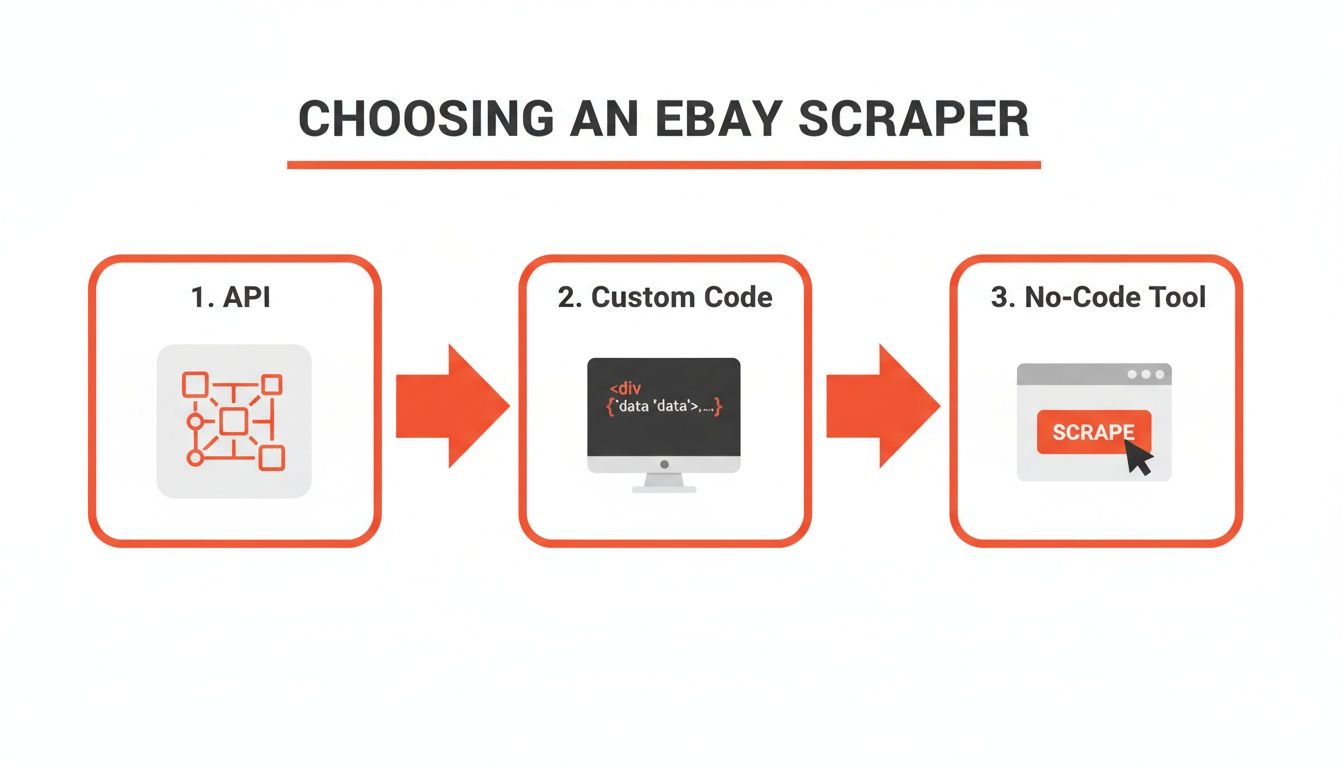
While APIs and custom scripts offer control, nothing beats a no-code tool for speed and ease of use.
Step 3: Handle Dynamic Content with Ease
Some websites load more products as you scroll down. This is called dynamic content, and it can trip up basic scrapers that only read the initial code.
Browser-based tools excel here. Because they operate within a real browser, they can mimic human actions like scrolling. You can configure the tool to scroll to the bottom of the page before it starts scraping, ensuring you capture every single listing.
What you see is what you get. If the data is visible on your screen, you can almost certainly scrape it with a few clicks.
This approach bypasses many common limitations. While eBay's API has strict rate limits, direct browser scraping gives you the complete, real-time data you need to make smart decisions.
Step 4: Export Your Clean Data
Once you’ve selected your data and set up pagination, just click "Run." The tool will work in the background, visiting each page and grabbing the information you requested. The entire process usually takes just a few minutes.
Finally, with one click, you can download all of your data as a perfectly structured CSV file. Open it in Google Sheets or Excel, and you're ready to start analyzing. No messy formatting, no manual cleaning—just actionable insights.
Want to try it yourself? This pre-built eBay Listings Scraper template has the entire workflow ready to run.
3 Powerful Ways to Use Your Scraped eBay Data
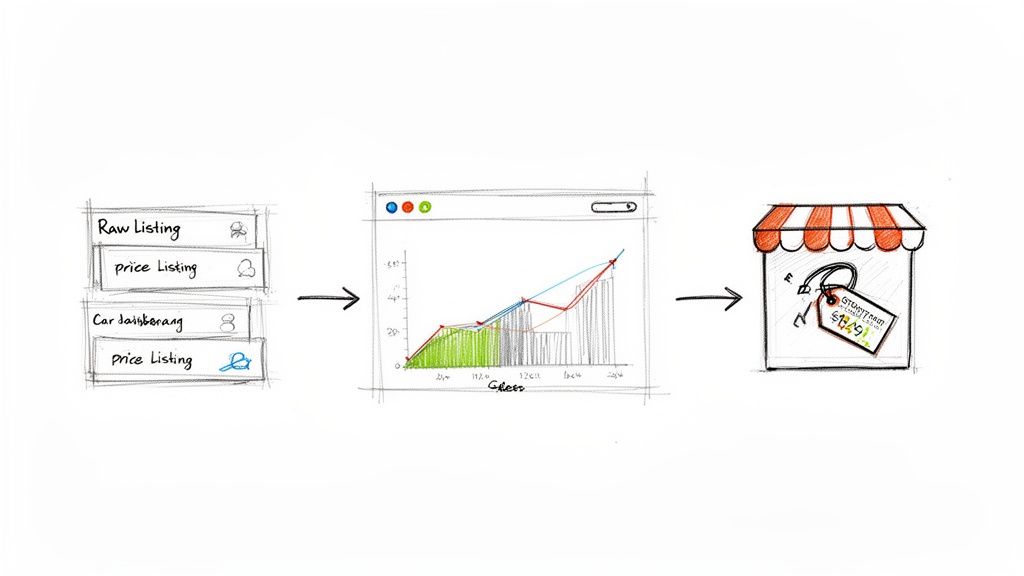
Collecting data is just the first step. The real value comes from turning that raw information into a winning strategy. A spreadsheet full of data is potential; a concrete action plan is what drives growth.
Here are three practical ways to transform your scraped eBay data into a serious competitive advantage.
1. Automate Competitor Price Monitoring
E-commerce prices change constantly. If you're still checking your competitors' prices by hand, you're already falling behind.
With web scraping eBay, you can set up an automated workflow that runs daily or even hourly to pull the latest prices for competing products. This data can feed into a simple dashboard, giving you a live view of the market. You'll know instantly when a competitor drops their price, changes a shipping offer, or sells out of a key item.
This allows you to:
Adjust your prices intelligently to stay competitive without sacrificing margins.
Spot opportunities to raise prices when a competitor's inventory is low.
Test different price points and measure their impact on sales in near real-time.
Think of it as having a market analyst working for you 24/7. You'll be making proactive decisions based on what's happening right now.
This is a great starting point for a broader strategy. Learn more in this practical guide to e-commerce competitor price monitoring.
2. Build a Data-Driven Product Catalog
Launching a new product line is a big risk. What features do customers want? What’s the right price point? Who are your main competitors?
Scraping eBay lets you answer these questions with hard data, not just a hunch. You can pull data from thousands of listings to create a single, searchable database with details like:
Product titles and descriptions for keyword analysis.
Item specifics like brand, color, size, and condition.
High-resolution product images.
Seller information and feedback scores.
This becomes your personal market research vault. You can filter by brand, compare features, and identify gaps in the market that your product can fill. Go from guesswork to a data-driven launch with a real chance of success.
3. Uncover Market Trends with Sold Listings Data
Live listings show you what's available. Sold listings show you what's in demand. This is where you'll find true insights into market trends and sales velocity.
By scraping data from eBay's "Sold Items," you can discover which products are truly hot, see how demand shifts over time, and learn the real market value of an item. For example, you could track the average selling price of a popular product over six months to understand seasonality and predict future peaks.
One seller who automated this analysis saw a 40% increase in successful sales, 25% higher average sale prices, and a 60% reduction in time spent on research. That’s the power of data-driven decisions.
How to Scrape eBay Ethically and Effectively
Web scraping is powerful, but it's important to be a good digital citizen. Following best practices ensures your data collection is sustainable and effective in the long run. Scraping respectfully leads to better, more consistent results and reduces the risk of being blocked.
Follow the Rules of the Road
Every major website, including eBay, has guidelines for automated traffic. The most important is the robots.txt file (found at ebay.com/robots.txt), which tells bots which areas are off-limits. Respecting this file is scraping 101.
Beyond that, stick to common sense. Only scrape publicly available information—anything you can see without logging in. Avoid accessing private data. The goal is to analyze public market trends, not to snoop.
The golden rule of ethical scraping: act like a considerate human, not a disruptive bot. Request data at a reasonable pace and only collect public information.
For a deeper dive, check out our guide on the legality of web scraping to ensure you stay on the right track.
Scrape at a Human Pace
Bombarding a website with too many requests at once is like a hundred people trying to rush through a single doorway. It creates chaos for the server. That’s why rate limiting—slowing down your requests—is crucial.
A good practice is to add a small, randomized delay between each request. This makes your scraper's activity look more like a human browsing the site, which reduces the load on eBay's servers and lowers your chances of being blocked.
Other helpful tactics include:
Rotate User Agents: A user agent tells a website which browser you're using. Switching it up makes your requests look like they're coming from different users.
Use Proxies: Routing your requests through different IP addresses prevents eBay from seeing a flood of traffic from a single source.
Let Your Tools Handle the Hard Part
This might sound technical, but the good news is you don't have to manage it all manually.
Professional browser scraping tools like Clura are designed to handle these complexities for you. They have built-in features that automatically manage rate limiting, rotate user agents, and navigate anti-bot defenses behind the scenes.
This lets you focus on what really matters: deciding what data you need and how to use it. You get all the power of smart, ethical scraping without needing to become a network engineer.
Your eBay Scraping Questions, Answered
Diving into web scraping is exciting, but it can bring up a few questions. Is it allowed? Will I get blocked? What should I do with the data?
Here are clear, straightforward answers to the most common questions.
Can I really scrape eBay without getting blocked?
Yes, but you have to be smart about it. eBay has defenses to stop aggressive bots. The key is to mimic human behavior. A DIY scraper would need to manage IP rotation, user agents, and rate limiting—a major headache.
This is why a professional browser tool is a game-changer. It handles all of the technical complexities for you, keeping you under the radar so you can focus on getting the data you need.
Is scraping eBay data legal?
Generally, yes. Scraping publicly available data like product prices, descriptions, and seller ratings for market research is widely accepted.
Avoid scraping personal data or copyrighted content. Stick to public information and review eBay's Terms of Service. Everything discussed here focuses on ethical scraping for business intelligence.
Quick Tip: Focus on public data, not private details. If you're ever in doubt, it’s always a good idea to consult a legal professional.
How do I scrape data from hundreds of pages?
Manually clicking "Next" through 50+ pages is tedious. This process is called pagination, and it's a common challenge.
Modern AI-powered tools simplify this. You just click the "Next" button once. The tool learns the pattern and automatically navigates through every page, collecting all the data into a single, organized file.
What’s the best format for my scraped data?
For 99% of use cases, the answer is a CSV (Comma-Separated Values) file.
CSV is a universal format that opens in Excel, Google Sheets, and other analysis tools. It gives you a clean, structured spreadsheet that you can easily sort, filter, and visualize. Whether you're tracking prices or building a product database, CSV is your best friend.
Ready to stop guessing and start making data-driven decisions? Automate your eBay market research in minutes.
Explore prebuilt templates
