
Discover how to master scraping LinkedIn data for sales, recruiting, and research. Our guide covers safe tools, smart workflows, and best practices.
Scraping LinkedIn data is the process of automatically extracting public information from profiles, company pages, and job listings. And while you can do it a few ways, modern AI-powered browser scrapers are the safest and most efficient method to access this valuable professional data.
Why Scraping LinkedIn Data Is a Game Changer
LinkedIn is a goldmine. With over 950 million members, it’s a massive source of information for sales, marketing, and recruiting. But manually copying and pasting that data is painfully slow and prone to errors.
This is where automated scraping changes everything. It turns a manual chore into a powerful, data-driven workflow.
But you have to be smart about it. LinkedIn has strict rules, and aggressive bot-like activity can get your account banned. That’s why a modern, safe approach isn’t just a nice-to-have—it’s essential. The goal is to collect data sustainably without putting your account at risk.
The Risks of Old-School Scraping
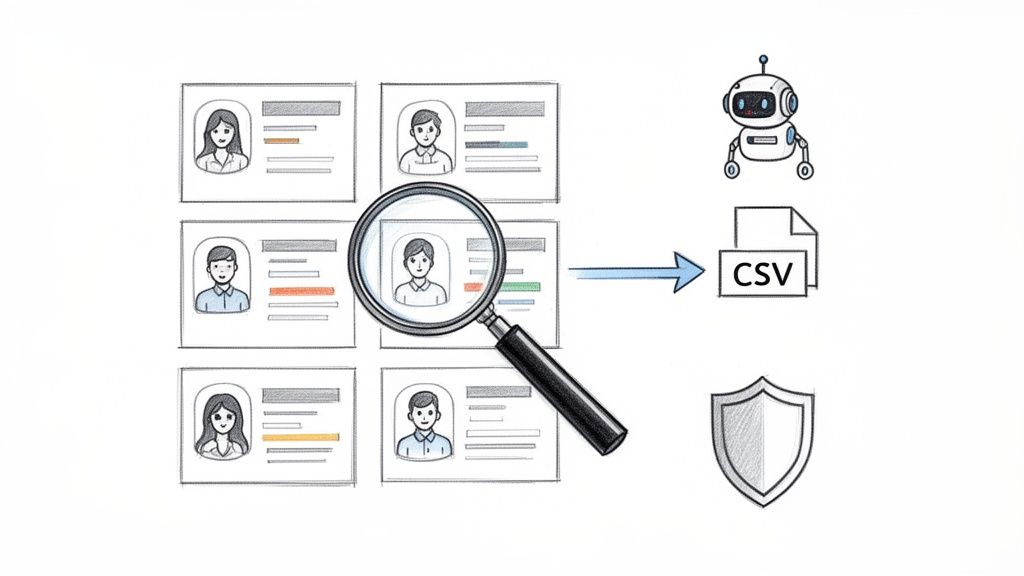
The history of data scraping is full of cautionary tales. The 2021 LinkedIn data breach affected over 92% of its users at the time, with data from 500 million profiles scraped and sold. This incident highlights the ethical and security issues of large-scale, unauthorized data collection. To understand the stakes, you can read more about the verdict on the LinkedIn data scraping incident and see why a responsible approach is non-negotiable.
The Power of AI-Powered Browser Scrapers
Modern tools, often available as browser extensions, play a different game. They work inside your browser, mimicking natural human behavior as they navigate pages and collect data. They move at a safe, human-like pace, which dramatically reduces the risk of detection. The best part? You get clean, structured data that’s ready to use right away.
With the right tool, you can effortlessly:
Build Hyper-Targeted Lead Lists: Zero in on decision-makers with specific job titles in your target industries.
Source Top-Tier Talent: Quickly identify candidates with the exact skills and experience you need.
Monitor Competitors: Track who your rivals are hiring to stay ahead of their strategic moves.
Conduct Market Research: Pull data on company sizes, locations, and industry trends to inform your strategy.
This guide will show you exactly how to do it. We’ll walk through everything from planning your data collection to turning raw information into actionable business intelligence. Let’s dive in.
Laying the Groundwork: Your LinkedIn Scraping Game Plan
Jumping into LinkedIn scraping without a plan is a recipe for messy data and wasted time. A smart strategy is your best friend, ensuring you get the exact information you need without the headache.
Start by thinking about what you want to achieve. Are you a sales rep building a list of VPs in fintech? A recruiter hunting for backend developers with a specific tech stack? Your goal determines everything that follows.
Start with a Clear Objective
Before you extract a single piece of data, get laser-focused on your end goal. Vague objectives like "get more leads" aren't helpful. You need a specific target that tells you exactly what to do.
What does a great goal look like?
For Sales: "Find 500 Marketing Directors at US-based SaaS companies with 50-200 employees."
For Recruiting: "Identify every 'Senior Data Scientist' in London who previously worked at Google or Amazon."
For Market Research: "Compile a list of all new hires at my top three competitors to understand their growth strategy."
When you have a clear target, your scraping becomes a surgical operation, cutting through the noise to get you what you need.
Pinpoint the Exact Data You Need
Once you know who you're looking for, decide what information you actually need. Collecting extra fields just creates clutter. Be ruthless.
Make a simple checklist of your must-have data points. For a typical sales prospecting list, it might look like this:
Data Field | Why You Need It | Example |
|---|---|---|
First Name | For personalizing outreach | Alex |
Last Name | For personalizing outreach | Chen |
Job Title | To qualify the lead | Director of Marketing |
Company Name | To identify the target account | Innovate Inc. |
Company Size | To segment by ideal customer profile | 125 employees |
Location | To target specific regions | Austin, Texas |
Mapping out your data fields beforehand ensures every piece of information you collect has a purpose. This makes the scraping process—and uploading data to your CRM—much smoother.
Understand the Rules of Engagement
Finally, let's talk about compliance. You have to play it smart and safe. LinkedIn’s User Agreement forbids automated scraping, and its systems are designed to detect it. This doesn’t make it impossible, but it means you must be clever.
Your goal is to fly under the radar by mimicking human behavior. Here’s what that means in practice:
Start Small: Don't try to scrape 10,000 profiles on day one. Begin with a small test run to ensure your process is smooth and invisible.
Be a Good Digital Citizen: Use tools and methods that operate at a human pace. Avoid slamming LinkedIn’s servers with too many requests at once.
Stick to Public Information: Only collect data that is publicly visible on profiles and company pages.
As you build your game plan, it's a great time to think about smart strategies for prospecting on LinkedIn to turn your efforts into high-quality leads. A well-defined plan and a responsible approach are how you turn LinkedIn into a powerful engine for your business.
Finding the Right LinkedIn Scraping Method
Choosing the right tool for scraping LinkedIn is a critical decision. It’s not just about getting the data; it’s about the speed, safety, and sanity of your team. This choice can be the difference between a high-quality lead list and a suspended account.
Let's walk through the main options so you can find the perfect fit for your goals.
The Manual Copy-Paste Method
Let's start with the basics: manual copy-pasting. It’s exactly what it sounds like. You navigate to a LinkedIn profile, highlight the information you need, and paste it into a spreadsheet. It’s simple, free, and undetectable.
The downside? It’s painfully slow. This method only works if you need data for a handful of profiles—maybe 5 or 10. If you’re trying to build a list of 500 prospects, it would take forever. It’s just not built for scale.
The Custom Script Method
For those who can code, building a custom script with Python (using libraries like Selenium or BeautifulSoup) is an option. It gives you complete control to pull the exact data you want in the format you need.
But this path is full of challenges. Custom scripts are fragile. LinkedIn updates its website code frequently, and a small change can break your script overnight. You also have to manage anti-scraping measures like proxies and CAPTCHAs, which is a constant, high-stakes game.
When weighing your options, it's a good idea to see what the best LinkedIn automation tools offer, as many are designed to handle these challenges for you.
The Smart Choice: AI-Powered Browser Scrapers
This brings us to the modern solution: AI-powered browser scrapers. These smart tools, often packaged as simple browser extensions, offer the perfect balance of power, ease of use, and safety.
They work by automating your browser to navigate LinkedIn just like a real person would—clicking, scrolling, and pausing naturally. This human-like behavior is the secret to staying off LinkedIn’s radar.
Here’s why this approach is the go-to for modern teams:
No Coding Required: Anyone can use these tools. Your sales reps, recruiters, and marketers can become data experts without writing a single line of code.
Smart and Resilient: These tools use AI to understand a webpage's structure. When LinkedIn changes its layout, the scraper can often adapt automatically, avoiding broken scripts and maintenance headaches.
Prebuilt Templates: The best tools come with ready-made recipes for common tasks. Want to scrape every profile from a search result? There's a template for that. Our guide on using a LinkedIn Profiles Scraper template shows how easy it is to launch a workflow in minutes.
This approach puts professional-grade data scraping into everyone's hands. You get all the benefits of a custom solution without the technical baggage.
Comparison of LinkedIn Scraping Methods
To make the choice clear, let's put these methods side-by-side. Seeing the pros and cons in one place will help you decide which path is right for your team.
Method | Complexity | Speed & Scale | Safety & Risk | Best For |
|---|---|---|---|---|
Manual Copy-Paste | Very Low | Extremely Slow | Very Low Risk | Tiny projects (under 20 profiles) and one-off tasks. |
Custom Scripts | Very High | Fast & Scalable | High Risk | Developers with deep expertise in web scraping and time for maintenance. |
Browser Scrapers | Low | Fast & Scalable | Low Risk | Sales, recruiting, and marketing teams needing a safe, reliable, and easy-to-use solution. |
Ultimately, the right method depends on your resources and risk tolerance. For most business users, a browser scraper is the clear winner, offering a powerful and safe way to unlock the data you need without the technical headaches.
A Step-by-Step Guide to Scraping Leads with a Browser Scraper
Enough theory. Let's see how easy it is to pull targeted leads with a modern browser scraper. We'll walk through a classic sales use case: building a lead list from LinkedIn Sales Navigator using a no-code workflow.
You're about to see how you can use a ready-made template to find prospects and let an AI-powered tool do the heavy lifting. Forget writing code or stressing over setups. This is all about getting clean, actionable data with just a few clicks.
Step 1: Launch Your Workflow with a Template
The fastest way to get started is with a pre-built template. Think of these as proven recipes for common scraping tasks. Instead of building from scratch, you can launch a process that already knows what to do.
Here’s how simple it is:
Get the Browser Extension: First, add a tool like Clura to your browser. It’s a quick, one-time install that puts the scraper right where you need it.
Choose a LinkedIn Template: Dive into the template library. You'll find options for everything from scraping profiles and company pages to job listings. For this example, select the "LinkedIn Sales Navigator Profiles" template.
Run Your Search on LinkedIn: Head over to Sales Navigator and get specific. Let's say we're looking for "VP of Sales" in the "Software Development" industry based in "New York."
Launch the Scraper: With your filtered search results on the screen, just click the browser extension icon and launch the template. That's it. The scraper is now working for you.
You'll see it start navigating the page, automatically clicking "Next" to work through all the results. It’s designed to mimic how a human would scroll and click, which is crucial for staying under the radar.
This diagram illustrates the evolution from manual work, through the complexity of custom code, and finally to the simplicity of a browser scraper.
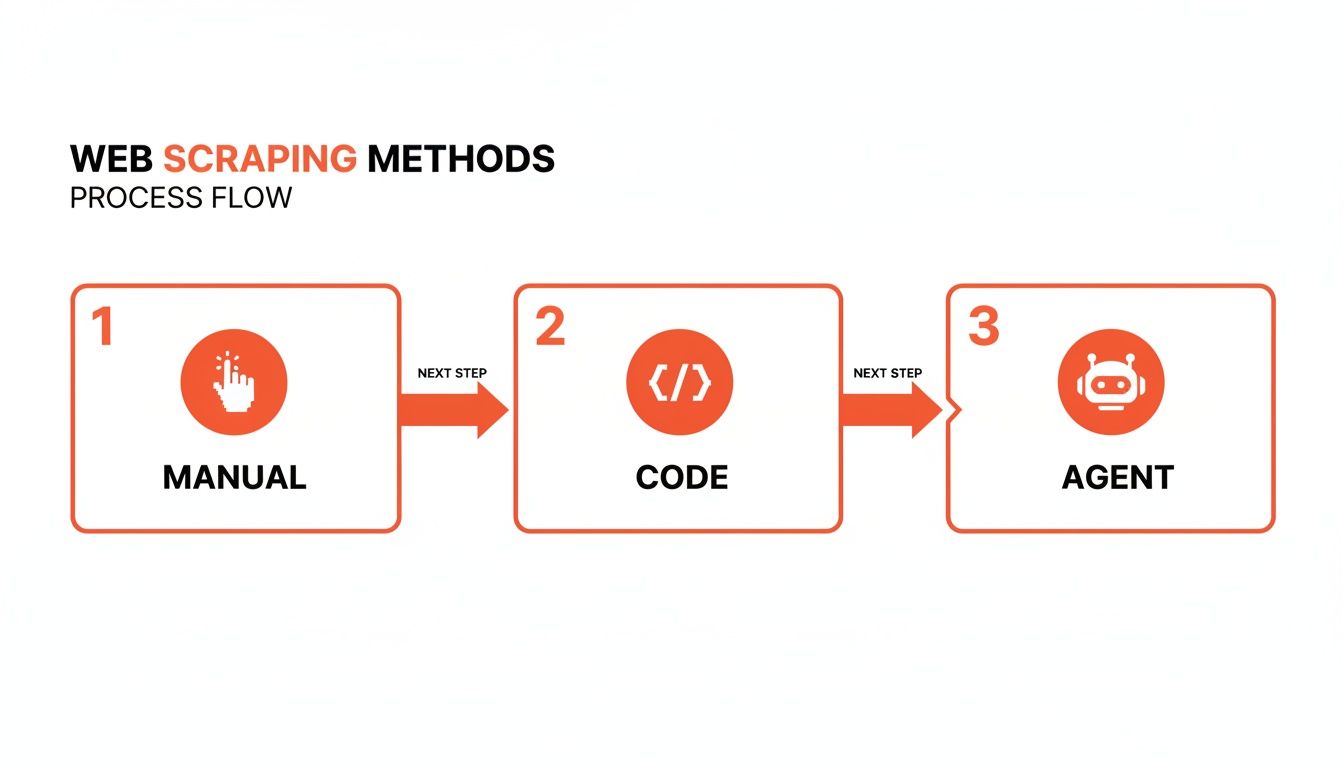
The takeaway is clear: for most professionals, browser scrapers are the sweet spot, offering the best mix of power, ease of use, and safety.
Step 2: Extract and Export Your Data
As the scraper runs, it intelligently extracts key data points from each profile. The magic of a template is that the most common fields—name, title, company, location—are already mapped for you.
You can see the data populating a clean table right inside the tool's interface in real-time. It handles all the pagination, so you don't have to sit there clicking through hundreds of pages. The scraper keeps going until it's collected every profile from your search.
Once it's done, you'll have a perfectly structured dataset. Exporting is a snap. Just hit the export button, and you can download the entire list as a CSV file.
The market for these tools has grown significantly. Between 2023 and 2025, many professional-grade LinkedIn data scraping tools emerged with pricing for every budget. Some offered subscriptions as low as $59.99 for three months, while dedicated Sales Navigator scrapers could be found for around $39 per month for about 1,000 leads. More powerful platforms started at $69 a month, proving just how accessible this technology has become. You can learn more about the top LinkedIn scraping tools and their features to explore the options.
This clean CSV is now ready for your CRM, email outreach tool, or any other part of your sales stack. In just a few minutes, you've gone from an idea to a hyper-targeted, actionable list of leads.
How to Scrape LinkedIn Data Safely
When scraping LinkedIn, being smart is more important than being fast. If you want a data pipeline that works long-term, you have to fly under the radar. It all comes down to one golden rule: act like a human.
Think about how you browse LinkedIn. You'd never click through 500 profiles in ten minutes. You scroll, you pause, and you move at a natural pace. The best scraping tools are designed to copy this rhythm, and that’s your secret weapon against detection.
Mimic Human Behavior to Blend In
The fastest way to get your account flagged is to behave like a robot. Firing off requests with machine-like precision is a massive red flag.
This is where intelligent automation comes in. Modern AI scrapers are built to behave like a real person, with built-in safety features that make your activity look organic.
Randomized Delays: Instead of hitting a new page every 3.0 seconds, a smart tool adds small, random pauses between clicks and page loads. This small detail is a game-changer for staying undetected.
Natural Scrolling: The scraper doesn't just jump to the data it needs. It simulates a person scrolling down the page, allowing elements to load just as they would in a normal browser.
Realistic Pacing: It moves through profiles at a speed that a real person could manage, avoiding the frantic activity that triggers alarms.
These subtle actions separate a sustainable data operation from a risky one. You're not slowing down your results; you're securing them.
Set Responsible Rate Limits
One of the biggest mistakes people make is trying to extract too much data too quickly. This is where rate limits come in. Think of them as a speed governor for your scraping—a cap on how many profiles you process in a set timeframe.
A great starting point is to keep your activity within what a power user might realistically do. A good browser scraper helps manage this by working methodically, but you should still be strategic about the total volume you aim for in one session.
Outsmart Anti-Scraping Defenses
LinkedIn is constantly updating its platform to block automation. They roll out everything from CAPTCHAs (the "I'm not a robot" puzzles) to small code changes designed to break scrapers.
This is another area where modern AI tools have a massive advantage over custom scripts.
CAPTCHA Handling: A good AI scraper can often recognize and solve CAPTCHAs on its own, so your workflow doesn’t stop at the first sign of a puzzle.
Adapting to Change: When LinkedIn moves a button or renames code, a rigid script will break. An AI scraper understands the page contextually—it knows what a "profile headline" is, not just its code name—and can often adapt to these changes automatically.
Brute-force scraping is a thing of the past. Success now comes from thoughtful, controlled execution. For anyone curious about the bigger picture, we have a complete guide on the legality of web scraping that's worth a read.
Putting Your Scraped LinkedIn Data to Work
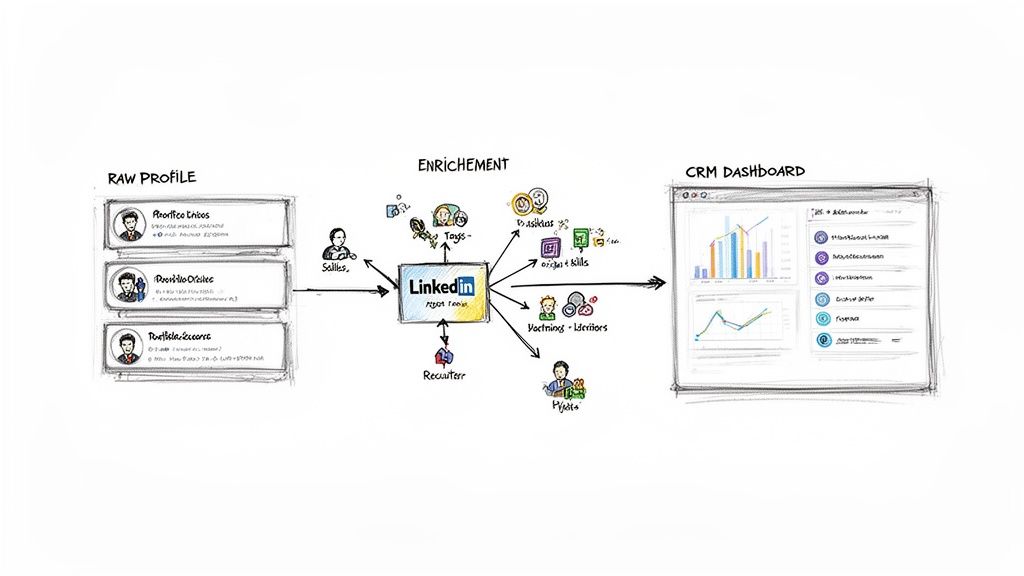
Great, you've got a list of clean, structured data. That's a huge win, but it's just the beginning. Raw data has potential, but the real magic happens when you turn that information into business results.
This is the moment your scraped data goes from a spreadsheet to a strategic asset. Let's look at how different teams can put this goldmine to work.
For Sales: Fuel Your Outreach Engine
For any sales team, a fresh list of qualified leads is everything. The first step is to get that list into your CRM. From there, you can launch highly personalized outreach campaigns.
Hyper-Personalized Outreach: Use the job titles, company names, and locations you collected to write emails and connection requests that resonate. Mentioning their specific role or industry instantly sets you apart.
Laser-Focused Campaigns: Segment your list by industry, company size, or location. This lets you run targeted campaigns built around specific buyer personas.
Enrich and Engage: Use data enrichment tools to find verified email addresses for your scraped profiles. A list of names is good; a list of names with contact info is a game-changer.
For Recruiting: Build a Talent Pipeline
Recruiters can stop reacting to job openings and start building a proactive talent pipeline. When you extract skills, experience, and educational backgrounds, you create a searchable database of dream candidates.
Find Hidden Gems: Uncover professionals who aren't actively job-hunting but are a perfect fit for your company.
Pinpoint Key Skills: Need a developer with 5+ years of Python experience? Filter your database in seconds to find exactly who you need.
Track Career Moves: Get alerts when top talent at competitor companies updates their job titles—the perfect moment to reach out with a new opportunity.
For Strategy: Gain a Competitive Edge
For market researchers, LinkedIn data is a crystal ball. You can see your competitors' next moves by tracking who they're hiring. This gives you a peek into their strategic priorities before they make a public announcement.
By analyzing their job postings and new hires, you can spot critical trends. Are they suddenly hiring a large sales team in a new region? Or building an R&D team focused on a new technology? That’s intel you can act on. If you need help with the technical side, our guide on how to export LinkedIn contacts breaks it down.
This kind of information provides a huge competitive advantage, helping you anticipate market shifts and make smarter decisions.
Frequently Asked Questions
Let's tackle the big questions everyone has before they start scraping data from LinkedIn. Getting these key concepts down will help you move forward with confidence.
Is Scraping LinkedIn Data Legal?
This is always the first question. The truth is, it's a gray area. The real issue isn't about breaking the law; it's about breaking LinkedIn's rules.
LinkedIn's Terms of Service clearly forbid using automated tools to collect data. So, while scraping publicly available information isn't illegal in most places, violating their user agreement can get your account flagged or shut down. This is why how you scrape matters more than anything. The entire game is about being smart, safe, and staying under the radar.
How Can I Scrape Without Getting My Account Banned?
Account safety is your number one priority. The simplest way to think about it is this: don't act like a robot. A bot tries to grab thousands of profiles in minutes; a human doesn't.
Here’s how to fly low and avoid detection:
Pace yourself. Good tools let you add randomized delays between actions, making your activity look natural.
Set daily limits. Don't get greedy. Trying to download an entire industry's contact list in one afternoon is the fastest way to get banned.
Use the right tool. Modern AI-powered browser scrapers are built for this. They operate within your browser and mimic real user behavior, making them incredibly discreet.
The key takeaway is to adopt a "low and slow" mindset. It's a marathon, not a sprint. Using tools built for safety allows you to create a sustainable pipeline of valuable data without risking the account you rely on.
Ready to put this into practice? Clura is built to help you collect clean, structured data the smart and safe way. Explore prebuilt templates and get your first workflow running in minutes at https://www.clura.ai.
