Ready to learn how to scrape the web? Our guide breaks down the best tools, proven techniques, and practical steps for your first data extraction project.

Ready to unlock the data hiding on the web? Web scraping is your key. It's the simple idea of using an automated tool to pull public data from websites and save it in a clean, organized format like a spreadsheet. Thanks to modern AI tools, you can now do this with a few clicks—no coding needed.
Why Web Scraping is Your New Superpower
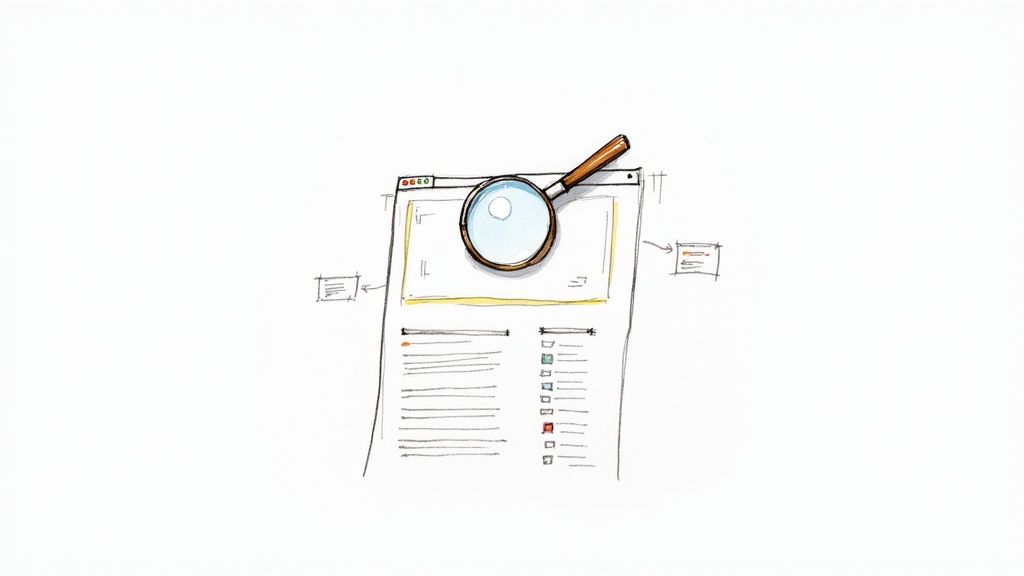
The internet is the world's largest public library, packed with game-changing information: competitor pricing, sales leads, market trends, and job openings. The only problem? It's a chaotic mess, scattered across millions of sites. Copying and pasting it all by hand is a soul-crushing task that just doesn’t work.
This is where web scraping saves the day. It automatically grabs the specific data you need and organizes it into a useful format, like a CSV file. Instead of wasting days on manual data entry, a scraper gets the job done in minutes.
What Makes Web Scraping a Game-Changer?
Web scraping transforms the messy, untamed data of the web into your most powerful asset. It automates data collection to fuel smarter business decisions and give you a huge competitive edge.
Here’s what you can do with it:
Generate Targeted Leads: Build lists of potential clients from online directories and professional networks in minutes.
Monitor Competitor Prices: Keep a constant eye on competitor pricing to adjust your own strategy on the fly.
Automate Market Research: Gather thousands of product reviews, news articles, or job postings to spot emerging trends.
Track Competitors: Systematically monitor your rivals’ product launches, marketing campaigns, and social media buzz.
Web scraping is quickly going mainstream. The market is already worth over USD 1.03 billion and is projected to nearly double by 2030, with around 65% of global enterprises now using data extraction for real-time insights. You can discover more about these market trends to see how big this is becoming.
It puts the power of data-driven decisions into everyone's hands. Whether you're in sales, marketing, e-commerce, or research, it lets you automate the grunt work so you can focus on strategy.
Choosing the Right Tool for the Job
Ready to start scraping? The tool you choose will define your experience. It determines your speed, scalability, and whether you’ll be clicking a mouse or writing code.
Think of it this way: you can either build a race car from scratch or hop into a high-performance machine that's ready to go. Both get you to the finish line, but the journey is completely different. Your choice comes down to two main paths: modern AI-powered tools or traditional coding libraries.
The No-Code Revolution: AI Browser Automation
Imagine pointing at the data you want on a website and having a smart assistant figure out how to grab it for you. That's the reality of AI-powered browser automation. These tools, often simple browser extensions, turn complex web scraping into a visual, point-and-click experience.
You don't need to know HTML or write a single line of Python. You just show the tool what you want—product names, prices, contact info—and its AI builds the logic to pull that data from one page or ten thousand.
Sales & Marketing Teams can build lead lists from directories in minutes.
E-commerce Pros can monitor competitor pricing without bugging their tech team.
Researchers & Analysts can gather news and market data faster than ever.
For anyone who values speed and simplicity, these tools are a perfect fit. To see what's out there, you can explore a complete guide on top-tier website data extraction tools.
The Traditional Route: Coding with Python
On the other side is the classic, programmatic approach. This is the domain of developers, where you write custom scripts using libraries like Beautiful Soup and Scrapy in Python.
This path offers ultimate power and flexibility, but it requires a solid understanding of coding and a website’s underlying structure. It’s the right choice for massive, complex projects where custom logic is a must.
While Python remains the go-to for 69.6% of developers, times are changing. Modern AI scrapers are now 30-40% faster than traditional coded solutions and can adapt to website layout changes on the fly, hitting accuracy rates up to 99.5%. You can read the full research on these scraping trends to see how much automation is pushing the boundaries.
How to Choose Your Path
Deciding between a no-code tool and a custom script depends on your technical skill, budget, and project complexity.
Here’s a quick comparison to help you decide.
Tool Type | Best For | Technical Skill | Key Advantage |
|---|---|---|---|
No-Code AI Tools | Sales, marketing, e-commerce, and anyone needing data fast without a developer. | None | Unbeatable speed, simplicity, and visual interface. |
DIY Python Scripts | Large-scale, highly complex, or unique data extraction projects. | High (Python, HTML) | Ultimate control, customization, and flexibility. |
Cloud Platforms | Scheduled, automated, and large-volume scraping operations. | Low to Medium | Scalability, reliability, and managed infrastructure. |
Ultimately, there's no single "best" tool—only the best tool for your job. For most business users, the efficiency and ease of a no-code AI tool are a clear winner.
Essential Tools: Proxies and Cloud Infrastructure
As you get serious about scraping, two tools become critical: proxies and the cloud.
A proxy acts as a disguise for your scraper. Websites block floods of requests from a single IP address, and a rotating proxy service makes your scraper look like many different users from all over the world, helping you avoid bans.
For bigger jobs, your laptop won’t cut it. Cloud infrastructure handles the backend work—servers, maintenance, and scaling—so you can run large or continuous scrapes 24/7 without a problem.
A Step-by-Step Guide to Your First Scraping Project
Enough theory. The best way to learn web scraping is by doing it. Let's walk through a real-world project: collecting pricing data from a popular e-commerce site. This is a classic, high-value task that companies use to stay competitive.
We’ll pick a target, learn its layout, and pinpoint the exact data we want to grab—like product names, prices, and customer ratings.
This flow chart gives you a great mental model for any scraping project. It all starts with your goal, not the tool.
As you can see, the process starts with what you need and guides you to the right tool for the job.
Step 1: Inspect the Target Website
Before you extract data, you have to understand the website's structure. Think of yourself as a detective. Your secret weapon is your browser's developer tools.
Go to the webpage you want to scrape.
Find an element you care about (like a product title).
Right-click on it and select "Inspect."
A panel will pop up showing the site's HTML. This is your treasure map. As you hover over lines of code, the corresponding element on the webpage will light up. This is how you'll show your scraping tool exactly what to grab.
Step 2: Pinpoint Your Data Fields
With the inspector open, it's time to tag your targets. On a typical product page, you’ll likely want:
The Product Name
Its Price
The Customer Rating
With a modern AI scraping tool, this is simple. You just click on the first product's name. The tool’s AI instantly analyzes the code and highlights the names of all the other products on the page. Repeat this for the price and rating, and you've just defined your entire dataset.
Step 3: Handle Pagination and Infinite Scroll
What about sites with thousands of products spread across hundreds of pages? You need to automate navigation. This challenge comes in two forms:
Classic Pagination: These are the "Next" or page number links. With a good tool, you just click the "Next" button once and tell the scraper to keep clicking it until it disappears.
Infinite Scroll: This is common on modern sites where new products appear as you scroll. Your tool can handle this, too. Set it to scroll to the bottom of the page, pause for new items to load, and repeat until no more products appear.
Step 4: Extract JavaScript-Loaded Content
Ever notice how some content pops in a moment after the page loads? That’s JavaScript at work, and it can fool simple scrapers.
Top-tier tools get around this by using a full browser engine. They see the page exactly as you do, executing all the JavaScript and waiting for everything to load. This means the tool is smart enough to wait for the data to appear before it scrapes it.
Step 5: Export Your Clean Data
You did it! The scraper has collected all your data. Now for the payoff: downloading it in a beautifully structured format.
The go-to format is a CSV (Comma-Separated Values) file because it opens perfectly in Excel or Google Sheets. Want a detailed walkthrough? Check out this guide on how to scrape data from a website directly into Excel.
Your data is now clean, organized, and ready for action. You’ve turned chaotic web content into a priceless strategic asset.
How to Overcome Common Scraping Hurdles
https://www.youtube.com/embed/vxk6YPRVg_o
You’ve kicked off your first project—awesome! But websites have defenses, and you're going to meet them. The good news is that these roadblocks are completely beatable with the right strategy.
Knowing what's coming is half the battle. It's the secret to building scrapers that work reliably every time.
Staying Under the Radar with Proxies
Sooner or later, your scraper will stop working because of an IP block. When a website sees too many requests from a single IP address, its defenses kick in and shut you down. This is why rotating proxies are essential.
A proxy server hides your real IP address. A rotating proxy service funnels your requests through a huge pool of different IPs, making your scraper look like hundreds of normal visitors instead of one hyperactive bot.
Residential Proxies are real IP addresses from internet service providers, making you look like a regular person browsing from home.
Datacenter Proxies are faster and more affordable but are easier to spot. They work well for sites with relaxed security.
Using a good rotating proxy service is the single best way to prevent blocks and keep your data flowing.
Mimicking Human Behavior to Avoid Blocks
Bots are fast—too fast. No human can click through 50 pages in 10 seconds, and servers are programmed to spot this. The trick is to make your scraper act more like a person by slowing down.
Add randomized delays of a few seconds between page requests. This simple strategy breaks up the robotic rhythm of your scraper, making its activity look far more natural to anti-bot systems. Pacing yourself is also about being a good internet citizen by not overwhelming a website's servers. Our guide on the legality of web scraping dives deeper into this.
Solving the CAPTCHA Puzzle
We've all seen them: "I'm not a robot" checkboxes and grids of grainy images. These are CAPTCHAs, designed to stop automated scripts like yours.
While annoying, CAPTCHAs aren't the end of the road. Many modern scraping platforms integrate with third-party CAPTCHA-solving services. These services use a mix of AI and human solvers to crack the puzzle in seconds, letting your scraper continue on its way.
By planning for these common challenges—IP blocks, unnatural speed, and CAPTCHAs—you can build them into your strategy from day one.
Turning Raw Data into Actionable Insights
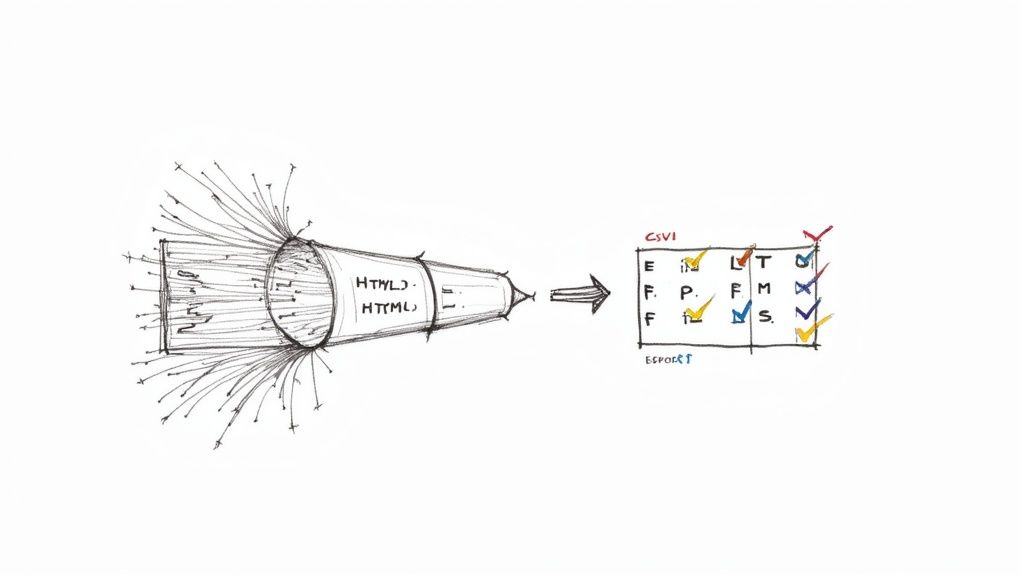
Congratulations, you've collected a mountain of data! But raw data is rarely ready for prime time. It’s like a rough diamond—it needs polishing before it can shine.
Transforming raw data into clean, structured insights is the final and most critical step. It’s what separates a jumble of text from a powerful asset that can drive your next big move.
Cleaning and Standardizing Your Data
Your first look at scraped data might reveal stray HTML tags, inconsistent date formats, or prices with currency symbols. This is normal. Your next job is to clean it up.
Most modern scraping tools have built-in features to help. You can apply simple rules to get rid of whitespace, strip out unwanted characters, or reformat entire columns.
Common cleaning tasks include:
Stripping HTML: Removing tags like
<strong>to get pure text.Standardizing Formats: Ensuring all dates follow a consistent format (e.g., MM/DD/YYYY).
Converting Data Types: Turning text like "$19.99" into a numerical value you can analyze.
A clean dataset is a trustworthy dataset. Spending a few extra minutes on cleaning will save you hours of headaches down the line.
Structuring Your Data for Maximum Impact
Now, structure your data so it makes sense. Give your columns logical, descriptive names like "ProductPrice" or "CustomerRating" instead of "Column 3."
This small step makes your data instantly understandable and easy to import into other tools like a CRM or a business intelligence dashboard.
Exporting Your Data for Analysis
With your data cleaned and structured, it’s time to put it to work. Exporting it into a usable file is the final, satisfying click.
CSV (Comma-Separated Values): The champion of data exports. A CSV is a simple text file that opens perfectly in Microsoft Excel or Google Sheets.
JSON (JavaScript Object Notation): If you're feeding data into another application or database, JSON is your best friend. It’s a lightweight format that’s easy for other programs to read.
Most AI-powered tools let you export to either format with a single click.
Putting Your Data Collection on Autopilot
Why scrape once when you can automate it forever? The real magic is creating a system that constantly monitors information for you.
Set up your scrapers to run on a schedule. Imagine getting a fresh report of competitor prices every morning or tracking new job postings in your industry every week—without lifting a finger. This transforms data collection from a manual chore into a non-stop, automated intelligence stream.
Practical Use Cases for Web Scraping
Once you get the hang of web scraping, you’ll see data opportunities everywhere. It’s a strategic superpower that can fuel growth in almost any field. But with great power comes the responsibility to be a good digital citizen.
Let's explore some real-world examples and the ground rules for ethical scraping.
High-Impact Ideas for Your Next Project
Web scraping isn't just for developers; it's a business intelligence machine. While e-commerce leads the way—with 48% of users scraping for price monitoring—its impact is spreading across finance, recruiting, and real estate. You can get a deeper dive into these industry benchmarks and how web scraping is evolving here.
Need some inspiration?
Master E-commerce Pricing: Automatically track competitor prices on thousands of products, 24/7. This allows online retailers to adjust their own pricing, roll out competitive deals, and protect their profit margins.
Spot Market Trends Early: Financial analysts scrape news articles, social media, and public filings to get a real-time pulse on market sentiment, helping them make smarter investment calls.
Dominate a Local Real Estate Market: An agent could scrape property sites to build a private database of local listings, tracking prices, square footage, and time on the market to spot undervalued homes for their clients.
Your Ethical Scraping Checklist
Knowing how to scrape is only half the battle; knowing how to do it ethically ensures you don't get blocked and can maintain long-term access to data.
Think of yourself as a guest in someone's digital house. Run through this checklist before you start.
Always Check
robots.txt: This text file, found atdomain.com/robots.txt, is the website owner's rulebook for bots. Respecting it is the first and most important step.Don't Overload Servers: Blasting a site with thousands of requests per second can slow it down or crash it. Always throttle your speed by adding a small, randomized delay between requests.
Avoid Personal Data: Steer clear of personally identifiable information (PII) like names, emails, or phone numbers unless you have a clear legal reason. Data privacy laws like GDPR are serious.
Use a Clear User-Agent: A user-agent is your scraper's digital name tag. Set a custom one that identifies your bot, like
"MyProductScraper/1.0 (+http://mywebsite.com)". This transparency is a sign of respect.
By pairing a killer idea with a strong ethical framework, you can build something truly valuable.
Common Questions About Web Scraping
Jumping into web scraping brings up a few common questions. Let's clear the air on what you need to know before you start.
Is Web Scraping Legal?
The short answer: yes, scraping publicly available data is generally legal. But it’s not a free-for-all.
Always check the website's robots.txt file, which outlines the rules for bots. Stick to public information (if you don't need a password to see it, you're usually fine), avoid personal data, and don't overwhelm their servers with requests. Be respectful, and you'll stay on the right side of the law.
What Are the Chances of Getting Blocked?
High. In fact, you should expect it. Websites are smart and have ways to spot and shut down automated activity. The most common trigger is making too many requests, too quickly, from a single IP address.
The best way to fly under the radar is to act more human. Use a pool of rotating residential proxies so your requests look like they're coming from different people. Also, add random delays between your requests to make your scraper look less like a robot.
Do I Need to Learn How to Code?
A few years ago, the answer was yes. But the game has changed with the rise of AI-driven, no-code scraping tools.
These are often simple browser extensions where you literally point and click on the data you want. The AI does all the heavy lifting, meaning anyone from a sales professional to a market researcher can build a powerful scraper in minutes—no coding required.
Ready to turn messy web data into your competitive advantage? Clura is a browser-based AI agent that helps you scrape, organize, and export clean data from any website in one click.
