
Discover how to scrape LinkedIn data effectively. Our guide covers no-code tools, Python methods, and crucial tips for avoiding blocks and staying ethical.
Scraping LinkedIn data is about turning the world's largest professional network into your personal goldmine of intel. It’s the process of using smart tools to pull specific details—like names, job titles, and company info—from public profiles. The goal? To build a powerful, organized asset for lead generation, market research, and beyond.
Unlocking the Power of LinkedIn Data
Imagine having an automated pipeline to millions of professional profiles, company updates, and real-time industry trends. That’s what mastering LinkedIn data scraping gives you. You're turning a massive, unstructured network into a clean, actionable database perfectly aligned with your goals.
This isn't just about grabbing names; it's about gaining a serious competitive advantage. For anyone in sales, recruiting, or market intelligence, automating data collection from LinkedIn is a game-changer. It frees you up to think bigger and act faster, letting you focus on strategy instead of getting bogged down in manual data entry.
What Kind of Data Can You Scrape from LinkedIn?
The potential here is incredible. Once you have the right setup, you can gather a rich mix of information to fuel just about any business goal.
Professional Profiles: Get names, job titles, company history, skills, education, and location. This is your foundation for building hyper-targeted lists of prospects or candidates.
Company Information: Pull data on company size, industry, HQ location, and even employee growth trends. Perfect for mapping out your market or keeping a close eye on competitors.
Job Postings: Scraping job listings lets you spot hiring trends, see what skills are in demand, and identify which companies are actively growing.
Engagement Data: Want a list of everyone who liked or commented on an influencer's post? You can get that. This is awesome for finding people who are already showing interest in a specific topic.
This data is unbelievably valuable. With its massive user base, LinkedIn is the undisputed king of professional networking. Scraping it means you can extract clean, structured details (like job titles) and unstructured gold (from posts and comments). This combination is crucial for modern lead generation and competitive intelligence. You can see what is possible with LinkedIn scraped data over on anyleads.com.
The magic happens when you turn raw data into strategic insights. A list of 1,000 marketing managers in London isn't just a list—it's your next hundred sales demos, a pool of top-tier talent, or a detailed snapshot of your target market.
This guide will walk you through exactly how to do it. We'll dive into the powerful techniques you need to turn all that public information into your secret weapon for growth, all while smartly navigating challenges like LinkedIn's anti-scraping defenses.
Choosing the Right LinkedIn Scraping Tool
Alright, let's get into the fun part: picking your tool for pulling data from LinkedIn. Before you can start gathering all that amazing intel, you have to decide how you're going to do it.
This isn't a one-size-fits-all situation. The right tool depends entirely on your goal, your technical comfort level, and how much data you're after. Are you needing a quick list for a sales campaign, or are you building a massive, ongoing market research database?
Let's break down the three main routes you can take. I’ll give you the inside scoop on each one so you can pick the perfect approach for your project.
No-Code Browser Extensions
This is the "I need it now" option. If you want to grab data from LinkedIn without writing a single line of code, AI-powered browser extensions are your best friend. It's as simple as installing an extension, navigating to a LinkedIn page, and clicking what you want to capture. The tool then magically organizes it all into a neat spreadsheet.
Picture this: you're a recruiter who just found a search result of 50 perfect candidates. With a no-code extension, you could have a clean list with their names, titles, and companies ready for outreach in less than 5 minutes. It’s that fast.
Who it's for: Sales pros, marketers, recruiters—anyone who needs targeted data quickly without the technical headache.
Skills needed: Zero! If you can use Google Chrome, you're set.
The upside: Incredibly simple, visual, and perfect for smaller, one-off scraping tasks.
The downside: Might not be the best for huge, recurring scraping jobs that need to run around the clock.
Dedicated Scraping Platforms
Ready to level up? These platforms are the powerhouses of the no-code world. They are robust, cloud-based services that come with pre-built templates designed specifically for popular sites like LinkedIn. You just configure what data points you want, set a schedule, and the platform handles everything else on its servers. You don't even need to have your computer running.
This is the "set it and forget it" dream. It’s perfect for automating repetitive tasks, like tracking a competitor's new hires every week or pulling all new job postings in your niche every morning.
The whole process boils down to a simple, powerful workflow: you scrape the raw data, the platform structures it into a usable format, and you get to act on the insights.
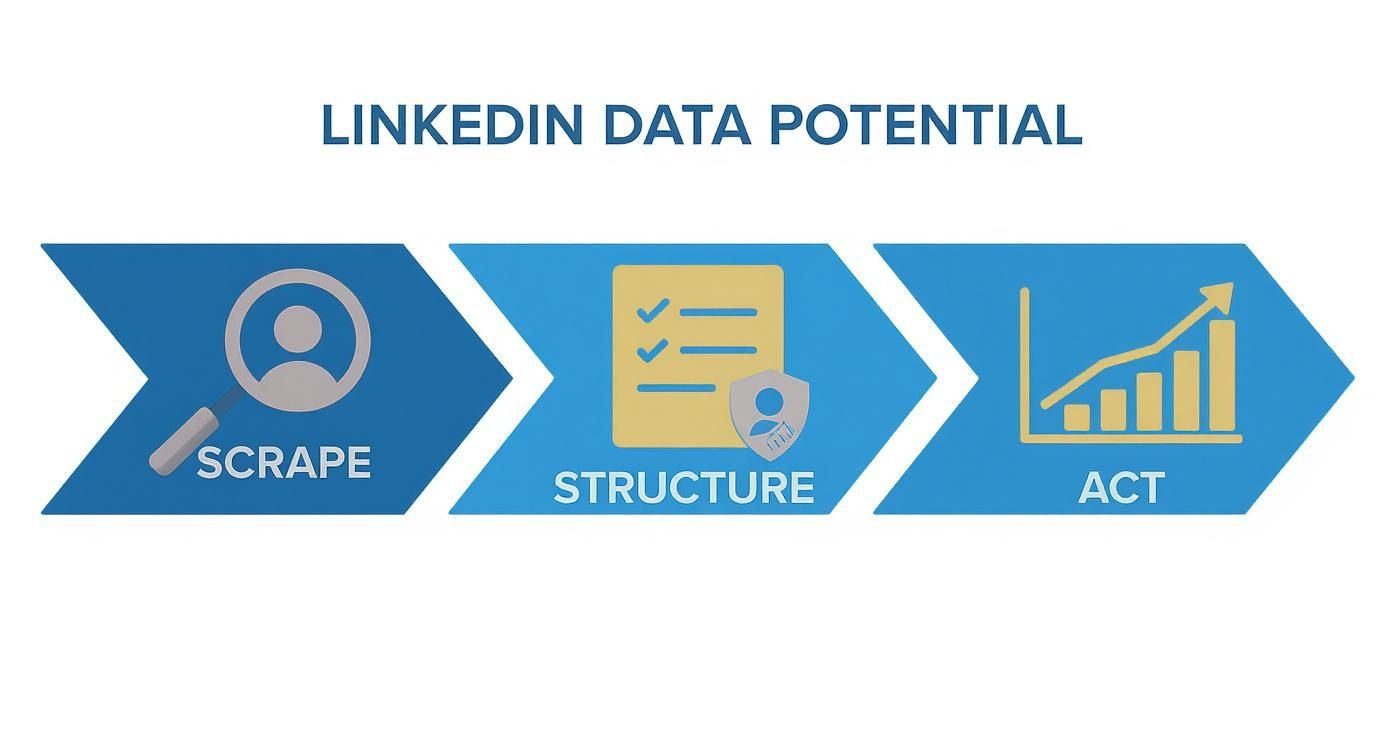
Ultimately, it’s all about turning public information into a real competitive advantage.
Custom Python Scripts
Now we're talking ultimate control. For developers, data scientists, and anyone with a truly unique data challenge, building your own scraper with Python is the way to go. This is the expert-level, do-it-yourself path.
Using amazing libraries like Selenium or Playwright, you can build a bot that does exactly what you want. Need to scrape profiles, then cross-reference their company with a list from another API, and then enrich the data with a third service? A custom script is your ticket.
Building your own scraper gives you total freedom, but it comes with responsibility. You're the one in charge of everything—writing the code, managing proxies, and figuring out how to navigate LinkedIn's anti-bot defenses.
Who it's for: Developers and data teams with very specific, large-scale, or highly customized data needs.
Skills needed: High. You'll need a solid grip on Python and the principles of web scraping.
The upside: Limitless flexibility, complete control over every step, and the ability to integrate it into any workflow you can imagine.
The downside: It’s a real project. This approach takes significant time, effort, and technical skill to build and maintain.
Comparison of LinkedIn Scraping Methods
To make the choice even clearer, here's a quick side-by-side comparison of these approaches.
Method | Best For | Technical Skill | Pros | Cons |
|---|---|---|---|---|
No-Code Extensions | Quick, small-scale tasks like lead lists or contact gathering. | None | Fast, easy to use, visually intuitive. | Not ideal for large volume; can be limited in features. |
Dedicated Platforms | Automated, recurring, and medium-to-large scale scraping. | Low | Scalable, scheduled, cloud-based, pre-built templates. | Subscription cost; less customization than code. |
Custom Python Scripts | Highly complex, unique, and large-scale data projects. | High | Maximum flexibility, full control, total integration. | Time-consuming, complex to build and maintain. |
Each method has its place, and the best one is simply the one that aligns with your resources and goals. Now that you have a handle on the options, you're one step closer to unlocking the treasure trove of data on LinkedIn.
Your First Scrape with a No-Code Tool
Let's get hands-on and see just how fast you can pull data from LinkedIn without touching a single line of code. This is where the magic happens—turning theory into a tangible spreadsheet you can actually use.
We’re going to use a modern, AI-powered browser extension, which makes the whole process ridiculously simple. The beauty of no-code tools is that they give you the power of a developer without the steep learning curve. You literally see the data you want, click on it, and the tool handles the messy stuff in the background.
Think about it: if you're a sales rep trying to build a targeted list, copying and pasting info from LinkedIn is a nightmare. It’s slow, tedious, and prone to mistakes. With a good scraper, you can build that same list in minutes, not hours.
Setting Up Your First Scraping Workflow
Let's walk through a real-world scenario. Our mission is to build a list of software engineers in Austin, Texas. This is a common task for any sales, recruiting, or market research team.
Install the Tool: First, you'll need to grab a browser extension like Clura. Installing it is a one-click affair from the Chrome Web Store. Once it's installed, you'll see its icon pop up in your browser's toolbar.
Find Your Data: Now, head over to LinkedIn and use the search bar to find our targets. A simple search for "Software Engineer" with the location filter set to "Austin, Texas" gives us the perfect page of results. This search results page is our goldmine.
Visually Selecting Data Points
With the LinkedIn results page open, click the scraper's icon in your toolbar. This opens a panel that works right alongside the webpage. What's cool is that the AI will often scan the page and automatically guess which data you want to grab, like the list of profiles.
This is what you'll typically see—an interface that lets you point and click to map out the data.

As you can see, the tool overlays on the page, highlighting all the repeatable bits of information like profile names and job titles, just waiting for you to select them.
All you have to do is confirm the AI’s suggestions or make your own. For our list, we’ll want to grab these key details:
Full Name: The person's name, exactly as it appears.
Job Title / Headline: Their current role and professional summary.
Location: The city or region they’re based in.
Profile URL: A direct link to their LinkedIn profile for easy access later.
You just click on the first person's name, then their title, and so on. The tool is smart enough to see the pattern and instantly applies it to every single profile on the page. It’s a "point-and-click" way to tell the scraper what matters to you.
Handling Pagination and Exporting Data
But wait, what about all the people on page two, three, and beyond? This is a classic scraping problem, but any decent no-code tool has it solved.
Most tools have a built-in way to handle pagination. You usually just have to click on the "Next" button at the bottom of the LinkedIn page and tell the tool, "This is how you find more results." The scraper then marches through every page you tell it to, collecting data as it goes. You can set it to scrape 10 pages, 20 pages, or whatever you need.
Pro Tip: When scraping multiple pages, always add a small, randomized delay between page loads (say, 2-4 seconds). This makes your activity look more human and dramatically cuts down the risk of getting flagged by LinkedIn's anti-bot systems. The best no-code tools have this setting built right in.
Once the scraper has worked its way through all the pages, it's time for the best part: getting your data. With one final click, you can download everything you’ve collected into a clean, perfectly structured CSV file.
The result? A spreadsheet where each row is a person and each column is a piece of data you selected—name, title, location, and URL. In just a few minutes, you’ve learned how to scrape LinkedIn data and created an incredible asset, ready to be dropped into your CRM, used for an outreach campaign, or analyzed for market trends. You can also use a pre-built solution like this LinkedIn Profiles Scraper template for a serious head start.
How to Scrape LinkedIn Using Python
If you're ready to roll up your sleeves and get your hands dirty with code, building your own scraper with Python is the ultimate power move. This is for developers and data professionals who want absolute control over their data collection. Forget one-size-fits-all tools—we're building this from scratch.
This path gives you the freedom to design a scraper that fits your exact needs, whether you're building a custom data pipeline for market research or a hyper-specific lead generation engine.
We're going to jump right into practical code snippets using some of the best libraries in the game, like Selenium and Playwright. These tools are fantastic because they let you automate a real browser. Imagine writing a script that tells Chrome or Firefox exactly what to do—click here, scroll there, type this. It’s the perfect way to handle a dynamic, interactive site like LinkedIn.
You’ll see exactly how to programmatically log in, run a search, and pluck out the specific data points you need right from the page's HTML. It's a deep dive, but the payoff is a custom-built tool that does exactly what you tell it to.
Gearing Up: Your Python Scraping Toolkit
First, you’ll need to set up your Python environment with a few essential libraries. These are the workhorses that will do all the heavy lifting.
Selenium or Playwright: Think of these as the drivers. They fire up a browser and give your script the power to control it.
Beautiful Soup: Once your browser has loaded a page, this library lets you parse the raw HTML and easily find the information you're looking for.
Getting them installed is a breeze. Just open your terminal and run this command:
pip install selenium beautifulsoup4
With these installed, you’re ready to tackle pretty much any scraping challenge LinkedIn can throw at you.
Automating the Browser to Find Your Data
The first real task for your custom scraper is getting to the right page. This usually means automating the login process and then navigating to a search results page. With Selenium, you can write a script that finds the email and password fields, types in your credentials, and clicks the "Sign in" button.
Once you’re in, you can tell the browser to go directly to a specific search URL. Say you're looking for "Product Managers in San Francisco." Your script would navigate to that results page automatically.
The secret sauce here is identifying web elements—like buttons or text boxes—by their unique HTML attributes (like an ID, class, or XPath). Your Python script uses these identifiers to know exactly what to click or type into.
Pinpointing and Extracting the Data You Need
Okay, so your script has navigated to a page full of valuable profiles. Now for the fun part: extraction. This is where you tell your code precisely what to grab—names, titles, companies, you name it. You'll need to inspect the page’s HTML (right-click, "Inspect" in your browser) to find the CSS selectors or XPaths for the data you want.
Here’s a quick rundown of how to grab all the profile names from a search results page:
Get the Page Source: Your script asks the browser for the complete HTML of the page it’s on.
Parse with Beautiful Soup: You pass that HTML to Beautiful Soup, which turns it into an organized, searchable object.
Find All the Names: You then tell Beautiful Soup to find every element that matches the selector for a profile name (for instance, every
<span>tag with a specific class).Loop and Save: Finally, your script iterates through all the elements it found, extracts the text from each one, and saves it neatly into a list.
And just like that, you've turned a chaotic webpage into structured, clean data, ready for a CSV file or your database.
Taming Infinite Scroll and Dynamic Content
One of the trickiest parts of scraping LinkedIn is dealing with its "infinite scroll." You know how more profiles magically appear as you scroll down? A simple script that just loads the page once will miss all of that.
To get around this, you need to teach your scraper how to scroll like a human.
The script can run a small piece of JavaScript to scroll to the very bottom of the page.
Crucially, it then needs to wait a few seconds for the new profiles to load. Patience is key!
You repeat this scroll-and-wait loop until the page stops loading new profiles. This is how you ensure you’ve collected every single result.
Pro tip: Use "explicit waits" instead of just telling your script to pause for a fixed time. An explicit wait tells the script to wait until a specific new element has appeared on the page. This makes your scraper way more efficient and reliable. This is a core technique we explore more in our guide on how to scrape a website.
How to Scrape LinkedIn Without Getting Blocked
Before you hit "run" on your scraper, we need to talk about the biggest hurdle you'll face: LinkedIn really doesn't like being scraped. Staying under the radar isn't just a good idea—it's the only way you'll get the data you need without getting blocked.
LinkedIn is incredibly sophisticated, but with the right approach, you can be more clever. The platform has a whole arsenal of defenses designed to spot and shut down automated tools. It's like a digital bouncer, and your scraper needs to look like it belongs.
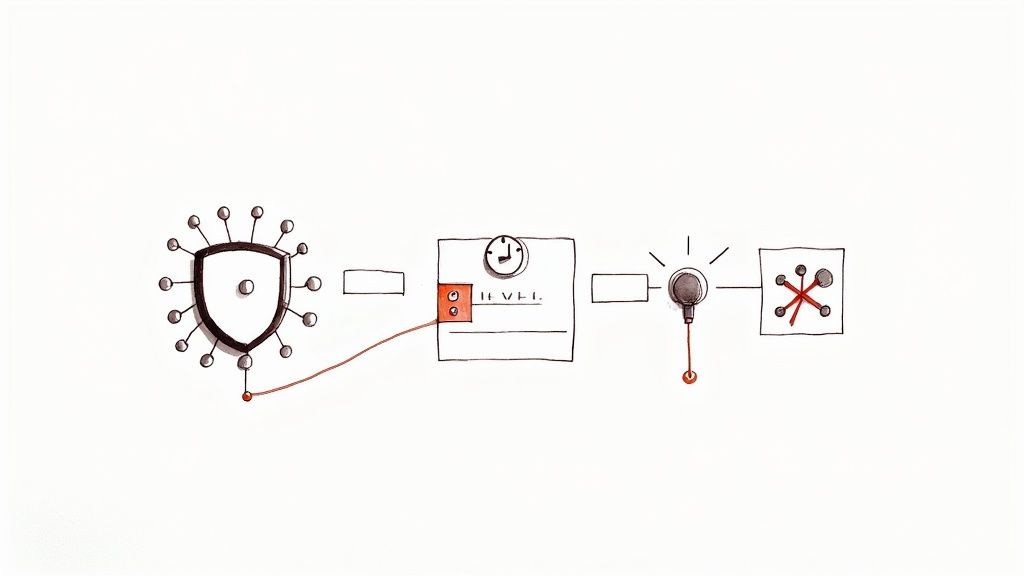
Navigating these anti-bot systems is the name of the game. LinkedIn throws everything at you—authentication walls, behavioral tracking, and even device fingerprinting. This is why so many scraping projects hit frustrating IP bans and endless CAPTCHAs. If you want to get into the nitty-gritty, you can explore a deep dive into scraping LinkedIn on scrapfly.io.
Use High-Quality Proxies
If you fire off hundreds of requests from the same IP address in just a few minutes, you’re basically screaming, "I'm a bot!" An IP ban is the fastest way to get your operation shut down.
This is where proxies save the day. A proxy is a middleman that masks your real IP address. It makes it look like your requests are coming from all over the place, not just from your server.
While there are a few types out there, for LinkedIn, you really only need to care about two:
Residential Proxies: These are the gold standard. They route your traffic through real IP addresses assigned by Internet Service Providers to actual homes. Your scraper’s activity looks completely organic—like a regular person browsing from their living room.
Datacenter Proxies: These are faster and cheaper, but they're also much easier for LinkedIn to spot. Their IPs come from commercial data centers, which is an immediate red flag.
If you're serious about this, investing in a rotating pool of high-quality residential proxies is essential.
Mimic Human Behavior
Bots are predictable. Humans are messy and random. To avoid getting caught, you need to make your scraper act less like a perfectly efficient machine and more like a person. Blasting through profiles at superhuman speed is a surefire way to get flagged.
The Golden Rule: If a human couldn't do it that fast, your scraper shouldn't either. Building in human-like randomness is your best camouflage.
Here's how to inject that crucial "human" element into your scraper's DNA:
Randomize Your Timing: Never use fixed delays. Add randomized pauses between actions. Try 3-7 seconds between loading profiles, or maybe 10-25 seconds before jumping to the next search page. This simple trick shatters the robotic pattern.
Vary Your Actions: Don't just go from profile to profile in a straight line. Mix it up! Program your bot to occasionally scroll up and down the page, move the mouse over different buttons, or even click on a link that isn't part of your main data target. It looks natural.
Set Realistic Daily Limits: A real person isn't looking at 1,000 profiles in an hour. Be reasonable. Set a sensible daily cap on how many pages you visit to fly under the radar of LinkedIn's rate-limiting algorithms.
Manage Your Digital Fingerprint
Every time you connect to a website, your browser broadcasts information about your setup—your screen size, operating system, installed fonts, and browser version. This is called a browser fingerprint, and it's surprisingly unique.
Here's the problem: if you're rotating through different IP addresses but your browser fingerprint stays identical for every single request, it's a dead giveaway. The system sees different "people" from different places all using the exact same machine.
To get around this, you need to manage and vary these fingerprints. This is where tools like Playwright or Selenium are fantastic. When you control a headless browser (one without a visible interface), you can tweak these settings for each session. This makes it appear as though your requests are coming from completely different users on different devices—a powerful technique for staying undetected.
The Ethical Rules of LinkedIn Scraping
Pulling data is one thing, but doing it the right way is a completely different game. When you're scraping LinkedIn, you’re not just wrangling code; you’re handling information about real people and their careers. That's why your most important tools are your ethics and a smart, respectful approach.
Trying to brute-force your way through this is a terrible strategy. A data operation that lasts is one built on respecting the platform and the people who use it.
What About LinkedIn’s User Agreement?
Let's get straight to the point: LinkedIn’s User Agreement flat-out prohibits automated data collection. While court cases have often sided with the legality of scraping public data, that doesn't mean you're in the clear. Violating a platform's terms of service is a fast track to getting your account restricted or even permanently banned.
The goal isn't to find clever loopholes. It's about operating in a way that dramatically reduces your risk and doesn't abuse LinkedIn's infrastructure. Think of yourself as a responsible guest.
Your objective should be to get the data you need without disrupting the service for anyone else. A slow, respectful scraping rate and sticking strictly to public information are absolutely non-negotiable.
This mindset is what separates a short-sighted data grab from a sustainable, long-term strategy.
My Core Principles for Responsible Scraping
To keep your data gathering both effective and ethical, always stick to a few core principles. These guidelines will help you make smart decisions and navigate the tricky waters of data privacy. For a much deeper dive, you can learn more about the legality of web scraping in our full guide.
Here’s the practical checklist to follow:
Public Data Only: This is the golden rule. Never try to get information that's behind a login or a privacy setting. If a user set their profile to private, that’s a hard stop. You have to respect that boundary.
Know the Privacy Laws: You must be aware of regulations like GDPR and CCPA. These laws are serious, and you have a responsibility to understand how they affect the data you collect, use, and store.
Don't Hammer Their Servers: Be gentle. Use a slow scraping cadence with randomized delays between your requests. Firing off requests too quickly is the fastest way to get your IP address blocked and can degrade the experience for actual human users.
Be Transparent When It Counts: If your project involves any kind of direct interaction or outreach based on the data, be honest about your intentions. It builds good will.
Answering Your Top LinkedIn Scraping Questions
Let's dive into the questions I hear all the time. When you're just starting to scrape LinkedIn, it’s natural to have a few things on your mind. Here are the straight-up answers to help you get going.
Is Scraping LinkedIn Actually Legal?
This is the big one, and the answer has some nuance. While US courts have generally sided with the legality of scraping publicly available data, it's a direct violation of LinkedIn's User Agreement. You're playing in their sandbox, so you have to know their rules.
The golden rule is to be ethical and smart. Stick strictly to public profiles, never touch private data, and be mindful of privacy laws like GDPR. And of course, never overload their servers. When in doubt, it’s always a good idea to chat with a legal pro.
Can LinkedIn Really Ban My Account for This?
Absolutely, and it's a very real risk. LinkedIn has sophisticated systems designed to sniff out and shut down bots. If you go in too fast or too aggressively, you could easily get your account temporarily suspended or, in the worst-case scenario, permanently banned. It happens.
The trick is to scrape with a light touch, not a sledgehammer. Things like rotating residential proxies, adding random delays between actions to act more human, and keeping your scraping volume reasonable are non-negotiable. It's all about flying under the radar.
What’s the Best Way to Format the Data I Scrape?
For most situations, you're going to want your data in a CSV (Comma-Separated Values) file. It’s the universal standard for a reason—it’s clean, simple, and you can open it in Excel, Google Sheets, or any other spreadsheet tool instantly.
The only time I'd suggest something else is if you're dealing with really complex, layered data—like scraping every single job from someone's 20-year career history. In that case, JSON is your friend. It keeps all that nested information organized, which is a lifesaver if you're a developer plugging that data into another app.
Ready to skip the headaches and get straight to clean, actionable data? Clura is an AI-powered browser agent that automates LinkedIn scraping in one click, letting you build lead lists and enrich profiles without writing a single line of code. Explore prebuilt templates at https://www.clura.ai.
