Discover how to find shopify stores quickly with smart search tactics, powerful tools, and automated workflows to grow your lead list.
Whether you're using clever Google searches like inurl:myshopify.com or powerful automated tools, finding Shopify stores is your ticket to building laser-focused lead lists. You can sort them by niche, location, or even the apps they use, turning your outreach into a high-precision machine. Ready to see how it’s done?
Why Shopify Stores Are a Goldmine for Growth
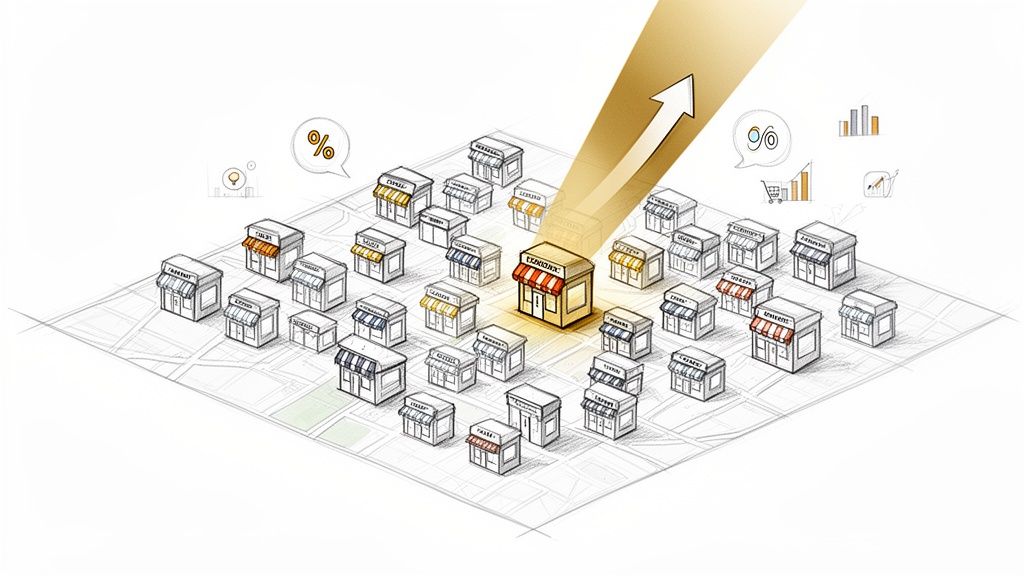
Before diving into the "how," let's cover the why. The Shopify ecosystem is a booming digital economy filled with ambitious entrepreneurs and fast-growing brands. For anyone in sales, marketing, or business development, this is a treasure trove of high-potential leads.
These businesses are actively investing in growth, from scrappy direct-to-consumer (D2C) startups to established global players. Learning how to find them isn't just a neat trick for collecting URLs—it's how you build a powerful growth engine for your own company.
The Sheer Scale of Opportunity
First, let's talk numbers. There are roughly 4.82 million active Shopify stores across the globe. This isn't a small pond; it's a massive, ever-expanding ocean of opportunity.
The United States leads the pack with over 2.67 million sites, making it a prime market for any targeted campaign. This scale alone provides an incredibly rich hunting ground for generating leads and conducting market research.
Learning how to find Shopify stores transforms your ideal customer profile from a vague idea into a concrete list of real businesses you can connect with today.
Fueling Your Business Growth
Once you know how to find these stores, you can build incredibly targeted campaigns. Whether you sell a marketing app, offer web design services, or provide logistics solutions, you can filter your search to find the perfect fit. This precision is what separates businesses that struggle from those that scale efficiently.
Here’s where it gets exciting:
Hyper-Targeted Outreach: Find stores in niches like "sustainable fashion" or "artisanal pet supplies." Craft a message that speaks directly to their world, their challenges, and their goals.
Competitive Analysis: Keep a close eye on other brands in your space. See what they're charging, which products they’re pushing, and what marketing tactics they're using to win.
Effortless Lead Generation: Build a reliable pipeline of qualified prospects who have already proven they’re invested in their online business. If you need a refresher, you can learn what makes a great https://www.clura.ai/blog/what-is-a-business-lead and why they’re so valuable.
To see what's possible, look at some of the biggest Shopify brands and stores—you'll find household names alongside explosive startups. Their success highlights the dynamic ecosystem you're about to tap into.
Clever Manual Search Tricks That Still Work
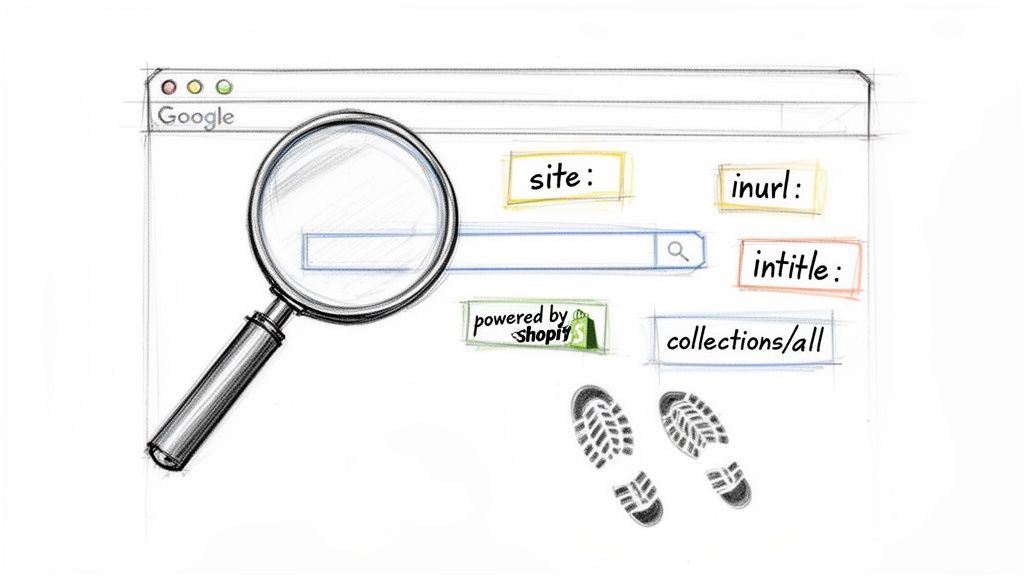
Ready to become a Shopify detective without spending a dime? Automation is powerful, but mastering a few manual search tricks gives you a foundational skill for finding hyper-specific stores. Think of it as your secret playbook for digging up gems that automated tools might miss.
These methods turn Google into your personal lead-generation machine. By combining special commands, known as search operators, with common Shopify footprints, you can turn a simple search into a precision-guided tool.
Mastering Google Search Operators
Search operators are simple commands you add to your query to narrow down the results. They're like cheat codes for Google, telling it exactly what to look for and where.
Here are the heavy hitters you'll use constantly:
inurl:Tells Google to show only results with a specific word in the URL, perfect for spotting Shopify’s unique URL structures.site:Lets you search within a single website, like Shopify’s primary subdomain.intitle:Searches for pages with your keyword directly in the page title, a strong signal of relevance.
Combining these operators transforms a broad search into a targeted mission. You’re no longer just asking Google for information; you’re giving it precise instructions. For more advanced ideas, check out our guide on Boolean search strings.
The magic happens when you layer these operators. A single operator finds a needle in a haystack; a combination helps you find the exact shiny, gold-plated needle you were looking for.
Practical Recipes for Finding Shopify Stores
Let's put these operators into action with some plug-and-play recipes. These search strings are designed to uncover different types of Shopify stores based on their digital footprints.
1. The Classic myshopify.com Search Many new or smaller stores operate on Shopify’s default subdomain before getting a custom domain, making them easy to find.
Search String:
site:myshopify.com "organic skincare"What it does: This searches for the phrase "organic skincare" only on sites hosted at the
myshopify.comaddress. It's a goldmine for finding up-and-coming brands.
2. Finding Stores by Common URL Paths Shopify stores often share common URL structures, like /collections/all for their product catalog, which we can use to our advantage.
Search String:
inurl:/collections/all "vintage clothing"What it does: This finds any website with
/collections/allin its URL that also mentions "vintage clothing," a great way to find established stores on custom domains.
3. The "Powered by Shopify" Footprint This one is almost too easy. Many Shopify themes include the phrase "Powered by Shopify" in the footer, which is a dead giveaway.
Search String:
"Powered by Shopify" AND "handmade jewelry"What it does: This looks for sites that explicitly mention both phrases. The
ANDoperator ensures both terms are present, giving you super-relevant results.
Beyond Google: Your Browser Is a Tool
Your hunt doesn't have to end with Google. Social media and online directories are also amazing hunting grounds.
Social Media Bio Hunts: On Instagram or X, search for bios with phrases like "Shop our store" or links containing
myshopify.com. Many brands link directly from their social profiles.Directory Exploration: Dig into e-commerce directories, industry blogs, or "best of" lists. A quick search for "best D2C coffee brands" will likely lead you to several great Shopify stores.
These manual techniques are incredibly effective for building small, highly targeted lists. Give them a try—you'll be surprised at what you can uncover with just a few clever searches.
Using Technology Detection Tools for Precision
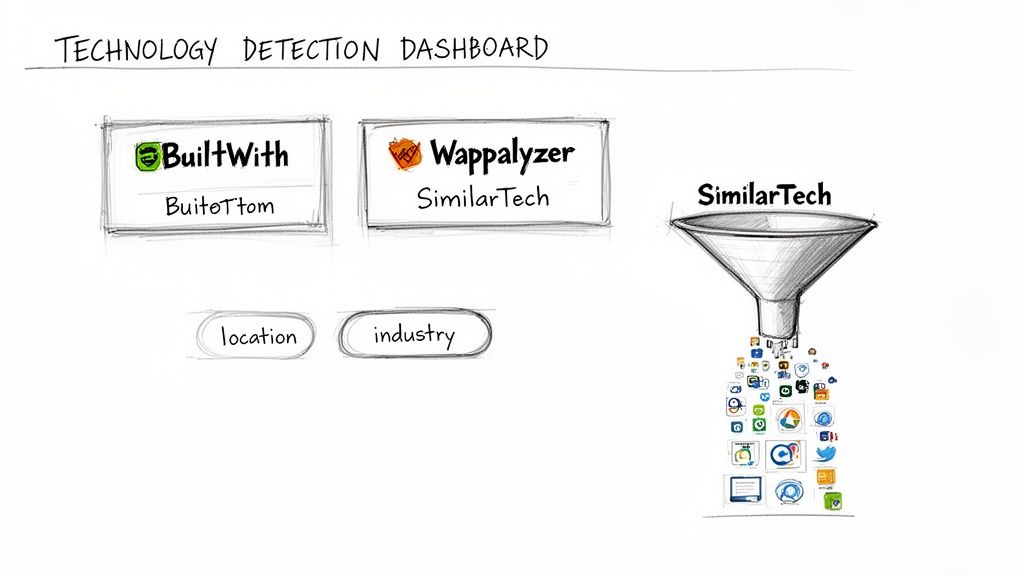
Manual searching is a great start, but when you’re ready to build a real pipeline, it’s time for a more powerful, automated approach: technology detection tools.
Platforms like BuiltWith, Wappalyzer, and SimilarTech act as private investigators for the internet. They crawl the web, indexing sites by the software they run. They can instantly tell you if a site is built on Shopify, what apps they have installed, and even which marketing tools they're using.
This is how you turn your lead generation from a slow trickle into a targeted, high-pressure firehose.
How These Tools Work Their Magic
At their core, these tools are massive databases of website "technographics." They scan the underlying code of millions of websites, looking for the digital signatures left behind by different platforms and plugins.
Shopify leaves a distinct footprint that these tools can spot instantly, allowing you to pull massive lists of Shopify-powered websites with a few clicks. But the real power isn’t just finding them—it’s in the filtering. You can slice and dice the data with incredible precision to find the exact leads that fit your ideal customer profile.
The breakthrough with these tools isn't just finding Shopify stores—it's finding the right ones. You can filter by industry, location, estimated revenue, and even other marketing tools they use, like Klaviyo or Afterpay.
This level of precision is a game-changer for crafting outreach that truly resonates.
Diving Deep With Advanced Filtering
Let's make this practical. Imagine you sell an inventory management app for apparel brands. Instead of spending days searching manually, you could build a laser-focused list in minutes.
Here’s a simple workflow:
Start with the Technology: Your first filter is easy—show me every website that uses Shopify.
Layer on the Industry: Next, filter by the "Apparel" or "Fashion" category. Your list is already more relevant.
Add a Location Filter: Zero in on stores in the United States, the UK, or a specific state like California.
Get Granular with App Stacks: Add another filter to find stores that also use a specific tool like Klaviyo or a payment provider like Afterpay.
This multi-layered filtering gives you a list of highly qualified prospects. You know their platform, industry, and the other tools they value, giving you everything you need to start a meaningful conversation.
To make your filtering even more strategic, it helps to know where the stores are. With over 4.8 million live Shopify stores globally and 2.67 million in the U.S. alone, targeting top categories like Apparel (795,676 stores) in high-density countries means you’re fishing where the fish are. These Shopify usage stats can help guide your search.
Choosing the Right Tool for the Job
While these platforms offer similar core features, they each have their own strengths. The right choice often comes down to your budget and specific goals.
Shopify Store Finder Tools Comparison
Tool | Key Features | Pricing Model | Best For |
|---|---|---|---|
Extensive technographics, lead list generation, market share analysis, API access. | Freemium, with paid plans starting around $295/month. | In-depth market research, B2B sales teams, and creating highly-targeted lead lists. | |
Browser extension for real-time detection, lead lists, website alerts. | Freemium, with credits-based pricing and monthly plans from $99/month. | Salespeople and marketers needing quick on-the-fly tech lookups and smaller lead lists. | |
Technology lookup, lead generation, sales intelligence insights, CRM integration. | Premium-only, with custom pricing based on usage. | Enterprise sales teams needing deep sales intelligence and seamless CRM integration. |
The best tool is the one that fits your workflow. Start with the free versions or trials to get a feel for the interface and data quality before committing to a paid plan.
Automating Your Search with AI-Powered Scraping
Manual searches and tech detection tools are great, but when you're ready to build lead lists that can transform your pipeline, it's time for AI-powered browser scraping.
Forget copy-pasting or juggling a dozen tabs. With an AI agent, you can teach your browser to do the heavy lifting for you—no code, no complicated setup. It's like having a virtual assistant who works 24/7 to find Shopify stores and extract the exact data points you need.
This approach gives you the precision of a manual search combined with the speed and scale of enterprise software. Just point the AI to a source, tell it what to grab, and let it build a clean, structured dataset for you.
Your First AI-Powered Scraping Workflow
Let's make this real. Imagine you sell eco-friendly packaging to D2C brands. Your ideal customers are Shopify stores in the "Home & Garden" niche. Your goal is to build a hyper-targeted lead list from a popular e-commerce directory.
Here’s the game plan:
Find Your Source: You find a blog post listing the "Top 50 Shopify Stores for Home Decor."
Activate the AI Agent: You open a browser extension like Clura on that page. The AI is ready for your commands.
Show It What You Want: Simply click on the data you want from the first store—the name, URL, and a short description. The AI instantly sees the pattern and knows to repeat it for every other store on the page.
Go Deeper: Tell the agent to visit each store URL and scrape more details, like social media links or the number of products they sell.
Export Your Data: With one click, export the entire dataset into a perfectly formatted CSV file, ready for your CRM or outreach tool.
This GIF of the Clura interface shows just how visual the process is. You're simply clicking on the data you want to build a powerful scraper.
As you can see, there's no code involved. It's an intuitive, visual way to build powerful automation workflows in minutes.
The Power of Structured Data on Demand
The biggest advantage here is the quality of your data. Instead of a messy list of links, you get a clean spreadsheet where every column represents a specific data point, making the list instantly actionable.
For more advanced workflows, understanding what a webhook is can take your automation to the next level. You can use them to automatically trigger scraping tasks whenever a new store is added to a directory, keeping your lead flow constant.
This isn't just about moving faster; it's about turning chaotic web data into an organized, strategic asset. You can build rich profiles for every lead, which is the secret to personalization that works.
You can customize your scraper to pull almost any information visible on a Shopify store's website, allowing you to qualify leads based on criteria you could never find with other tools.
Data Points You Can Scrape from Shopify Stores
Here's a quick look at the valuable intel you can automatically extract from Shopify stores to qualify leads and make your outreach stand out.
Data Point | Description | Use Case Example |
|---|---|---|
Product Count | The total number of products listed for sale on the store. | Filter for stores with 50+ products to find businesses that have reached a certain scale. |
Price Range | The minimum and maximum prices of products in their catalog. | Target high-end brands by identifying stores with an average product price over $100. |
Social Profiles | Direct links to their Instagram, Facebook, TikTok, or Pinterest pages. | Prioritize outreach to stores with a strong, engaged social media following. |
Technology Stack | Identify other apps or tools they use (e.g., a "Pay with Klarna" button). | Personalize your pitch by mentioning how your tool integrates with their existing software. |
Contact Information | Email addresses or contact form links found on the "Contact Us" page. | Directly populate your outreach campaigns with verified contact details. |
This level of detail is a game-changer. You can create different lists for small brands and established players, then tailor your pitch to each one perfectly.
Scaling Your Outreach and Saving Massive Time
The time savings are immediate. A task that would take a sales rep an entire day can be automated in less than five minutes. This frees your team to do what they do best: build relationships and close deals.
Instead of building one small list a week, you can generate multiple, highly targeted lists every single day. This is how you build an unstoppable lead generation machine that constantly feeds your sales pipeline.
For anyone serious about finding Shopify stores, our prebuilt Shopify Stores Scraper template can get you started in seconds. It’s designed to pull key data points right out of the box so you can see results almost instantly. This is how you stop searching for leads and start systematically manufacturing them on demand.
So, you’ve scraped a massive list of Shopify stores. Now what? A spreadsheet full of URLs is just a starting point. The real work is turning that raw data into actual conversations and new clients.
The image below breaks down the initial part of this process—getting the raw data. This is the foundation you'll build on.
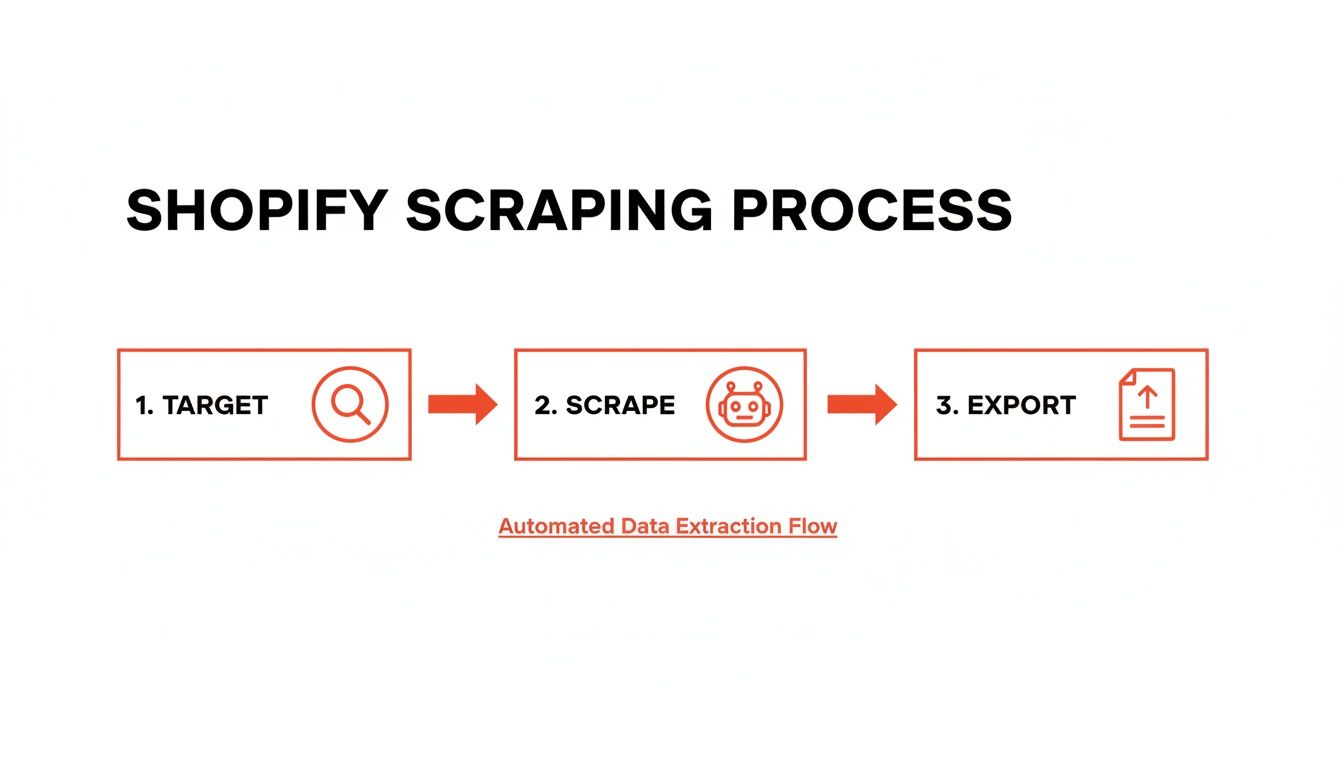
This simple Target, Scrape, Export flow gets you the raw material. Now, let’s refine it.
Verifying and Qualifying Your Leads
Before you hit "send" on an outreach email, you need a quick sanity check. Many Shopify stores are abandoned projects. A few minutes of verification now will save you hours of chasing ghosts later.
Your mission is simple: confirm the business is alive and looks like a good fit.
Here are a few quick checks:
Check Their Social Media: Have they posted in the last week? If their last post was from six months ago, that’s a huge red flag.
Look for Recent Products: Does their site have a "New Arrivals" section? If so, are the products actually new? This is a great sign of an active store.
Scan Their Blog: If you see recent, consistent posts, you know someone's at the helm and focused on growth.
Enriching Data to Find Decision Makers
You've trimmed your list down to active, promising stores. Now it’s time to find the right person to talk to. Emailing a generic info@store.com address is a shot in the dark.
This is where data enrichment comes in. You take the store URL and layer on more valuable details, like the name and contact info for the founder or Head of Marketing.
The goal isn’t just to find an email address; it’s to find the right email address. Cross-referencing your store list with professional networks like LinkedIn is the fastest way to connect a business name to a real person.
Crafting Outreach That Actually Gets Replies
This is where most people fail. They send a bland, generic template that screams "I'm a robot" and gets deleted instantly.
To get a reply, you have to show you've done your homework. That enriched data is your secret weapon for personalization.
Effective Personalization Hooks:
Mention a Specific Product: "I was checking out your store and love the new line of ceramic mugs—the blue glaze is fantastic."
Reference a Technology They Use: "I noticed you're using Klaviyo for your email marketing and had an idea for how you could boost your open rates."
Comment on Recent Activity: "Saw your latest Instagram post about the summer collection and was really impressed with the photography."
This kind of personalized outreach shows you’re a real human who took an interest in their brand. It respects their time, builds rapport, and skyrockets your chances of starting a real conversation.
Got Questions? We've Got Answers
Stuck on a few details about finding Shopify stores? Let's clear up some common questions to get you on your way.
What’s the Best Way to Find Shopify Stores for Free?
If you're on a budget, you can't beat advanced Google search operators. A simple search like inurl:myshopify.com "handmade soap" can uncover a goldmine of leads for free. Another great method is to search for relevant hashtags on Instagram or Pinterest and check the links in bios. It's a great grassroots way to build a targeted list.
Is It Actually Legal to Scrape Data from Shopify Stores?
Yes, scraping publicly available information is generally legal. The keyword is publicly—data anyone can see without logging in. That said, always be a good internet citizen. Check a website's robots.txt file and never scrape personal data. Keep your outreach valuable and respectful.
How Can I Pinpoint Stores in a Specific Niche?
Finding niche stores is all about tailoring your approach.
Go Manual: Get creative with Google searches like
"Powered by Shopify" AND "vintage apparel".Use Tools: Platforms like BuiltWith let you filter by categories like "Fashion" or "Home & Garden."
Let AI Do the Work: Point an AI agent at a niche directory or a "best of" blog post and have it pull a perfectly relevant list for you in minutes.
How Can I Tell if a Shopify Store Is Doing Well?
Look for tell-tale signs of a successful store. Check their social media for recent posts and high engagement. Browse their website for a blog with new content or a "New Arrivals" section that's actually new. A polished site with high-quality photos and customer reviews also signals that they mean business.
Ready to stop searching and start building? Clura is the AI-powered browser agent that makes finding and scraping Shopify stores simple. Export clean, structured data with a single click and build your perfect lead list in minutes.
Explore prebuilt templates and Try Clura for free today.
