Learn how to extract text from web pages with AI in minutes. Discover tools and best practices to speed up your workflow and capture accurate content.
Ever wished you could just grab any piece of information from a website and instantly have it in a neat, organized file? That’s not science fiction—it's the power you unlock when you learn how to extract text from web pages.
Think about it. Valuable sales leads, competitor pricing, and market research are all sitting right there, locked behind your screen. Copying it all by hand? That's a slow, painful process nobody has time for.
Why This Skill is Your New Secret Weapon
In today's fast-paced world, speed and accuracy are everything. The ability to pull intelligence from the web in minutes gives you a massive advantage. Forget about mind-numbing copy-and-paste sessions that are not only tedious but also filled with human error. This is where automation changes the game.
When you automate text extraction from websites, you can:
Reclaim countless hours by swapping manual work for a simple click.
Boost data accuracy by eliminating typos and formatting mistakes.
Access real-time insights to react instantly to market shifts.
Scale your research without needing a bigger team.
Modern AI-powered browser tools like Clura have put this power in everyone's hands—no coding skills required. This guide is your roadmap to turning messy web pages into clean, structured data that fuels your business decisions.
Just look at how simple a modern tool's interface can be. It’s designed to make data extraction feel intuitive, not intimidating.
This kind of setup lets you manage projects, pick the data you want, and export it all without getting tangled up in technical details.
The Data Rush is Real
This shift toward automated data collection isn't just a trend; it's a fundamental change in how smart businesses operate. The web scraping software market—the engine behind this whole process—is exploding.
Why? Because sales, marketing, and e-commerce teams are hungry for data. In 2026, the industry was already valued at a massive $875.46 million, and it's projected to hit an incredible $2.7 billion by 2035. This meteoric rise shows just how essential these tools have become for everything from lead generation to competitive analysis. You can see the full breakdown in this web scraping software market growth report from Research Nester.
At its heart, this is all about one thing: turning the chaotic, unstructured mess of the internet into clean spreadsheets that deliver real results, whether that's a list of perfect sales leads or a crystal-clear analysis of your market.
Now that you understand the why, let's dive into the how.
How to Extract Text from a Web Page: Picking the Right Tool for the Job
So, you need to pull some text off a website. The method you choose can mean the difference between getting your data in minutes and losing an entire afternoon to a manual task.
Picking the right approach comes down to what you're trying to accomplish, how much data you need, and whether you're comfortable with a bit of tech. You wouldn't use a sledgehammer to hang a picture frame, and you don't need a complex script to grab a single quote.
To get your bearings, ask yourself one simple question: do you know how to code? Your answer immediately points you down one of two very different paths.
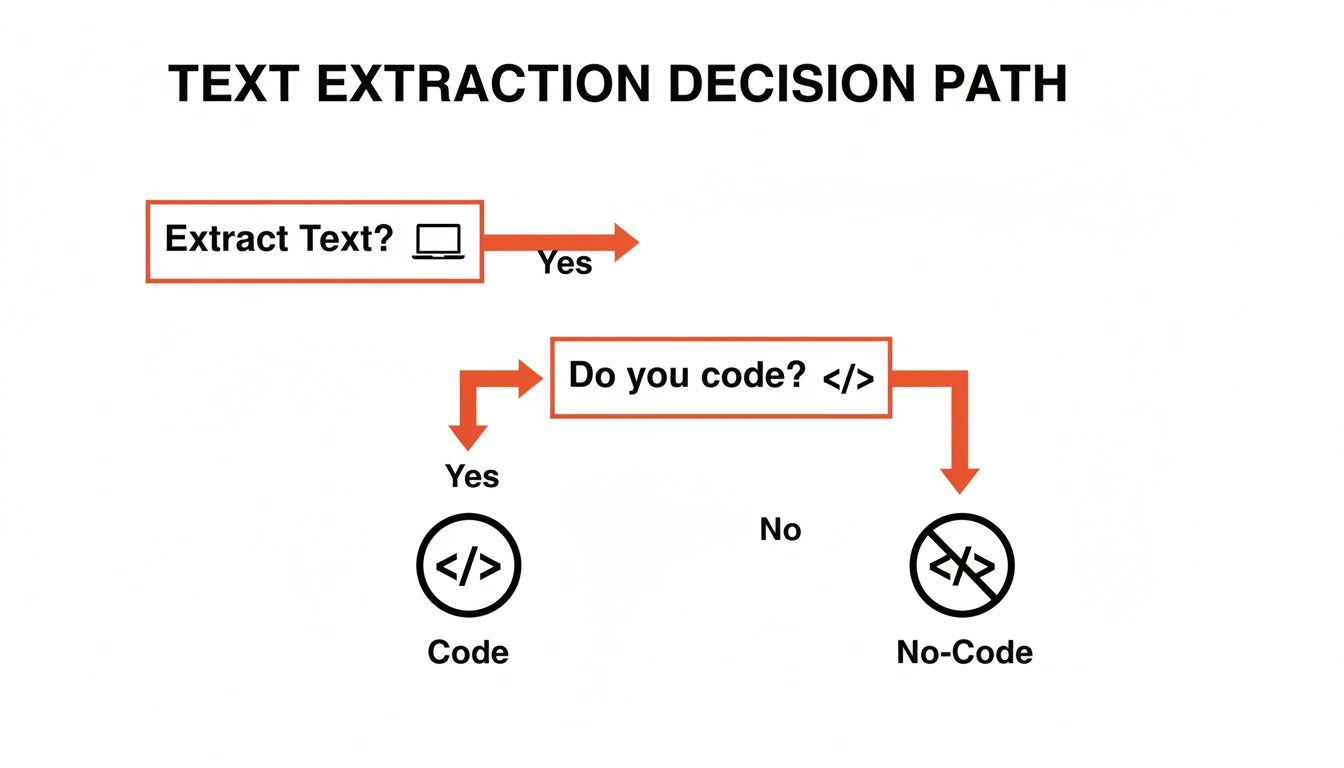
As you can see, your technical skill set is the main fork in the road, leading toward either code-free tools or custom-built scripts. Let's break down what that actually looks like.
Comparing Text Extraction Methods
To make it even clearer, here’s a quick-glance table comparing the four main ways to get text from a website. This should help you zero in on the perfect fit for your project and your skills.
Method | Best For | Ease of Use | Scalability | Required Skills |
|---|---|---|---|---|
Manual Copy & Paste | Grabbing a single paragraph or quote from one page. | Dead simple | None | Basic computer skills |
Browser DevTools | Tech-savvy users needing clean text from a single page. | Moderate | Low | Basic HTML knowledge |
No-Code Extensions | Non-devs needing structured data from many pages. | Very Easy | High | Point and click |
Custom Scripts | Developers needing a fully customized, automated solution. | Complex | Very High | Python or JavaScript |
Ultimately, each method has its place. Your goal is to match the tool's power and complexity to the size of your task. Now, let’s dig into the details of each approach.
The Manual Method: Copy and Paste
You already know this one. It's the classic highlight, right-click, and copy. For tiny, one-off jobs, it just works.
When to Use It: You need a single address, a product description, or a few paragraphs for a report.
The Good: It's 100% free, built into every computer, and requires zero learning.
The Bad: It's painfully slow for anything more than a page or two. The risk of missing data or making a copy-paste error is huge, and it has absolutely zero scalability.
A Step Up: Browser Developer Tools
If you're a little more adventurous, your web browser has powerful tools hidden under the hood. Just right-click on any webpage and hit "Inspect" to open the Developer Tools, which show you the site's underlying HTML code.
This lets you pinpoint the exact text element you want and copy it without grabbing surrounding formatting. It’s much cleaner than a standard copy-paste.
This is a fantastic way to peek behind the curtain and understand how websites are built. You're not coding, but you're getting a feel for the structure—a great first step into the technical side of the web.
The catch? It's still a one-by-one process. While it's more precise, it offers no real speed advantage for large-scale projects.
The Game-Changer: No-Code Browser Extensions
This is where things get really exciting, especially for non-developers. AI-powered tools like Clura are designed to do the heavy lifting for you. These browser extensions let you simply click on the data you want on a page—like product names, prices, or reviews—and they'll automatically find and extract all similar items.
Who It's For: Sales teams building lead lists, marketers analyzing competitors, researchers gathering data—basically, anyone who needs a lot of structured information without touching a line of code.
The Awesome: It's incredibly fast, super easy to learn, and built for scale. You can go from one page to a thousand and export it all into a neat CSV file.
The Heads-Up: While amazing for most websites, some extremely complex or non-standard site layouts might still require a custom solution for perfect accuracy.
If this sounds like your speed, you can explore more options in our deep dive on the best data extraction software.
The Power User's Path: Custom Python or JavaScript Scripts
For developers, nothing beats the control of writing your own extraction script. This is the ultimate solution for flexibility.
Using powerful libraries like BeautifulSoup or Scrapy in Python, or Puppeteer in JavaScript, you can build a scraper that does exactly what you want. It can navigate complex sites, handle logins, fill out forms, and pull data with surgical precision.
This is the best route when you need to handle tricky JavaScript-heavy websites, integrate data directly into another application, or run extractions on a massive, recurring schedule. The trade-off, of course, is the time and expertise needed to write, debug, and maintain the code.
How to Use an AI-Powered Tool: A Step-by-Step Guide
Alright, let's get practical. Forget theory and see just how easy this can be. We're going to walk through a real-world scenario using the most efficient method for most people: an AI-powered browser extension. This point-and-click experience delivers powerful results in minutes, with zero technical skills required.
Imagine you're in sales and need to build a prospect list. Your mission is to pull names, job titles, and company details from a site like LinkedIn. Doing this by hand would take hours and lead to countless mistakes. With an AI tool, it’s a total game-changer.
This approach is at the forefront of a massive shift in how businesses gather intelligence. AI-driven web scraping is faster and far more accurate than older methods, especially on modern websites. The market numbers are staggering: it was valued at USD 7.79 billion in 2025 and is projected to hit USD 47.15 billion by 2035. That explosive growth, detailed in a full SNS Insider market report, is fueled by the relentless demand for real-time data.
Your 3-Step Workflow
The best part about modern AI tools is their simplicity. You can go from installing the tool to holding a clean, ready-to-use dataset in just a few intuitive steps. You don't need to know a single line of code; you just need to know what information you want.
Here’s how it works:
Install the Browser Extension: First, add the tool to your browser (like Chrome) from its official web store. It’s a one-click install that takes just a few seconds.
Go to Your Target Page: Navigate to the website where your data is located. For our sales scenario, this would be a LinkedIn search results page filled with potential prospects.
Activate the AI Agent: Click the extension's icon in your browser toolbar to bring it to life. The tool overlays its interface right on the page, ready for your instructions.
Think of the AI agent as your personal data assistant. It's looking at the same screen you are, waiting for you to point out what you need. It handles all the complicated stuff in the background, like figuring out the page's structure and patterns.
Select and Extract Your Data
With the AI agent active, your job is to show it what you want. Click on the first example of a piece of data—say, the first person's name on the list. Instantly, the AI scans the page, identifies the pattern, and highlights all the other names it finds. It's basically saying, "Got it. You want these, right?"
Repeat this simple action for every piece of information you need:
Click a name
Click their job title
Click their company name
Click their location
With every click, you're visually building your dataset. The tool even shows a real-time preview of the structured data, so you know exactly what you're getting. Once you've pointed out everything, just tell the tool to run. It will then automatically work through the entire list—even clicking through multiple pages if needed—to pull all the text you asked for.
Even better, many tools like Clura have pre-built templates for popular websites, which makes this process even faster.
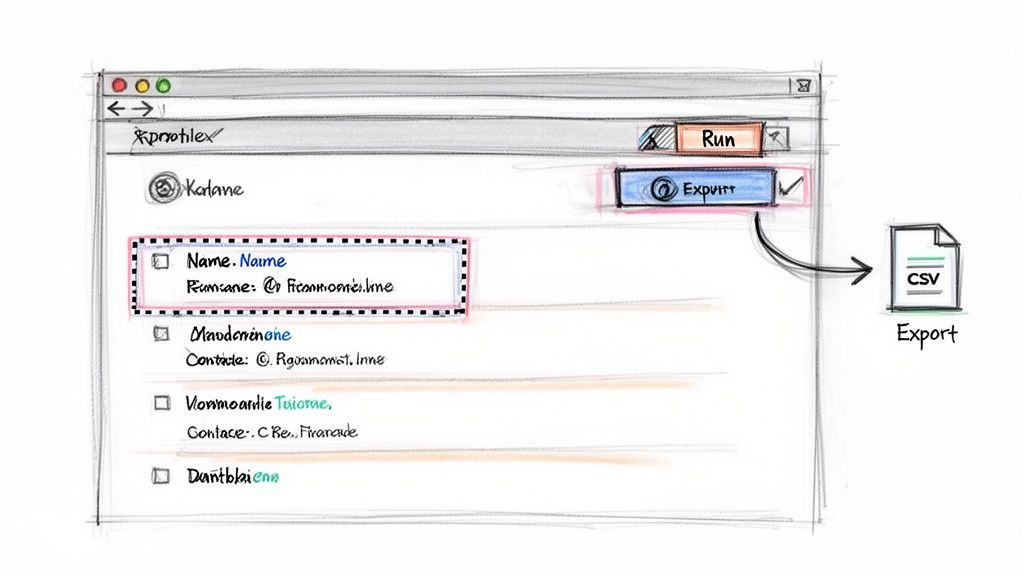
This visual library of "recipes" often means you don't even have to do the initial pointing and clicking yourself.
Export to a Clean CSV File
After the AI agent has worked its magic—which usually takes seconds or minutes—the final step is getting your data. A single click is all it takes to download all that extracted text as a clean, perfectly structured CSV file.
You can open this file directly in Google Sheets or Microsoft Excel. All your data will be sitting there in neat columns—names in one, titles in another—ready to be plugged into your CRM, used for an outreach campaign, or analyzed for market trends. The tedious, error-prone drudgery of manual copy-paste is completely gone.
A Look at Programmatic Text Extraction
For those who aren't afraid to get their hands dirty with a little code, programmatic extraction offers ultimate power and flexibility. This is the path for developers and data scientists who need to handle complex logic, integrate scraped data into an application, or run massive, recurring jobs.
While no-code tools are fantastic for getting things done quickly, a custom script puts you in the driver's seat. You can navigate the trickiest website layouts, deal with login forms, and handle dynamic content with pinpoint accuracy.
The Developer’s Toolkit
When a developer decides to build a custom scraper, they don’t start from scratch. They rely on an incredible ecosystem of open-source libraries that do the heavy lifting.
Two titans in this space are:
BeautifulSoup (Python): This is a classic. It’s a brilliant Python library for parsing HTML and XML documents. A developer uses it to slice and dice a webpage's code, easily finding and grabbing the exact text they need.
Puppeteer (JavaScript): Built for the modern web, Puppeteer is a Node.js library that lets you control a headless Chrome browser. It's a game-changer for websites that rely heavily on JavaScript to load their content.
The real beauty of going programmatic is adaptability. Websites change their layouts all the time. When that happens, a developer can jump into the script, make a few tweaks, and get it running again. That little bit of maintenance is the price you pay for total control.
How It Works in Practice
So what does this actually look like? Imagine you want to grab all user reviews from an e-commerce product page. A developer would write a script that gives the computer a set of instructions:
First, go to this specific URL.
Once the page loads, look for every single HTML element that holds a user review (e.g., a
<div>with a class name like"review-text").Now, go through each of those elements one by one and pull out the text inside.
Finally, save all that text to a clean file.
This process is lightning-fast and can be set up to run across thousands of pages automatically. If you want to see a real-world example, you can find detailed guides on things like programmatic email extraction from LinkedIn.
Understanding how this works makes you appreciate the sophisticated work that AI-powered tools are doing for you behind the scenes. If this has piqued your interest, our guide on how to scrape a website is the perfect next step.
Best Practices for Clean and Reliable Data
Getting text off a website is one thing. Pulling clean, reliable, and usable data is where the real value lies. Messy, unstructured information is just a headache. To ensure every project is a success, follow a few key best practices.
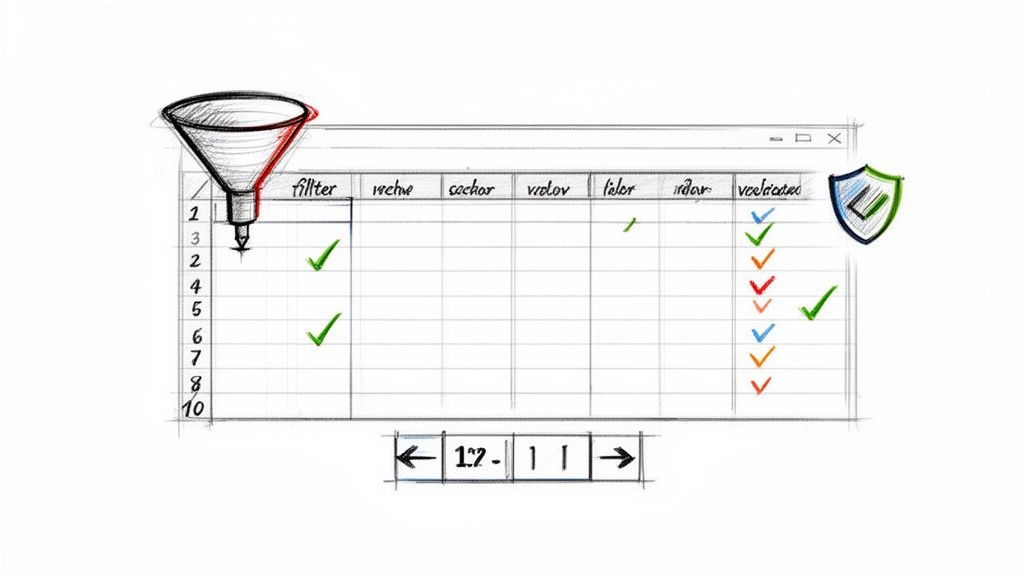
The number one rule? Be incredibly specific about what you need. Don't just cast a wide net and grab everything. Pinpoint the exact data fields you want. Whether you're using an AI tool or writing your own selectors, precision is your best friend. This simple step cuts out the clutter and gives you a dataset that's ready to use right away.
Target Your Data Like a Pro
Think like a surgeon, not a demolition crew. Before you start, have a clear game plan. Are you hunting for product names and prices? Or job titles and company names from a listings page?
Define Your Columns First: Know exactly what your final spreadsheet should look like. Create a mental map: a column for names, a column for URLs, a column for prices, etc.
Use Smart Selectors: With tools like Clura, your clicks define the data. Be precise. Select only the name, not the entire block of text it sits in.
Always Check the Preview: Modern tools show you a live preview of the data as you select it. Use this! It's your golden opportunity to catch errors before you commit to a full extraction.
Master Pagination for Large-Scale Projects
What happens when the data you need is spread across hundreds of pages? No one has time to manually click "Next" over and over. Handling pagination is essential for any serious project.
This used to be a major hurdle, but modern AI-powered extensions solve this exact problem. When you're setting up the extraction, the tool will almost always detect the "Next Page" button. With a single click, you can tell it to keep going until there are no more pages, gathering all the data along the way.
This one feature is the secret to scaling your efforts from a dozen records to tens of thousands without any extra manual work.
The real goal here is to set your data extraction process on autopilot. You should be able to kick it off, go grab a coffee, and come back to a complete, perfectly structured dataset waiting for you.
Scrape Ethically and Responsibly
When you extract text from web pages, it's crucial to be a good digital citizen. Always respect a website's terms of service and its robots.txt file—the rulebook for automated bots.
This is more important than ever. It's estimated that by 2026, bad bots will make up a staggering 37% of all internet traffic, fueling a web scraping market that's expected to hit $3.5 billion. You can dive deeper into these web scraping trends and statistics to see just how big this is becoming.
By using ethical tools and responsible practices, you ensure you don't get blocked and you maintain a positive reputation. It's just smart business.
Your Web Text Extraction Questions Answered
Jumping into web text extraction for the first time? It's normal to have questions. Let's tackle some of the most common ones.
Is Extracting Text from Websites Legal?
This is usually the first thing on everyone's mind. The short answer is yes, extracting text from publicly available web pages is generally legal. The key is to be a good digital citizen.
Think of it this way: if you can see the information without logging in, it's usually fair game. But you have to play by the website's rules.
Read the Terms: Always check a website's "Terms of Service" page. It will tell you what you can and can't do with their content.
Respect the Rules: Look for a
robots.txtfile (e.g.,website.com/robots.txt). This file tells web crawlers which pages are off-limits. Respecting it is non-negotiable.Don't Overload Servers: Firing off too many requests in a short time can slow down a website's server. Scrape responsibly and be mindful of your impact.
Stick to public data, be respectful, and you'll stay on the right side of the line.
How Do I Handle Dynamic Websites?
You know those websites where new content appears as you scroll down? Those are dynamic websites powered by JavaScript. Traditional scraping methods often fail here because the text you want isn't in the initial source code—it loads after the page does.
This is precisely where modern, AI-powered tools shine.
Tools like Clura are designed for the modern web. They work inside a real browser, just like you. This means they see the page exactly as a human does, waiting for all the scripts to run and content to appear before they start grabbing the data. The result? You get the complete, accurate text you see on your screen.
Can I Get Text from Pages That Require a Login?
Absolutely. With the right setup, you can extract text from behind a login wall. Many advanced browser extensions are built to operate within your active session.
This means if you're logged into a site, the tool can work alongside you to access and pull data from member-only pages. It's incredibly handy for getting account-specific information or data from private online groups. Just make sure you have legitimate access to the account and aren't violating the site's data usage policies.
Ready to turn this knowledge into results? With an AI-powered tool, you can start extracting text from web pages in just a few clicks, transforming messy website content into clean, structured data you can actually use.
Explore prebuilt templates.
