
LinkedIn Posts & Activity Scraper
Scrape posts and engagement data from LinkedIn profile or company activity pages, with results saved to your Clura account and exportable as CSV or JSON.
Run this templatePaid Plan
Full workflow, one-time payment
$29.99 one-time
Scrape, enrich, automate, and sync
- Unlimited local scrapes
- Unlimited records and pagination
- Enrichment and Sub Page Scrape
- Connectors and 14-day storage
- Priority support
- Cloud Agents with add-on credits
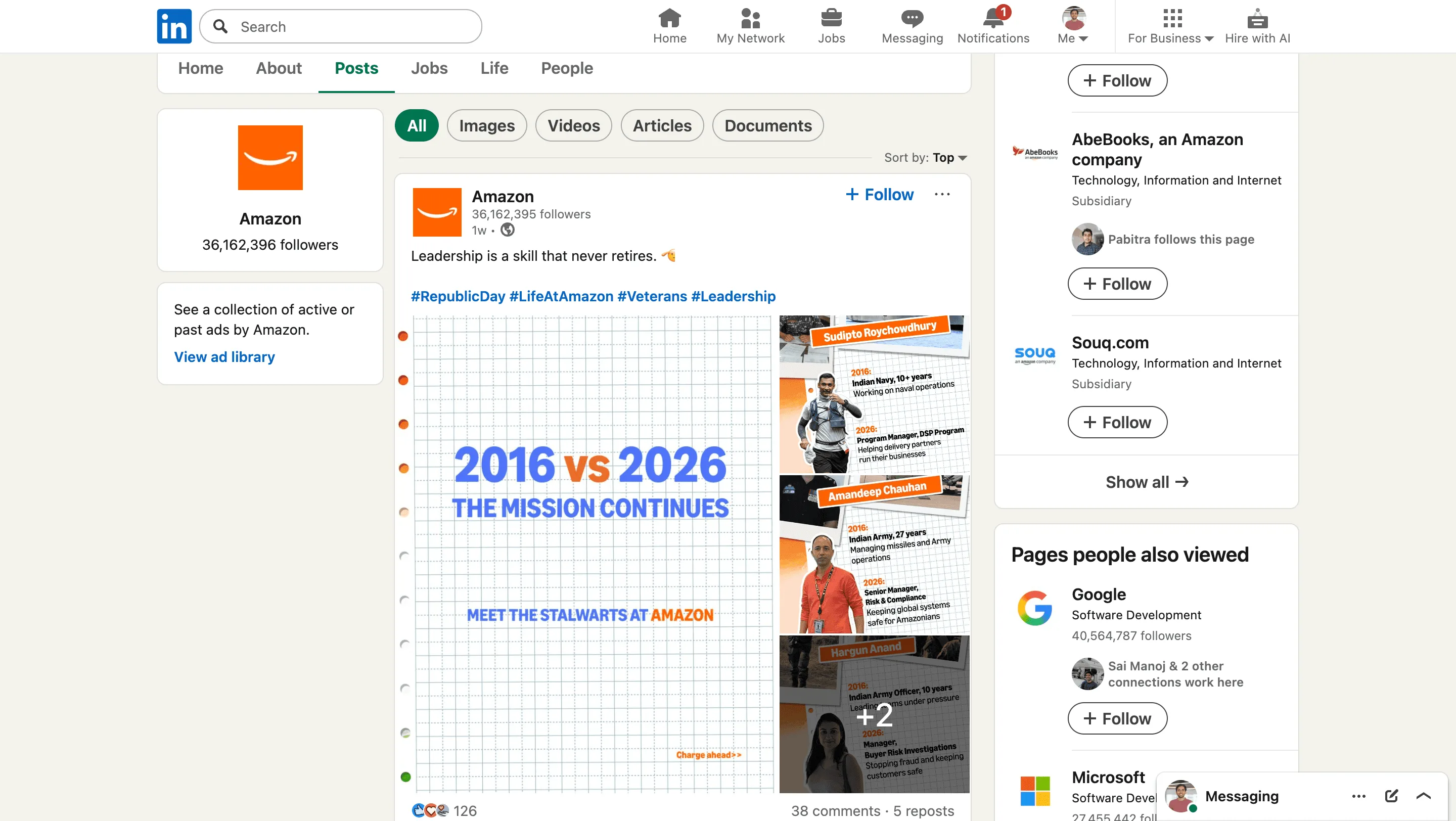
Clura’s Chrome extension includes a LinkedIn Posts & Activity Scraper template that extracts structured post and engagement data from the currently open LinkedIn activity pages. This template is built for users who analyze content, engagement, and thought leadership on LinkedIn and want to turn visible posts into clean, structured datasets.
After you navigate to a person’s activity feed or a company’s posts page and finish scrolling to load relevant content, the scraper reads the post cards displayed on the page. You can review and customize which fields are extracted, confirm the navigation type (pagination or auto-scroll, depending on the page), and add additional fields if required. Once run, the scraper collects posts across the loaded content, saves everything to your Clura account, and allows export as CSV or JSON for content analysis, reporting, or research.
Relevant For
Marketing & Content Teams
Analyze post performance, engagement patterns, and content themes across competitors or creators.
Founders & Thought Leaders
Study high-performing LinkedIn posts to improve personal or company content strategy.
Sales & Social Selling Teams
Track prospect or account activity to identify conversation starters and engagement signals.
Researchers & Analysts
Build structured datasets of LinkedIn content for trend analysis, sentiment studies, or reporting.
How to Use
- 1
Open a LinkedIn activity page
Navigate to a LinkedIn profile’s Activity section or a company’s Posts page. Scroll until all relevant posts are loaded.
- 2
Open the Clura extension
Click the Clura Chrome extension icon. Available scraper templates will be displayed.
- 3
Configure the scraper
Select the LinkedIn Posts & Activity Scraper template. Review and confirm:
- 4
Run, save, and export
Run the scraper. Extracted posts and activity data are saved to your Clura account. Once complete, export the results as CSV or JSON for further analysis.
Fields Scraped
| Field | Type |
|---|---|
| Title | Text |
| Url | URL |
| Author | Text |
| Post Date | Date |
Export Formats
Example Output
| Title | Url | Author | Post Date |
|---|---|---|---|
| Why most AI demos fail to convert to real users — and how to fix it | https://linkedin.com/posts/alex-ramsey-ai-demos | Alex Ramsey | March 5, 2025 |
| We just hit $1M ARR with 3 people. Here's what actually worked. | https://linkedin.com/posts/nina-park-1marr | Nina Park | March 3, 2025 |
Frequently Asked Questions
What data does this scraper extract from LinkedIn posts?
It captures the post title or content snippet, post URL, author name, and publication date for each post visible on a LinkedIn feed or profile.
Does it work on personal profiles, company pages, and hashtag feeds?
Yes. Activate Clura on any LinkedIn profile activity page, company page posts feed, or hashtag feed to collect visible post data.
Can I track what specific accounts are posting about over time?
Yes. Re-run the scraper on the same profile or page regularly to build a longitudinal dataset of posting activity and topics.
Is this useful for social media monitoring?
Yes. Track what industry leaders, competitors, or target accounts post about to stay ahead of trends and understand their messaging strategy.
How do I export the LinkedIn post data?
All scraped posts are saved to your Clura account and can be exported as CSV, Excel, Google Sheets, or JSON.
Related Scrapers
LinkedIn Profiles Scraper
Extracts structured profile data from LinkedIn People Search result pages using pagination and saves it to your Clura account with CSV export.
LinkedIn Companies Scraper
Extracts structured company data from LinkedIn Company Search result pages using pagination and saves it to your Clura account with CSV export.
LinkedIn Jobs Scraper
Extracts structured job listing data from LinkedIn Jobs search result pages using pagination and saves it to your Clura account with CSV export.