
Glassdoor Salaries Scraper
Extract salary data by job title, company, and location from Glassdoor — benchmark compensation ranges for hiring, recruiting, or career planning.
Run this templatePaid Plan
Full workflow, one-time payment
$29.99 one-time
Scrape, enrich, automate, and sync
- Unlimited local scrapes
- Unlimited records and pagination
- Enrichment and Sub Page Scrape
- Connectors and 14-day storage
- Priority support
- Cloud Agents with add-on credits
Clura’s Chrome extension includes a Freelancer.com Jobs Scraper template that extracts structured project and job posting data from the currently open Freelancer.com search and category pages. This template is built for freelancers, agencies, founders, and researchers who browse opportunities on Freelancer.com and want to convert visible listings into clean, structured datasets.
After you finish searching for projects using keywords, categories, skills, budgets, or experience levels, the scraper reads the project cards displayed on the page. You can review and customize which fields are extracted, confirm pagination for navigating across result pages, and add additional fields if required. Once run, the scraper collects job data across pages, saves everything to your Clura account, and allows export as CSV or JSON for opportunity analysis, pipeline building, or market research.
Relevant For
Freelancers & Consultants
Track relevant projects in a niche, analyze budgets and requirements, and build a qualified opportunity pipeline.
Agencies & Service Providers
Identify high-value or recurring project types to inform sales outreach and proposal strategies.
Founders & Operators
Research demand trends for services and skills by analyzing active freelance projects.
Researchers & Analysts
Build structured datasets of freelance demand for pricing analysis, skills trends, or market studies.
How to Use
- 1
Search for jobs on Freelancer.com
Go to Freelancer.com and complete your job search by applying relevant keywords, skills, budgets, and filters.
- 2
Open the Clura extension
Click the Clura Chrome extension icon. Available scraper templates will be shown.
- 3
Configure the scraper
Select the Freelancer.com Jobs Scraper template. Review and confirm:
- 4
Run, save, and export
Run the scraper. Extracted job data is saved to your Clura account. Once complete, export the results as CSV or JSON for further analysis.
Fields Scraped
| Field | Type |
|---|---|
| Company Name | Text |
| Rating | Number |
| Salary Range | Number |
| Median Salary | Number |
| Company Profile Url | URL |
| Open Jobs Url | URL |
Export Formats
Example Output
| Company Name | Rating | Salary Range | Median Salary | Company Profile Url | Open Jobs Url |
|---|---|---|---|---|---|
| Stripe | 4.3 | $160,000–$220,000 | $185,000 | https://glassdoor.com/Overview/stripe | https://glassdoor.com/Jobs/stripe |
| Notion | 4.5 | $140,000–$190,000 | $162,000 | https://glassdoor.com/Overview/notion | https://glassdoor.com/Jobs/notion |
Frequently Asked Questions
What data does this scraper extract from Glassdoor salaries?
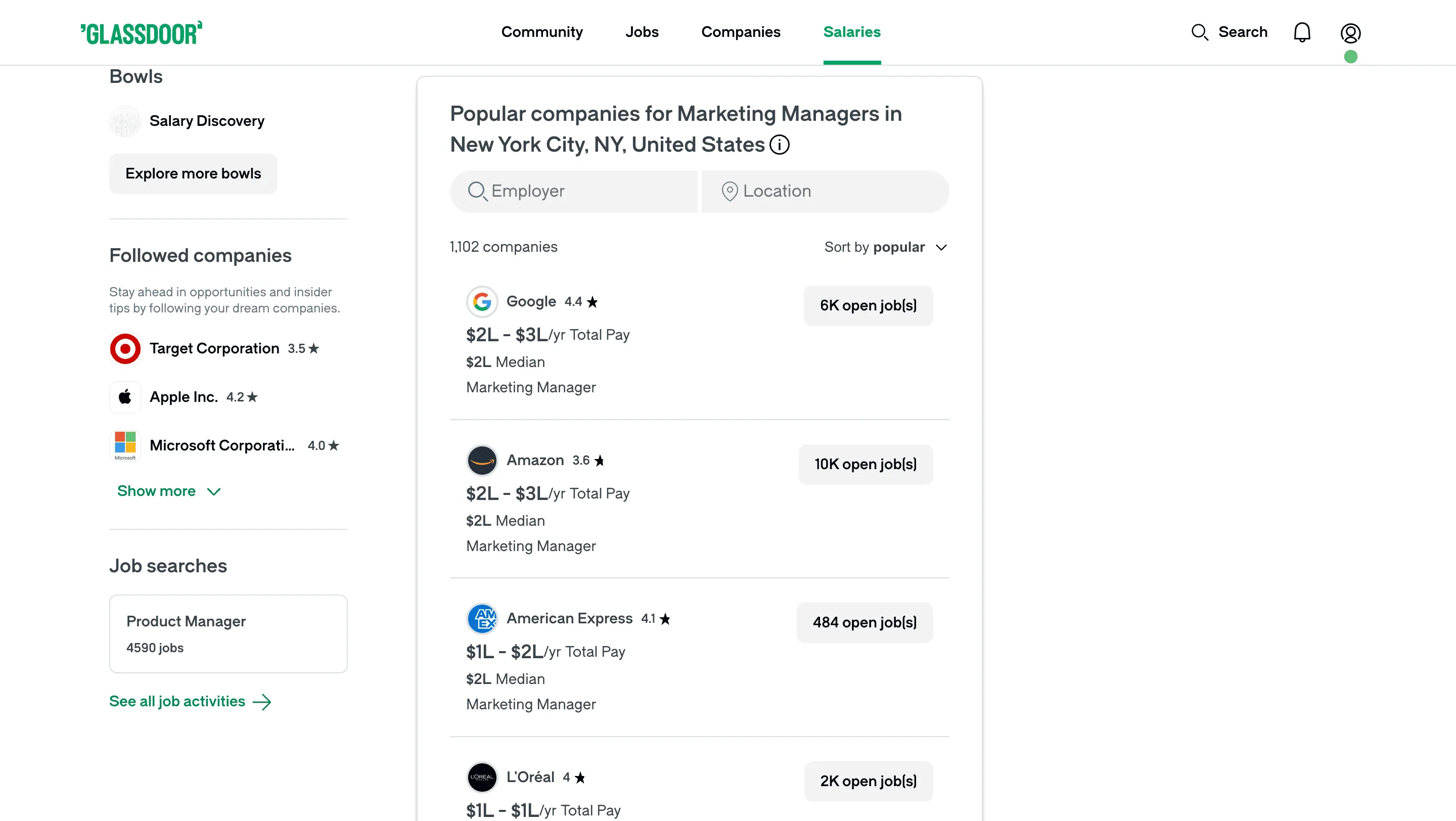
It captures company name, company rating, salary range, median salary, company profile URL, and open jobs URL for each company in the salary search results.
Can I search for salary data by job title or company?
Yes. Search Glassdoor salaries by role or company, then activate Clura on that results page to collect all visible salary data.
Is this useful for compensation benchmarking?
Yes. HR teams and hiring managers use this data to benchmark salary ranges against the market before setting compensation for new roles.
Can I track salary ranges across multiple companies?
Yes. Search different companies or roles across sessions and compare exported datasets to identify compensation trends and market rates.
How do I export the salary data?
All scraped data is saved to your Clura account and can be exported as CSV, Excel, Google Sheets, or JSON.
Related Scrapers
Glassdoor Company Reviews Scraper
Scrape employee reviews and ratings from Glassdoor company review pages, with results saved to your Clura account and exportable as CSV or JSON.
G2 Software Reviews Scraper
Scrape user reviews and ratings from G2 software review pages, with results saved to your Clura account and exportable as CSV or JSON.
Capterra Reviews Scraper
Scrape user reviews and ratings from Capterra software review pages, with results saved to your Clura account and exportable as CSV or JSON.