
Capterra Reviews Scraper
Scrape user reviews and ratings from Capterra software review pages, with results saved to your Clura account and exportable as CSV or JSON.
Run this templatePricing
Pay once, scrape forever
$29.99 one-time
Unlimited rows & unlimited scrapes
- All Free plan features, plus:
- Unlimited rows per scrape
- Unlimited scrapes per day
- 14-day cloud storage
- Priority support
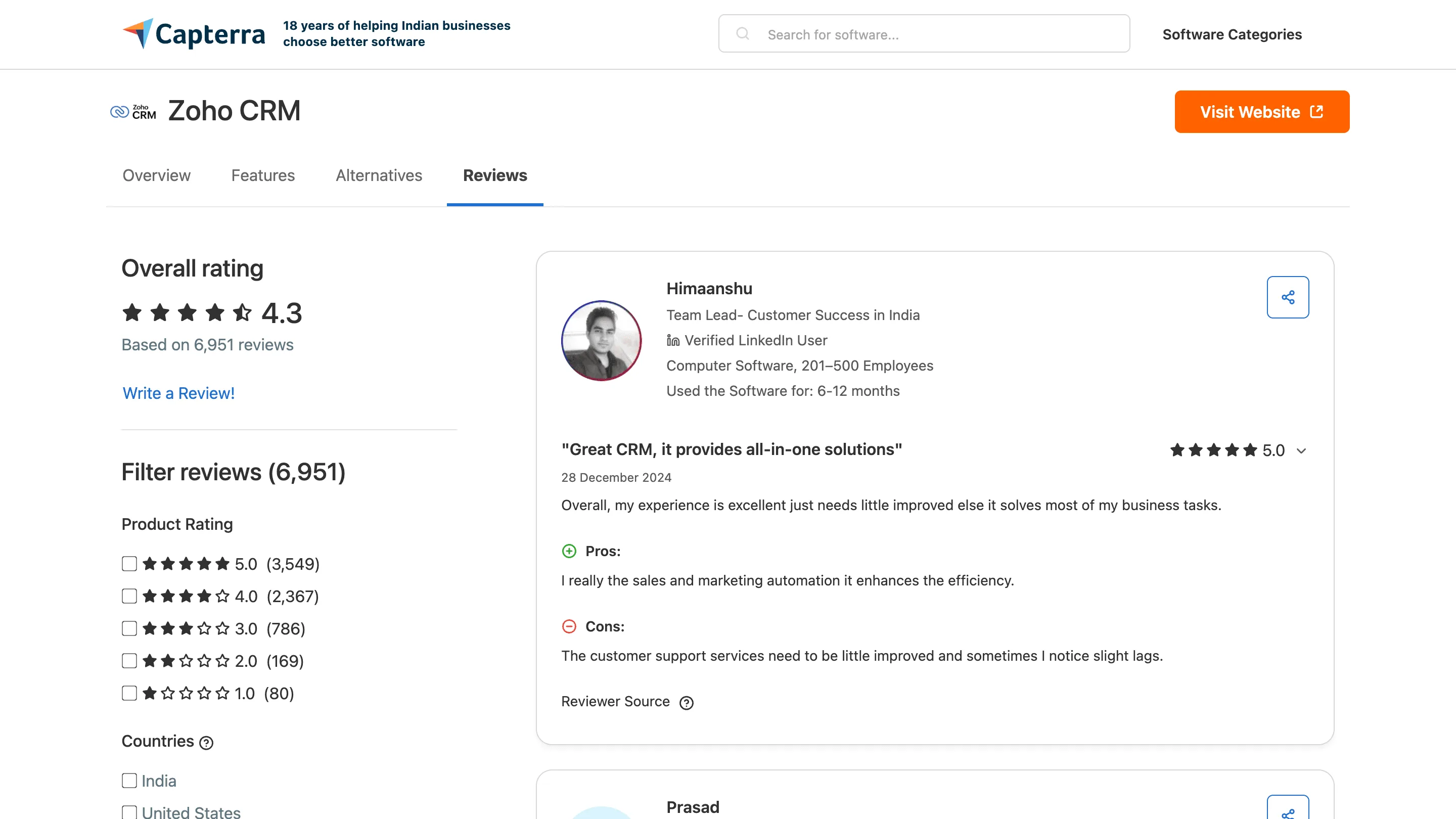
Clura’s Chrome extension includes a Capterra Reviews Scraper template that extracts structured customer review data from the currently open Capterra product review pages. This template is designed for product teams, marketers, founders, and analysts who evaluate software feedback on Capterra and want to convert visible reviews into clean, structured datasets.
After you navigate to a software product’s reviews section and apply filters such as rating, company size, industry, or date, the scraper reads the review cards displayed on the page. You can review and customize which fields are extracted, confirm pagination for navigating across review pages, and add additional fields if required. Once run, the scraper collects reviews across pages, saves everything to your Clura account, and allows export as CSV or JSON for analysis, reporting, or research.
Relevant For
Product Managers & UX Teams
Analyze customer feedback to identify feature gaps, usability issues, and product strengths.
Marketing & Growth Teams
Extract review insights to refine positioning, messaging, and competitive comparisons.
Founders & Leadership Teams
Monitor customer sentiment and benchmark perception against competing software.
Researchers & Analysts
Build structured review datasets for sentiment analysis, trend tracking, or competitive intelligence.
How to Use
- 1
Open a Capterra product reviews page
Go to Capterra, navigate to a software product, and open the Reviews section. Apply filters such as rating, company size, industry, or date.
- 2
Open the Clura extension
Click the Clura Chrome extension icon. Available scraper templates will be displayed.
- 3
Configure the scraper
Select the Capterra Reviews Scraper template.Review and confirm:
- 4
Run, save, and export
Run the scraper. Extracted reviews are saved to your Clura account.Once complete, export the results as CSV or JSON for further analysis.
Fields Scraped
| Field | Type |
|---|---|
| Rating | Number |
| Title | Text |
| Body | Text |
| Date | Date |
| Author | Text |
| Job Title | Text |
| Company Size | Text |
Export Formats
Example Output
| Rating | Title | Body | Date | Author | Job Title | Company Size |
|---|---|---|---|---|---|---|
| 5 | Transformed our customer support workflow | We reduced ticket resolution time by 40% after switching. The Slack integration is seamless... | March 8, 2025 | Michael T. | Customer Success Manager | 51-200 Employees |
| 4 | Great tool but pricing scales steeply | Excellent feature set and responsive support team. Would be perfect if enterprise pricing were more transparent... | February 12, 2025 | Lisa K. | Operations Director | 201-500 Employees |
Frequently Asked Questions
What data does this scraper extract from Capterra?
It captures star rating, review title, review body, review date, reviewer name, reviewer job title, and company size for each software review.
Can I scrape reviews for any software product on Capterra?
Yes. Navigate to the reviews page for any product on Capterra and activate Clura to collect all visible reviews.
Does it capture reviewer demographics like job title and company size?
Yes. Capterra includes reviewer job title and company size alongside each review, and Clura extracts all of these fields.
Is this useful for software adoption analysis?
Yes. Filtering reviews by company size or job role reveals how different user segments experience the product and what outcomes they achieve.
How do I export the review data?
All scraped data is saved to your Clura account and can be exported as CSV, Excel, Google Sheets, or JSON.
Related Scrapers
G2 Software Reviews Scraper
Scrape user reviews and ratings from G2 software review pages, with results saved to your Clura account and exportable as CSV or JSON.
Free Apple app store apps scraper – Export Data to CSV, Excel & JSON
Scrape app listing and metadata from Apple App Store search and category pages, with results saved to your Clura account and exportable as CSV or JSON.
G2 Competitor Reviews Scraper
Scrape competitor comparison reviews and alternative product feedback from G2 comparison and alternatives pages, with results saved to your Clura account and exportable as CSV or JSON.