
Unlock the power of scraping Amazon prices. Our guide reveals the best tools, techniques, and legal tips for accurate, automated price monitoring.

Welcome to the wild world of Amazon e-commerce, where prices change in the blink of an eye. Trying to keep up manually is a guaranteed path to frustration. Dynamic pricing algorithms can adjust a product's cost dozens of times a day, making manual tracking completely impossible.
This is where scraping Amazon prices becomes your secret weapon, turning a chaotic mess of data into your biggest competitive advantage.
Why Scraping Amazon Prices Is Your Secret Weapon
In the massive arena of e-commerce, winning isn't just about having great products—it's about having the right data at exactly the right time. Manually checking competitor prices or your own listings is a losing game. By the time you’ve jotted down a price, it has probably already changed.

When you scrape Amazon prices, you flip the script. You go from being reactive and overwhelmed to proactive and strategic. It empowers sellers, brands, and analysts to make sharp, data-backed decisions with total confidence.
The Power of Automated Price Monitoring
Instead of relying on gut feelings, you can act on cold, hard facts. Automated price scraping is the key that unlocks powerful strategies to boost your bottom line.
Here’s what you stand to gain:
Competitive Intelligence: Instantly see what your rivals are up to. Are they running a sale? Did they just drop their prices? You'll know, and you can adjust your own strategy on the fly.
Profit Optimization: Find that sweet spot—the perfect price that maximizes sales without hurting your profit margins.
Market Trend Analysis: Spot pricing patterns and get a feel for where the market is headed before your competitors do. It’s all about getting that first-mover advantage.
MAP Policy Enforcement: If you're a brand, this is the best way to ensure your resellers are sticking to your Minimum Advertised Price (MAP) agreements.
Modern tools can monitor Amazon's dynamic, real-time pricing with high precision, enabling brands to respond in minutes instead of days.
Making Scraping Accessible to Everyone
Gone are the days when you needed to be a coding wizard to get this done. Forget writing complex scripts! Modern, AI-powered browser tools have made it ridiculously simple for anyone to build a powerful scraping workflow. You can set up a robust price monitor with just a few clicks.
For a deeper dive into the technical details, check out a comprehensive guide to Amazon price scraping.
This shift means you can stop wrestling with technical details and focus on what really matters: using the data to grow your business. These new tools have made price monitoring a cornerstone of modern e-commerce strategy, giving you the precision needed to manage your catalog like a pro.
Picking Your Perfect Amazon Scraping Toolkit
Ready to start pulling Amazon price data? Fantastic! The first step is to figure out the right tool for the job. You've got a few solid options, and the best one depends on your goals, comfort with code, and how much data you need to grab.
Let's walk through the main ways to tackle this, from writing code yourself to using a simple point-and-click tool.
The DIY Route: Building a Custom Python Scraper
If you're a developer or love to code, building your own scraper in Python is a classic move. You can use libraries like Beautiful Soup and Requests to parse HTML or fire up Selenium or Playwright to control a browser for tricky, dynamic pages.
The beauty of this approach is the total control it gives you. You can build something that grabs exactly what you want—price, seller info, stock levels, you name it.
But there's a catch. This freedom comes at a cost. Building is one thing, but maintaining a custom script is a constant battle. Amazon is always tweaking its site, which means the script that worked perfectly yesterday can break overnight. You're also on the hook for managing proxies, user-agents, and CAPTCHAs.
The Managed Approach: Using a Scraping API
What if you want the power of a custom solution without the maintenance nightmare? That's where a scraping API comes in. It’s a brilliant middle ground. These services handle all the tough backend stuff—like rotating IPs and getting past Amazon's defenses—so you can focus on the data.
You just send the API an Amazon URL, and it sends back the information you need in a clean, structured format like JSON. It's a game-changer for developers who need to pipe Amazon data into their own apps or dashboards without building a massive scraping infrastructure.
Think of a scraping API like calling a specialist. You don't need to worry about how they get the data; you just tell them what you need and trust them to deliver it reliably. This route saves a massive amount of development time, but you'll still need some technical skill to integrate the API.
The No-Code Revolution: AI Browser Automation
What if you're not a developer but still need reliable, automated price data? This is where modern, AI-powered browser automation tools are changing the game. These tools, often a simple browser extension, open up a world of data for sales, marketing, and e-commerce professionals.
They give you a visual, point-and-click interface. You literally "teach" an AI agent what to grab by clicking on it right on the Amazon page. No code, no fuss.
Easy to Use: Just click on the price, product title, and star rating. The tool instantly learns how to find those same elements on thousands of other product pages.
Built to Last: Many of these tools use AI to understand the page structure, making them more resilient to small website changes than a rigid, custom-coded script.
Incredibly Fast: You can go from zero to a fully functional price monitor in minutes, not days or weeks.
This approach is a lifesaver for anyone who needs to start tracking Amazon prices now without getting tangled up in technical weeds.
To help you see it all at a glance, here’s a quick breakdown:
Feature | Custom Scripts | Scraping APIs | AI Browser Automation |
|---|---|---|---|
Technical Skill | High (Coding) | Medium (API Integration) | Low (No-Code) |
Maintenance | High (Constant Updates) | Low (Handled by Provider) | Very Low (AI-Powered) |
Setup Time | Days to Weeks | Hours to Days | Minutes |
Best For | Complex, unique projects | Developers needing reliable data | Non-developers, fast results |
The right tool hinges on what you need. If you have the tech resources and need ultimate flexibility, a custom script could be your best bet. If you're a developer who values your time, an API is a no-brainer. But for most business users who want fast, reliable data without code, an AI-powered browser agent is the clear winner.
How to Build a Scraping Setup That Won't Get You Banned
Anyone can write a script to grab a price from a single Amazon page. But the real goal is to build a reliable system that pulls the data you need, day in and day out, without getting blocked. That’s what separates a quick attempt from a professional data pipeline.
How do we build something that lasts? It all comes down to a rock-solid foundation.
This diagram shows the three main ways you can tackle scraping. You can get your hands dirty with code, lean on a ready-made API, or go the visual, no-code route with a browser-based tool.
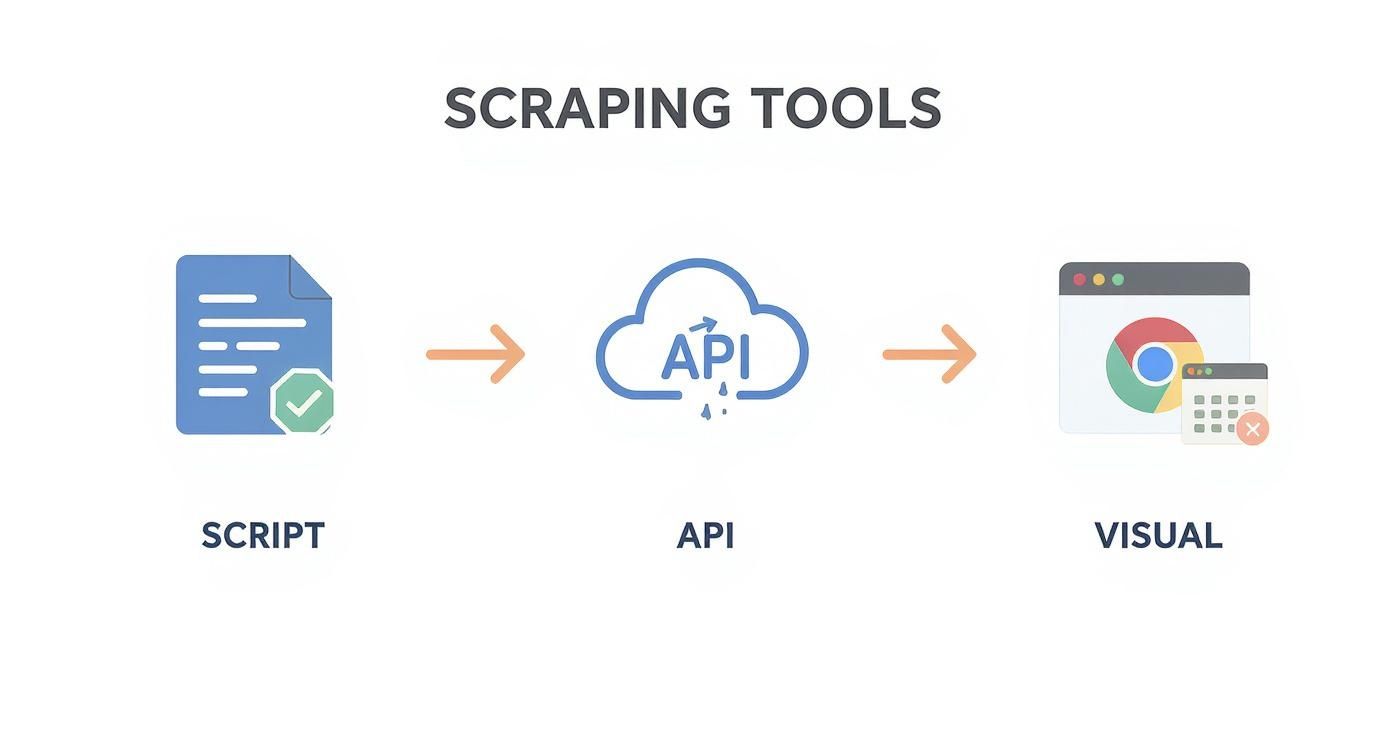
Each path has trade-offs between control, cost, and effort. Choosing the right one depends on your tech skills and what you're trying to achieve.
The Golden Rule: Look Like a Real Person
If there's one thing you take away, let it be this: your scraper needs to look as human as possible. Amazon has sophisticated anti-bot defenses that are excellent at sniffing out automated traffic. Your mission is to blend in completely.
To pull this off, you need to master two key things: rotating residential proxies and user-agents.
Rotating Residential Proxies: Think of these as your invisibility cloak. Sending thousands of requests from a single IP address is a giant red flag. Residential proxies funnel your requests through the internet connections of real homes. Every request appears to come from a different, legitimate shopper, making you incredibly hard to track.
Convincing User-Agents: A user-agent is a bit of text that tells a website what browser and OS you're using. You can't just use one—you have to switch them up constantly. Cycle through a list of common ones (Chrome on Windows, Safari on macOS) to make it harder for Amazon to spot a pattern.
Getting this right is crucial. For a deeper look, checking out the best practices for proxies in web scraping is a fantastic next step.
Don’t Be a Bulldozer—Slow and Steady Wins the Race
The temptation to crank up the speed and pull data as fast as possible is strong. But hitting a website with a firehose of requests is the fastest way to get your IP banned. This is where throttling becomes your best friend.
Throttling just means deliberately slowing your scraper down. Add small, randomized delays between each request. It's not just a technicality; it's about being a good internet citizen. A well-behaved scraper doesn't pound on a website's door. By adding delays of even a few seconds, you avoid hammering Amazon's servers, which is key to maintaining long-term access.
This simple act of respect will pay off tenfold. Our complete guide on how to scrape a website goes into more detail on these techniques.
Why This Matters: The Amazon Marketplace Never Sleeps
Building a resilient setup is critical because the Amazon marketplace is a whirlwind of activity. Prices, stock, and seller information change by the minute.
Just look at the numbers from a recent study. In a single week, 14% of all products on Amazon had at least one price change. Some product prices shot up by a staggering 41.9%! When you factor in stock and rating changes, a whopping 22% of products were different in just seven days.
That’s why a smart, robust setup is non-negotiable. You need to monitor these changes consistently without getting shut down. By combining intelligent proxy management, a variety of user-agents, and respectful request throttling, you create a scraper that's not just effective, but sustainable.
Turning Web Pages Into Actionable Data
This is where the magic happens. We're about to turn a messy Amazon page into a perfectly structured spreadsheet filled with valuable insights. This is the core of web scraping: teaching your tool what to grab and how to organize it.
Let's imagine you're tracking top-selling gaming laptops. You need the product name, its current price, the seller, and whether it's in stock. Let's break down how to get that data, clean and simple.
Finding What You Need with CSS Selectors
Every piece of information on a website, from the price to the "Add to Cart" button, has a digital address called a CSS selector. Think of it as a specific coordinate that tells your scraper, "Hey, the price is right here."
In the past, you had to manually dig through a website’s HTML code to find these addresses. It was tedious. For a typical Amazon product, the selectors might look like this:
Product Title:
span#productTitlePrice:
span.a-price-wholeStock Status:
div#availability span.a-size-medium
Thankfully, modern AI-powered tools have flipped the script. Instead of being a code detective, you just point and click. You see the product title on the screen, click it, and the AI instantly figures out its unique selector.
The Point-and-Click Revolution
With a visual scraping tool, this entire process becomes incredibly easy. You load up the Amazon search results for "gaming laptops" and tell your tool you're ready to start selecting.
Then, you just click on the bits of information you want from the first product:
Click the product's title.
Click its price.
Click the seller's name.
The AI agent watches, instantly recognizes the pattern, and applies that same logic to every other laptop on the page. In a flash, it identifies the title, price, and seller for all of them. A task that used to be a headache is now done in seconds.
To skip the setup entirely, you can use pre-built templates like our Amazon Product Listings Scraper, which is already configured and ready to go.
Dealing with Amazon's Tricky Layouts
Of course, the web is a wild place. A product page for a laptop looks different from one for a t-shirt that comes in five colors. This is one of the biggest hurdles in scraping Amazon.
This is where smart, AI-driven tools shine. A simple, hand-coded scraper would likely fail when it encounters a product that’s out of stock because the "Add to Cart" selector is missing. But an AI agent is more adaptable. It understands the context and can work around these inconsistencies, ensuring you get good data even when the page layout throws a curveball.
The real game-changer with modern scraping isn't just speed—it's resilience. AI tools are built for the dynamic nature of e-commerce sites, gracefully handling missing data or layout shifts without stopping your whole operation.
Structuring Your Data for Analysis
Grabbing the data is just the first step. The real payoff comes when you organize it into a format you can actually use. A jumble of raw data is noise; a clean, structured file is a goldmine.
Once your scraper has done its job, you can instantly export everything into a clean, organized file. The most popular formats are a blessing for anyone working with data:
CSV (Comma-Separated Values): This is the universal language of spreadsheets. You can open a CSV file in Microsoft Excel, Google Sheets, or any other data tool. It’s perfect for running quick analyses, building charts, or sharing insights with your team.
Google Sheets: Some tools can push the data directly into a Google Sheet for you. This is fantastic for collaborative work—your team can see the latest price data in real-time without you having to lift a finger.
With your information neatly arranged in columns—Title, Price, Seller, Stock Status—it’s ready for action. You can sort by price to spot the best bargains, filter by a competitor, or feed it into a dashboard to track market movements. This is how raw data becomes business intelligence.
Outsmarting Amazon’s Anti-Scraping Defenses
Let's talk about the elephant in the room: getting blocked. Amazon is a fortress, armed with some of the most sophisticated anti-bot measures online. If you've tried scraping at scale, you've almost certainly hit a dreaded CAPTCHA page or a mysterious error.
But don't give up just yet. For every defense, there's a clever countermove.

The secret to consistently scraping Amazon prices isn't about brute force; it’s about finesse. You have to understand the curveballs Amazon throws so you can build a scraper that’s nimble enough to dodge them.
Navigating CAPTCHAs and JavaScript Hurdles
The most common roadblock you’ll hit is the CAPTCHA. It's Amazon's way of asking, "Are you a real person?" The moment it detects unusual activity—like a flood of requests from one IP—it throws up a puzzle to stop bots in their tracks.
Amazon also runs complex JavaScript challenges in the background, invisible to the naked eye. These scripts look for real user behavior: mouse movements, natural clicks, and scrolling. A simple script that just pulls HTML will fail these tests instantly.
So, how do you get past these digital gatekeepers?
Headless Browsers are Your Friend: Using a headless browser, powered by something like Puppeteer or Playwright, is a massive step up. It can execute JavaScript just like a real browser, making your scraper's activity look far more human.
Outsource the Annoying Stuff: For high-volume scraping, solving CAPTCHAs by hand isn't an option. Instead, you can use third-party services that use AI to automatically solve these puzzles for you, letting your scraper get back to work.
The key here is to mimic human behavior as closely as possible. Think like a real shopper: clicks, scrolls, and natural, unhurried browsing speeds.
The Wild World of Geo-Based Pricing
Now, this is where things get really interesting. The price you see on an Amazon product page might not be the same price someone sees from a different city or on a different device. This isn't a bug; it's a deliberate strategy that creates a headache when you’re trying to scrape accurate data.
Amazon's pricing is incredibly granular. Prices can shift based on ZIP code, device type (mobile vs. desktop), and even a user's browsing history. A product could show one price to a user in New York on an iPhone and a different price to someone in Los Angeles on a laptop. To get the full picture, your scraping setup needs to be just as sophisticated. You can discover more insights about these pricing complexities on promptcloud.com.
Advanced Techniques for Uninterrupted Scraping
To capture this diversified data and stay under the radar, you need to go beyond the basics. A truly resilient scraper is built to adapt to these shifting conditions.
Your game plan should include:
Geo-Targeted Proxies: Don't just use any proxies. Use residential proxies that let you specify the country, state, or city you want to appear from. This is how you see the exact price a customer in that specific location would see.
Mastering Device Emulation: Configure your scraper to look like different devices, from a common Android phone to a high-end gaming PC. This means getting the user-agent and screen resolution just right to complete the disguise.
Smart Cookie and Session Management: Don't look like a new user on every request. Maintain consistent sessions to build up a believable browsing history. A little continuity goes a long way in looking human.
By adopting these strategies, you’re no longer just blindly requesting data. You're intelligently navigating a complex system. You'll build a scraper that can handle whatever Amazon throws at it, ensuring you get the accurate, granular pricing data you need.
Putting Your Price Monitoring on Autopilot
You’ve built a powerful scraper—now it's time to let it run. A one-off data pull is useful, but the real magic in scraping Amazon prices happens when you automate the entire process. This is how you stop doing a task and start running an intelligent system.
Think about it: your scraper, working tirelessly in the background, catching every critical price shift without you ever having to click a button.
Set Your Scraper on a Schedule
Nobody wants to manually run a script every day. It’s tedious, and you'll inevitably forget. The fix is to schedule it. Most modern browser automation tools make it a breeze to set your scraper to run on any cadence you need.
You can set up workflows to run at different intervals:
Hourly: Perfect for high-velocity items like electronics or trending gadgets, where prices can swing wildly throughout the day.
Daily: The gold standard for most products. It gives you a reliable snapshot of the market every morning.
Weekly: Great for keeping an eye on broader trends in more stable categories, giving you insights without cluttering your database.
Consistency is everything. It means you’ll never miss a competitor’s flash sale or a sudden weekend price drop, giving you a steady stream of data to fuel your decisions.
Create Smart Alerts for Instant Notifications
Data is useless if you don't act on it. Instead of getting buried in spreadsheets, you can create smart alerts that ping you the second something important happens. This turns your scraper into a massive competitive advantage.
Smart alerts are like personal market watchdogs. They sift through all the noise and only bark when they find something you need to see right now. This turns raw data into immediate, actionable intelligence.
You can create a trigger for almost any scenario. A reseller could get an alert when a product's price dips below their target profit margin. A brand manager could get an alert when a seller violates their MAP (Minimum Advertised Price) policy.
Here are a few game-changing alerts you can set up:
Price Drop Alerts: Get an instant heads-up when a competitor’s product falls below a certain price.
Stock-Out Alerts: Be the first to know when a rival is out of stock—a golden opportunity to capture their sales.
Target Price Alerts: Sourcing products? Set your "buy" price and get notified the instant it hits that number.
Automating your price monitoring frees you from the daily grind and lets you focus on making faster, smarter moves that grow your business.
Why not explore some prebuilt templates to get a running start?
Got Questions? We've Got Answers
You have the basics down, but a few questions are probably on your mind. Let's clear up some of the most common queries people have when they start scraping Amazon prices.
Is It Actually Legal to Scrape Amazon's Prices?
This is always the first question, and for good reason. The short answer is yes, scraping publicly available data like product prices is generally legal. But there's a big "but" – you have to do it responsibly and respect Amazon's rules.
Think of it like being a good guest. Don't bombard their servers with requests, be transparent by setting a proper user-agent, and stick to public information. For a more detailed breakdown, check out our guide on the legality of web scraping.
A golden rule to live by: Scrape respectfully. You're collecting public information, not trying to break things. Never, ever scrape personal data. It's a line you just don't cross.
How Often Should I Check for Price Changes?
There's no single magic number here; the right frequency depends on what you're tracking.
For Hot-Ticket Items: In categories like electronics or trending fashion, prices can change multiple times a day. Checking every few hours is a solid strategy.
For Slower-Moving Goods: If you're tracking something more stable, like books or home goods, a daily scrape is usually plenty to catch significant shifts.
Our advice? Start with a daily schedule. After a week, look at your data. If you see prices changing every few hours, ramp it up. If they only move once a week, you can dial it back. Let the data guide your rhythm.
Can I Scrape Prices From Different Amazon Country Sites?
You bet! This is a game-changer for anyone with an international footprint. If you need to monitor prices on Amazon.de, Amazon.co.uk, or Amazon.jp, the trick is to make Amazon think you're actually in that country.
This is where geo-located proxies come in. By using residential proxies based in Germany or the UK, you'll see the prices and availability that local shoppers see. Trying to do this from a server in the US will just get you blocked or give you inaccurate data.
For accurate international price tracking, geo-targeted proxies are non-negotiable.
Ready to turn this knowledge into a real-world advantage? You can build your own price tracker and scrape any website without writing a single line of code. Try this workflow today.
