
Unlock the power of LinkedIn data scraping. Learn how to extract leads, analyze market trends, and automate your workflows with this practical, hands-on guide.
LinkedIn data scraping is the secret to automatically pulling public information from profiles, company pages, and job listings. Think of it as your superpower for building targeted lead lists, digging into market research, or keeping a close eye on your competition—without any of the manual work.
It transforms LinkedIn's massive professional network into a structured, actionable database you can actually use.
Why LinkedIn Data Scraping Is a Game-Changer
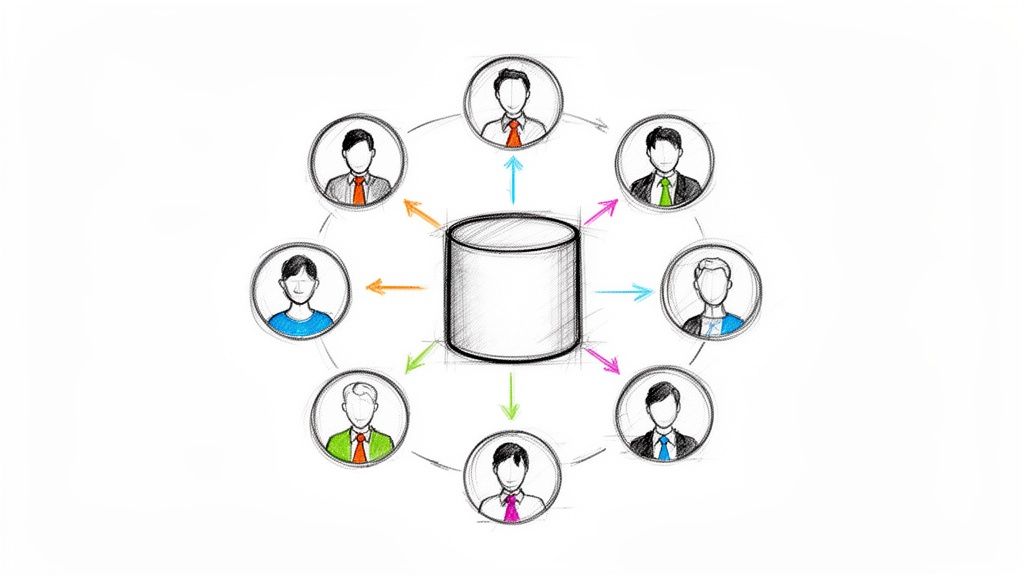
Imagine tapping into a constantly updated database of professionals, companies, and industry trends. That’s exactly what LinkedIn scraping gives you. In today’s B2B world, success is all about precision. Manually sifting through profiles for leads isn't just slow; it's a huge competitive disadvantage.
This guide will show you exactly how to automate this process to get the data you need, fast. We'll explore how top sales, marketing, and recruiting teams use this strategy to make smarter decisions. And the best part? Modern tools make it easy for anyone—no coding required.
Tap Into a Goldmine of Professional Data
Let’s be real: LinkedIn is the king of professional networking. It’s on track to blow past 1.3 billion registered members by 2026. This isn't just a big network; it's the network, driving an estimated 75-85% of all B2B leads from social media.
The proof is in the numbers. LinkedIn’s visitor-to-lead conversion rate is a whopping 2.74%—that's three to four times higher than Facebook or Twitter.
By scraping this data, you unlock a treasure trove of information that can fuel your business goals. The possibilities are huge:
For Sales Teams: Build incredibly specific prospect lists based on job titles, industries, company size, and location. No more guessing.
For Recruiters: Create detailed talent pools by pulling skills, experience, and education to find the perfect fit.
For Marketers: Analyze competitor hiring trends, track follower growth, and spot market shifts before they happen.
For Researchers: Aggregate industry data to understand market dynamics and identify emerging trends.
Gaining a Real Competitive Edge
To see why this is such a superpower, think about the old way of doing How to Use LinkedIn for Recruiting or sales. Doing this by hand is slow and full of errors. Automation lets you work at a scale and speed that’s simply impossible for a human.
By automating data collection, you free up your team to focus on what actually moves the needle: analyzing insights, personalizing outreach, and closing deals. This shift from manual work to strategic action is what gives your business a massive advantage.
Ready? Let's turn LinkedIn's public data into your most valuable business asset.
Picking the Right Tool for LinkedIn Scraping
This is the most important decision you'll make. The tool you choose is the difference between getting the data you need in minutes and spending weeks wrestling with technical issues. Let's walk through the main options so you can pick the right one for your project.
Your choice depends on your goal. Are you a sales rep needing a quick list of 100 decision-makers? Or a data analyst pulling 10,000 company profiles? Each job requires a different tool.
We'll look at these options from a practical standpoint—speed, cost, data volume, and ease of use. This isn't about finding the "best" tool, but the smartest tool for the task at hand.
Browser Extensions: The Fastest Way to Get Data
For pure speed and simplicity, nothing beats a browser extension. Tools like Clura live right inside your browser, making them perfect for sales pros, recruiters, and marketers who need clean, targeted data without writing a single line of code.
It’s as simple as it sounds. You go to a LinkedIn search page, click a button, and the extension gets to work. It pulls all the data off the page and drops it into a neat CSV file for you.
Who it's for: Salespeople building lead lists, recruiters sourcing candidates, and marketers grabbing competitor intel.
Ease of Use: Super simple. If you can browse the web, you're an expert.
Cost: Usually a subscription. Many have free plans for small jobs and affordable monthly options for heavier use.
Scale: Great for grabbing a few hundred or a couple of thousand profiles. Not built for massive data projects.
If you value your time and want results now, an extension is your best bet. See how fast it is with our ready-to-go LinkedIn Profiles Scraper template.
Custom Scripts: For Total Control
If you're comfortable with code and need absolute control, building a custom script in a language like Python is the way to go. Using libraries like Beautiful Soup or Requests, you can build a scraper that does exactly what you want.
The flexibility is off the charts. You can pull massive amounts of data and pipe it directly into your databases. But with that power comes a steep learning curve and the headache of maintenance when LinkedIn changes its layout.
This path is for data scientists and engineers doing large-scale analysis. You'll need a solid grasp of how websites work and how to navigate anti-scraping defenses.
So, How Do You Choose?
Let's break it down side-by-side to make this decision easy.
Feature | Browser Extension (e.g., Clura) | Custom Python Script |
|---|---|---|
Tech Skills Needed | None | High (Python, HTML, CSS) |
Time to Get Started | Under 2 minutes | Hours, if not days |
Perfect For | Targeted lead & contact lists | Bulk data for deep analysis |
Upkeep | We handle everything for you | All on you |
Data Volume | Great for thousands of records | Excellent for millions of records |
The Cost | A predictable monthly subscription | Your infrastructure + developer time |
What about LinkedIn's official API? Honestly, for most people, it's not a practical option. It’s restrictive, expensive, and getting access is a long, difficult process. For the vast majority of sales, marketing, and research projects, a browser extension or custom script is a much better solution.
How to Scrape LinkedIn Data: A Step-by-Step Guide
Alright, enough theory. Let's start pulling some real data. I'm going to walk you through the process of scraping LinkedIn using a modern, AI-powered browser tool like Clura.
Forget wrestling with code. The goal here is simple: install a browser extension and immediately start extracting valuable data. In just a few minutes, you can have your first lead list built.
Your First Scraper: Up and Running in Under 2 Minutes
Seriously, it's that fast. Getting started with a browser-based tool is a world away from building a custom script. This process is designed for everyone, not just developers.
Here's how to do it:
Install the Browser Extension: Go to the Chrome Web Store, find a tool like Clura, and click "Add to Chrome."
Go to Your Target Page: Open LinkedIn and navigate to a search results page, a company's employee list, or an event attendee list.
Launch the Scraper: Click the extension's icon and choose a pre-built template for what you want to do.
Run and Export: Hit the "Run" button and let the tool work its magic. When it's done, download your clean and organized CSV file.
That's it. It’s a straightforward workflow that puts powerful data-gathering at your fingertips.
If you're ever unsure which approach to take, this decision tree is a great visual guide. It helps you figure out the best tool for the job.
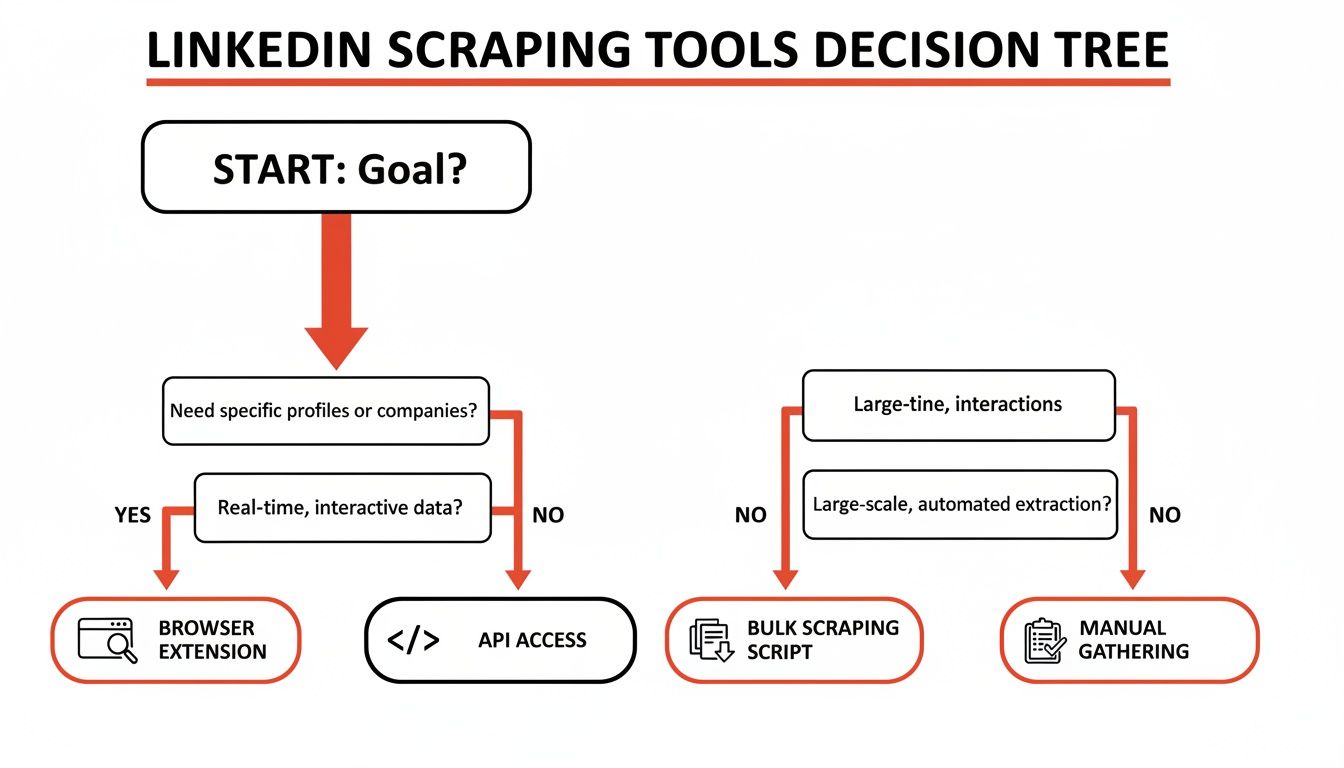
As you can see, for targeted lists without the technical headache, browser extensions are the clear winner.
Use Case #1: Building a Hyper-Targeted Lead List
Let's make this real. Imagine you sell marketing software to fintech companies. Your mission is to build a list of "Marketing Managers" at fintech startups in New York. Doing this by hand would take hours.
Instead, you can automate the whole thing.
First, run a search on LinkedIn with your exact criteria: Industry: Financial Services, Location: New York City, Job Title: Marketing Manager.
Once the search results load, activate your browser scraper. The tool will then systematically work through every page, pulling key info for each person.
A good scraper pulls more than just names and titles. It grabs a full suite of data points, giving you everything you need to personalize your outreach and make a real connection.
You'll end up with a ready-to-use CSV file with columns like:
Full Name
Job Title
Company Name
LinkedIn Profile URL
Location
With this data, you can build a killer outreach campaign in a fraction of the time.
Use Case #2: Analyzing Competitor Talent
Here's another great workflow: competitive intelligence. One of the best ways to figure out a competitor's strategy is to see who they're hiring.
Just head over to your competitor's company page on LinkedIn and click their "People" tab. This page is a goldmine.
With your scraping tool, you can extract a complete list of their public employees. Now you can connect the dots and analyze trends.
Where are they growing? A sudden surge in sales hires could mean a push into a new market.
Who are they hiring from? Are they poaching engineers from industry leaders? That tells you a lot about their product priorities.
Are they expanding? A cluster of new hires in a new city is a dead giveaway for expansion.
By running this scrape every quarter, you can track these shifts and get incredible insight into your competitor's playbook. You’re turning raw data into a strategic asset.
The real magic of using a modern browser tool is its flexibility. Whether you're building lead lists, sourcing candidates, or spying on the competition, the steps are always the same: navigate, click, and export. It puts powerful data in the hands of the people who need it most.
Best Practices for Safe LinkedIn Scraping
Scraping LinkedIn is a powerful tool for growth, but you have to do it smartly. This isn’t about being sneaky; it's about being a responsible user who gets the data you need without causing problems.
Think of yourself as a polite guest at a networking event. You wouldn't run around grabbing every business card in sight. You’d move at a natural pace and be respectful. That’s the mindset you need for scraping. The goal is to be so smooth you’re practically invisible.
Blend In by Acting Human
Here’s the golden rule: act like a person, not a bot. LinkedIn uses advanced systems to spot and shut down aggressive automation. Trying to pull hundreds of profiles in a minute is the fastest way to get your account flagged.
So, how do you mimic a real person? Slow down and act a little unpredictable.
Pace yourself. A human doesn't view 30 profiles a second. A slow and steady rhythm always wins.
Add random delays. We don't click from one profile to the next with robotic precision. Good tools automatically add random pauses between actions to break up the pattern.
Switch up your activities. Don't just scrape profiles. A real user browses their feed and looks at company pages. Mixing things up makes your activity look organic.
Adopting these human-like behaviors is the most effective way to avoid tripping LinkedIn's alarms. It's the difference between sprinting through a library and casually browsing the shelves.
Legal and Ethical Guidelines
The rules around data scraping can feel tricky, but it comes down to a few key principles. While scraping publicly available data is generally allowed, how you do it and what you do with it matters.
That's why you need to understand the legality of web scraping before you start. It’s all about respecting privacy and the platform.
Here are the non-negotiable rules:
Stick to Public Data Only. Never try to grab information that's behind a privacy wall. If it’s not publicly visible, it's off-limits.
Respect the Terms of Service. Using automated tools can go against a platform's user agreement. This is why using tools that mimic safe, human-like behavior is so important.
Use the Data Responsibly. What you do with the data is just as important as how you got it. Use it for targeted, relevant outreach, not for spam.
Your Secret Weapons: Proxies and Rate Limiting
Once you start collecting data at scale, you have to think about your digital footprint. Sending thousands of requests from the same IP address is a huge red flag. That’s where proxies come in.
A proxy server routes your requests through different IP addresses, making it look like your activity is coming from many different people. It’s a game-changer for looking natural.
As LinkedIn has tightened its limits, tools that act more human—using random delays and keeping a low request rate—are essential. This approach is your best defense. When you combine these tactics, you create a data collection process that’s not just powerful, but also responsible and sustainable.
Turning Raw Data into Business Wins
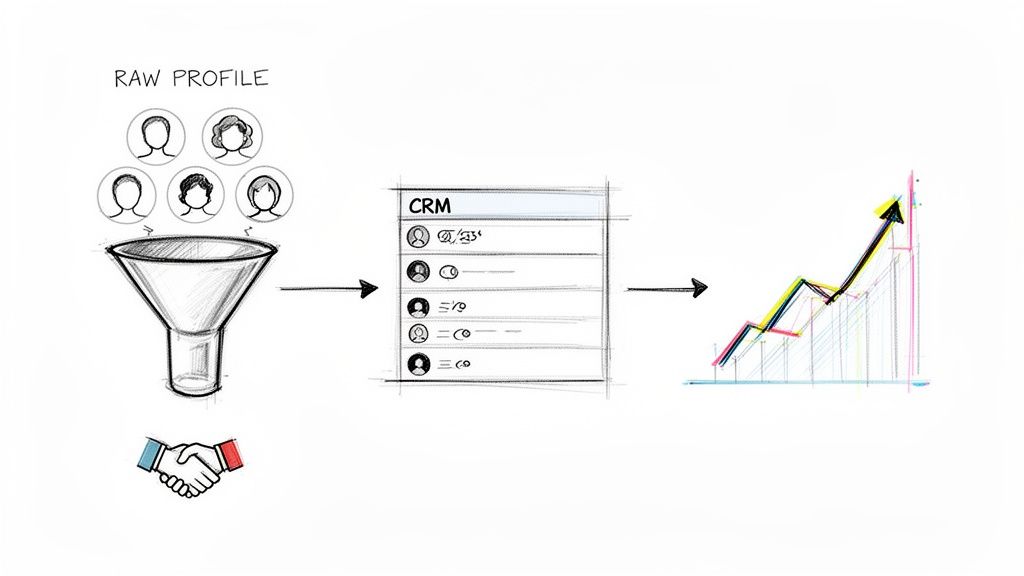
Let's be honest. A spreadsheet full of names is not a strategy. It's a starting point. The real magic happens when you transform that raw data into something tangible—a full sales pipeline, a database of top talent, or a clear map of your market. This is where we connect data to dollars.
The whole point is to build a workflow that puts your scraped CSV file to work. If you skip this part, you're just hoarding information.
From a Simple List to a Sales Pipeline
For sales teams, a freshly scraped list is gold. But to cash in, you need to enrich that data and plug it into your sales process.
The process is straightforward and powerful:
Clean and Standardize: Your first move is a quick cleanup. Fix typos, standardize job titles (e.g., "VP of Mktg" to "Vice President of Marketing"), and make sure all columns are consistent.
Enrich with Emails: Scraping emails directly from LinkedIn is tough. The smarter move is to use your list of names and companies to fuel a data enrichment tool. These services are pros at finding and verifying professional email addresses.
Push to Your CRM: Now, import that enriched list into your CRM (like HubSpot or Salesforce). Suddenly, you can track interactions, set up automated follow-ups, and measure the ROI of your scraping efforts.
Building a Searchable Talent Pool for Recruiters
Recruiters can use a similar workflow to build a powerful internal talent database. Imagine having a private, searchable pool of candidates with the exact skills you need, ready to go at a moment's notice.
Instead of starting from scratch for every new role, you can dip into your curated talent pool. This speeds up your time-to-hire and helps you find amazing passive candidates who aren't even looking.
By proactively scraping profiles that match your ideal candidate personas, you're not just filling roles—you're building a long-term recruiting asset that gives you a huge advantage.
Gaining Market Intelligence for Marketers
For marketing teams, scraped data is the secret to understanding your market in real-time. By regularly scraping your competitors' company pages, you can track key metrics and spot trends early.
Here’s what you should look for:
Follower Growth: Is a competitor's audience suddenly exploding? It might signal a new content strategy that's working.
Hiring Trends: Are they bulking up their engineering team? This could be a clue that a major product launch is on the horizon.
Content Engagement: Which of their posts are getting the most buzz? That's direct feedback from your shared audience.
This intel is invaluable because it shows what businesses are actually doing. A jaw-dropping 46% of all social media traffic to B2B websites comes from LinkedIn. Monitoring this gives you a direct window into your competitors' playbooks. To really nail this, apply this data to powerful LinkedIn lead generation strategies.
Your LinkedIn Scraping Questions, Answered
Jumping into LinkedIn data collection? You probably have a few questions. That's a great sign—it means you're thinking about doing this the right way. Let's tackle the big ones so you can start with total confidence.
Is LinkedIn scraping legal?
This is always the first question. Here’s the deal: scraping publicly available data is generally legal. Major court decisions have backed this up. The key words are publicly available. If you can see it without being a connection, it's typically fair game.
However, you cannot scrape data that’s behind a login or protected by privacy settings. It’s also crucial to respect privacy laws like GDPR. And while scraping itself may be legal, using bots can go against LinkedIn's Terms of Service.
The bottom line: Be smart and ethical. Stick to public info and use tools designed to act like a real person to minimize risk.
How do I avoid getting my account banned?
The secret is to make your activity look completely human. If you hit their servers with a flood of requests, you’ll get flagged instantly. The goal is to blend in.
Pace yourself: A real person doesn't view 100 profiles a minute. A good tool will add smart, random delays between actions.
Use quality proxies: Don't scrape more than a handful of profiles without residential proxies. They make your activity look like it's coming from different people in different places.
Mix up your activity: Don’t just scrape profiles. A real user browses and looks at posts. The best browser-based tools are built to do this for you.
What data can I actually get from LinkedIn?
You can pull just about any information that's publicly visible on a LinkedIn profile or company page. It's a goldmine of professional data.
This usually includes:
Full names, job titles, and current companies.
Work history and education details.
The "About" section summary (perfect for personalization!).
Company details like industry, employee count, and job openings.
What’s off-limits? Anything private. That means no direct messages, private contact info, or non-public connections.
Can I scrape email addresses from LinkedIn?
Not really, and you wouldn't want to. Most people hide their email on LinkedIn, so trying to scrape it directly rarely works. The professional approach is a two-step process: scrape, then enrich.
First, run your LinkedIn data scraping to get the core profile data—name, title, and company. Then, take that list to a data enrichment service. These tools are experts at finding and verifying the correct business email for that person. This gives you an accurate and effective list for outreach.
Ready to stop copying and pasting and start building powerful data workflows? Clura makes it easy to scrape, organize, and export clean data from LinkedIn in just one click.
