Learn how to monitor prices on Amazon with expert tips, real-world examples, and automated workflows to save money and stay ahead of competitors.

Keeping an eye on Amazon prices is easy with the right tools. From simple browser extensions for casual shoppers to AI-powered scraping tools for serious sellers, you can track price history, get instant deal alerts, and peek at competitor strategies—all without manually refreshing pages all day.
Why Monitoring Amazon Prices Is a Game Changer
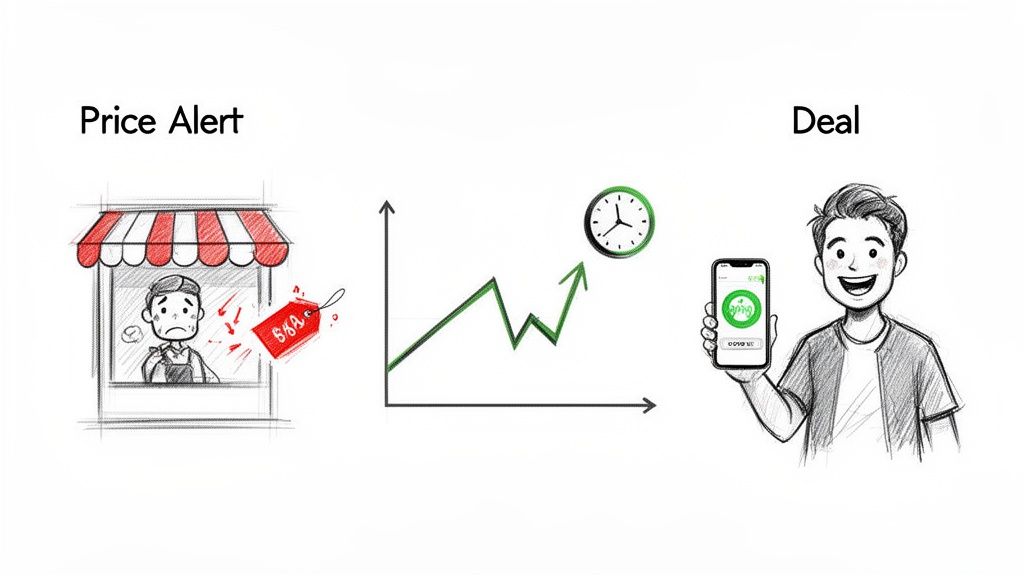
Picture this: An e-commerce seller wakes up to find a competitor slashed their prices overnight, wiping out a day's worth of sales. On the flip side, a savvy shopper snags a high-end laptop for 30% off because they caught a two-hour flash sale. These scenarios happen every single day on Amazon, where timing is everything. Trying to keep up manually is a losing battle.
With over 60% of units sold by third-party sellers, the marketplace is a whirlwind of constant change. Small price shifts can have a massive impact on your savings or your sales. Automated monitoring turns a reactive chore into a proactive strategy.
The Power of Real-Time Data
If you’re relying on manual checks, you’re always playing catch-up. By the time you spot a price change, the deal might be gone or your competitor has already captured the market. Automation flips the script.
Here’s how it makes a difference:
For Shoppers: Stop wondering if you got the best price. Set an alert for a product you want, name your price, and let the tech tell you when it’s time to buy. You'll never overpay again.
For E-commerce Sellers: Keep a constant watch on your competition without dedicating hours to the task. Adjust your pricing in real-time to win the Buy Box and boost revenue. We dive deeper into this in our guide on how to monitor competitor prices.
For Brands: Protect your brand’s integrity by automatically flagging unauthorized discounts from third-party sellers. This is crucial for enforcing MAP (Minimum Advertised Price) policies and maintaining your product's value.
The goal isn't just to see prices; it's to get actionable insights that lead to better decisions. Whether you're saving money or making it, automated monitoring gives you the competitive edge.
Amazon Price Monitoring Methods at a Glance
Choosing the right method depends on your goals. Are you a casual shopper or a data-driven seller? This table breaks down the options.
Method | Effort Level | Cost | Best For |
|---|---|---|---|
Manual Tracking | High | Free | Tracking just 1-2 items where you don't need instant updates. |
Browser Extensions | Low | Free / Freemium | Casual shoppers and small sellers needing price history and basic alerts. |
Price Drop Alerts | Low | Free / Subscription | Anyone who wants a "set it and forget it" approach for specific products. |
AI Scraping & Automation | Medium to High | Varies (Free to Paid) | Serious sellers, brands, and analysts needing large-scale, real-time data. |
Ultimately, the right tool is the one that aligns with your needs and saves you the most time and money. This guide will walk you through the best methods available, from simple browser extensions to powerful AI scraping tools.
Manual and Browser-Based Tracking Tools
Ready to track Amazon prices without a single line of code? You can get tons of insight with a few free browser extensions that are absolute powerhouses. These methods are the perfect way to get your feet wet before jumping into automation.
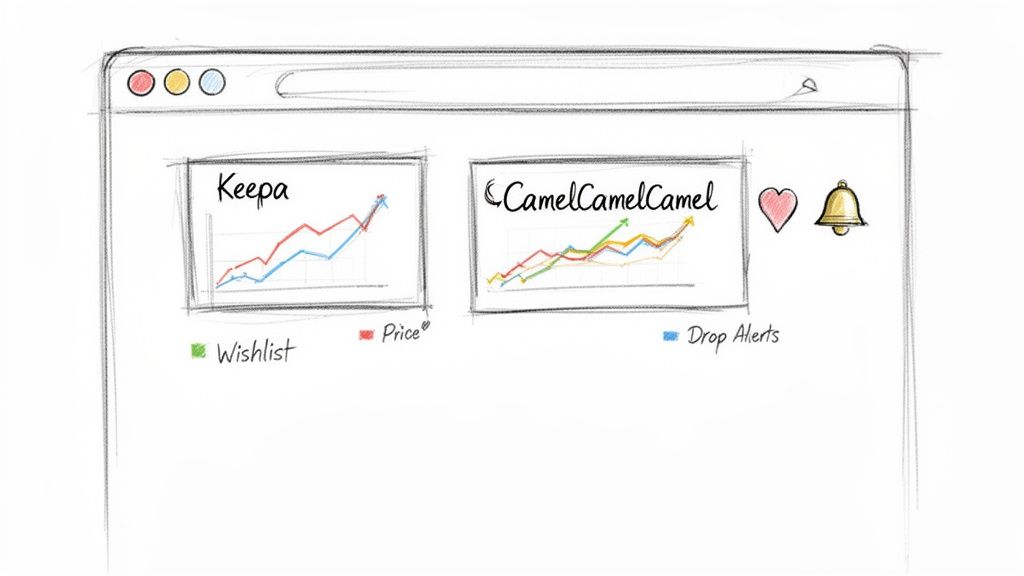
Let's start with a feature hiding in plain sight: Amazon's Wish List. It’s meant for saving things you want, but it moonlights as a surprisingly decent price tracker. When you add an item, Amazon notes the price and tells you if it’s dropped since you saved it. It’s simple, free, and baked right into your account.
This manual approach is fine for a few items, but it’s entirely reactive. For a more "set it and forget it" strategy, you need browser extensions.
Supercharge Your Browser With Price Trackers
Browser extensions add new features directly to your web browser. When it comes to Amazon price tracking, two names are legendary: Keepa and CamelCamelCamel. Think of them as your personal shopping spies, always on the lookout for a deal.
These tools are game-changers. They overlay detailed price history charts right on the Amazon product pages you're browsing. Instantly, you can see every price swing over months or even years. This historical data is your secret weapon for spotting trends.
For example, you might see that a popular brand of hiking boots always goes on sale the last week of October. Armed with that knowledge from the price chart, you can wait and save a bundle.
Setting Up Your First Price Drop Alert
The real magic of these extensions lies in their alert systems. Instead of obsessively refreshing a product page, you just tell the extension what you’re willing to pay.
Here’s what you can get notified about:
Price Drop Alerts: Get an email when a product's price dips below a specific dollar amount (like under $50) or by a percentage (say, 20% off).
Back-in-Stock Notifications: If an item is sold out, you can be the first to know when it's available again. This is a lifesaver for hot electronics.
Lightning Deals: Some trackers can ping you when an item on your watchlist pops up in one of Amazon's flash sales.
Imagine you're eyeing a new 4K monitor. With a tool like CamelCamelCamel, you can set an alert to go off if the price drops below $300. The extension then monitors it 24/7. The second a seller lists it for $299.99, you get an email. It’s that easy.
How to Read Price History Charts
Understanding price charts separates the amateurs from the pros. Keepa, for example, has a famously detailed graph. It might look intense at first, but it's simple once you know what to look for.
Typically, you'll see a few different colored lines:
Amazon's Price: The price when sold and shipped directly by Amazon.
Third-Party New: The lowest price offered by a third-party seller for a new item.
Third-Party Used: The lowest price for a used version of the product.
By comparing these lines, you can figure out the best time to buy or spot when a so-called "sale" isn't much of a deal. For sellers, these charts expose competitor strategies and market saturation. Mastering these free tools provides a solid foundation for anyone learning how to monitor prices on Amazon.
Automating Price Monitoring with AI and Web Scraping
Browser extensions are great for a handful of products. But what happens when you need to track dozens, or even hundreds?
Imagine you’re a seller with 50 different SKUs. Manually setting alerts for each one against ten competitors isn't just a hassle—it's a full-time job. This is when automation becomes a critical part of your strategy.
To scale your price monitoring, you need web scraping—the art of automatically pulling data from websites. But Amazon’s product pages are a different beast. They aren't simple, static pages; they are dynamic, constantly changing.
Why Scraping Amazon Is So Tricky
Trying to scrape Amazon at scale often feels like a cat-and-mouse game. The platform has sophisticated defenses to protect its data, which can shut down basic scraping scripts instantly.
You'll almost certainly hit these roadblocks:
Dynamic Content: Prices and stock levels often load a second after the page. A simple scraper will miss this data entirely.
Anti-Bot Defenses: Amazon is excellent at sniffing out automated traffic. If it thinks you’re a bot, your IP address can get blocked.
CAPTCHAs: Those "I'm not a robot" puzzles are designed specifically to stop automated tools.
Shifting Page Layouts: Amazon constantly tweaks its designs. A scraper that works today could break tomorrow if they move the price element.
For years, getting around these obstacles meant hiring developers and managing complex proxies. Thankfully, that's not the case anymore.
How AI Agents Changed Everything
Modern AI-powered tools have changed the game. An AI scraping agent can browse a website just like a person. It understands page layouts, clicks buttons, scrolls down, and even solves CAPTCHAs. Tools like Clura let you build these smart agents without touching a single line of code.
These AI agents intelligently pinpoint the exact data you need—like the price, seller name, or stock status—and pull it into a clean CSV file. Many businesses now rely on AI automation services to handle the entire monitoring workflow, freeing their teams to focus on strategy.
For instance, a retailer can set up an agent to check the prices of 200 competing products every morning. Instead of someone spending hours manually copying and pasting, they get a tidy spreadsheet delivered automatically. This simple workflow can save 10+ hours per week.
This level of automation became even more crucial after Amazon's API changes impact sellers, which made direct data access too expensive for many businesses. That shift made scraping a vital alternative for monitoring dynamic pricing, Buy Box ownership, and seller intelligence without needing to code.
A Step-by-Step Guide to Scraping Amazon Prices with Clura
Ready to see what a real automation workflow looks like? Let's use Clura to pull Amazon price data automatically. We'll turn a mind-numbing task into a powerful, data-gathering machine that runs while you grab coffee.
The whole idea is to let an AI agent do the grunt work. You show it what you want, it grabs the data, and you get a clean spreadsheet. It’s that simple.
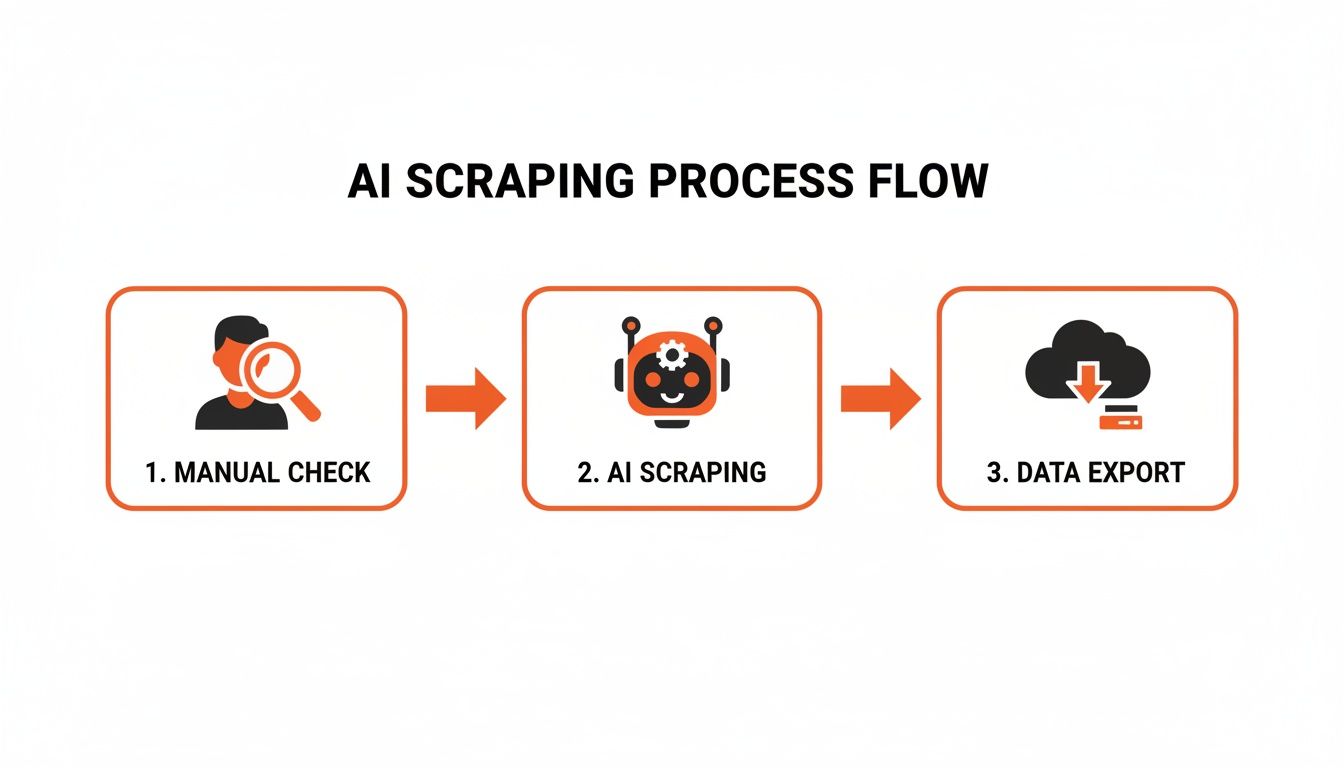
As you can see, the AI completely replaces the tedious manual part of the job, giving you structured data you can actually use.
Step 1: Set Up Your First Scrape
First, install the Clura extension from the Chrome Web Store and sign up for a free account.
Once it's added to your browser, head to Amazon. Let's pretend you're monitoring the competitive laptop market. Just search for "laptop" to get a page full of products.
With the Amazon results page loaded, click the Clura icon in your browser's toolbar. The Clura interface will pop up over the page, ready to go.
Step 2: Point, Click, and Collect Your Data
This is where it gets cool. Forget about wrestling with code. You just click on the pieces of information you want.
Let's build a useful dataset for monitoring our laptop competitors. I'd click on:
The product title of the first laptop.
Its current price.
The star rating.
The total number of reviews.
As you click each element, Clura’s AI instantly highlights the same type of data for every other product on the page. It understands the pattern immediately. No guesswork.
You can even grab data that isn't visible, like the direct product URL, from Clura's menu of predefined options. This is a lifesaver for creating a clickable spreadsheet.
Step 3: Run the Agent and Get Your Data
Once you've selected your data points, hit "Run." The Clura agent will start working its way down the page, pulling the info you specified. You can see the data populating in a table in real-time, confirming everything is working perfectly.
A couple of pro tips:
Beat Infinite Scroll: Amazon loads more products as you scroll. In Clura’s settings, tell the agent how many times to scroll to capture the whole list.
Filter Out Sponsored Listings: Don't want sponsored ads in your data? Find an element unique to those ads (like the word "Sponsored") and tell the agent to skip any item that contains it.
When the agent is done, your data is in a perfectly organized table. Hit "Export," and Clura downloads a CSV file to your machine, ready for Google Sheets or Excel.
To move even faster, you can start with a pre-built recipe like this Amazon Product Listings Scraper template. It already has the most common data points configured for you. In minutes, you’ve turned a messy Amazon page into a structured, actionable dataset.
How to Analyze and Act On Pricing Intel
You've got a treasure trove of Amazon pricing data. But a raw CSV file won't change your business on its own. The real fun—and the real profit—starts now. This is where we transform numbers into strategic decisions.
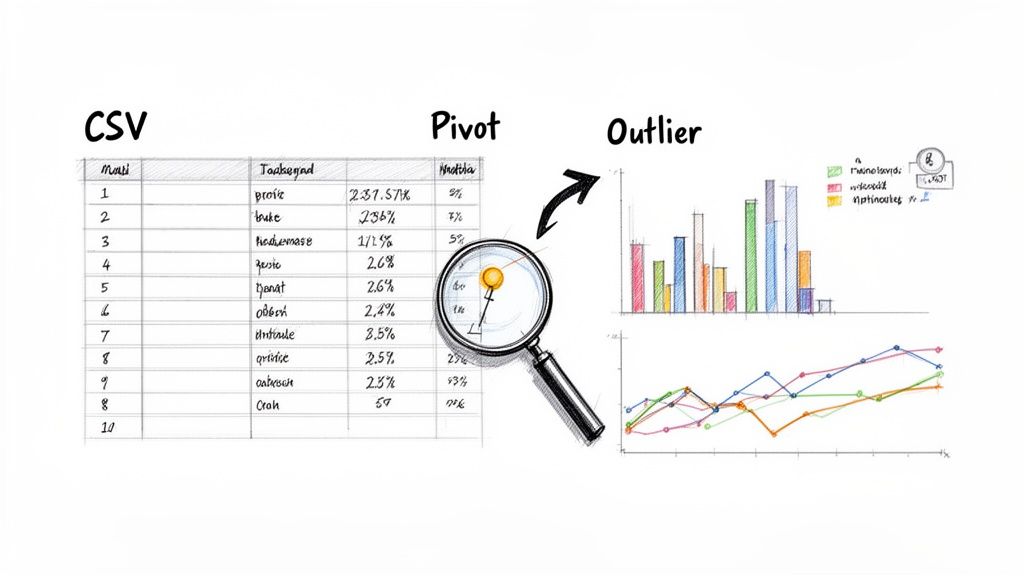
You have to get in there, play with the data, and visualize it to uncover patterns. Let’s jump into a few simple ways to do this with tools like Google Sheets or Excel.
Find Hidden Rhythms in Competitor Pricing
As soon as you open that CSV, hunt for trends. Do your competitors drop prices at a certain time of day? Is there a seller who always undercuts the market leader by exactly $1.00? These details reveal their entire playbook.
A line chart is your best friend here. Plot the price of one of your target products over time, giving each major competitor their own colored line. Instantly, you can see things like:
Weekly Price Cycles: You might spot that a hot-selling item consistently gets cheaper on Tuesday mornings and creeps back up by Friday. Now you know when to adjust your own price.
Reactive Pricing: Watch how fast the competition reacts when one seller makes a move. Do they follow suit in minutes? Hours? Or do they hold their ground?
Price Ceilings and Floors: Quickly identify the absolute highest and lowest price points a product ever hits. This gives you a safe and profitable range to operate within.
This level of insight moves you from being a reactive seller to a strategic one. To dominate your niche, a deep-dive Amazon competitor analysis is a must, as it helps you understand the why behind these pricing moves.
Sample Scraped Amazon Product Data
It’s helpful to see what your raw data will look like. When you scrape a search results page, you’ll get a beautifully structured table ready for action. Here’s a small taste.
Product Name | Current Price | Seller Name | Average Rating | Number of Reviews |
|---|---|---|---|---|
"QuantumCore Gaming Laptop 15.6 Inch" | $1,299.99 | TechEmporium | 4.7 | 2,154 |
"ProBook X1 Ultra-Slim Business Notebook" | $949.00 | OfficeSolutions | 4.5 | 876 |
"CreatorPad Z5 Professional Laptop" | $1,899.50 | DigitalCanvas | 4.8 | 1,230 |
"StudentFlex 2-in-1 Chromebook" | $349.99 | EduGear Direct | 4.3 | 5,612 |
"QuantumCore Gaming Laptop 15.6 Inch" | $1,325.00 | NextGenElectronics | 4.7 | 2,154 |
This table immediately highlights critical information—notice how the same gaming laptop is sold by two different sellers at different prices. This is the goldmine of information automation uncovers.
From Data To Decisive Action
With this organized data, a pivot table becomes your secret weapon. With just a few clicks, you can slice and dice your data to answer your most pressing questions. For instance, you could create a pivot table showing the average price for each unique product, which immediately gives you a baseline for the market.
You can even set up simple formulas and conditional formatting to create a live dashboard. Imagine a rule that automatically highlights any competitor’s price in red if it drops 15% below the average. This is an incredible way to enforce MAP policies or spot an aggressive new seller. By turning raw numbers into clear, visual signals, you can stop guessing and start acting with confidence.
A Quick Word on Smart and Ethical Monitoring
Automating your price monitoring is a game-changer, but with great power comes great responsibility. Doing it ethically is just as crucial as doing it effectively. This ensures you get reliable data without causing problems or getting your own access blocked.
Think of it as being a good guest. You wouldn't barge into a party and start grabbing everything in sight. The same idea applies to Amazon's servers.
Pacing your data requests is everything. Instead of hammering a product page every few minutes, set up your monitoring to run at sensible intervals. For most products, once a day is plenty. For less volatile items, once a week might be enough.
Playing by the Rules
A fundamental rule is respecting a website's robots.txt file. This is a public signpost that tells bots which areas of the site are off-limits. Always ensure your tools are set up to follow these directions.
Here are a few other best practices:
Be Strategic with Timing: Run smaller, targeted checks during times you know prices are most likely to update.
Keep a Light Footprint: Only grab the data you actually need. Pulling just the price, stock status, and seller name is far less intensive than downloading every description and review.
Use Your Intel for Good: The goal is competitive analysis and smarter pricing, not trying to undermine competitors. Use the insights you gather to make better decisions.
Following these guidelines isn't just about being a good digital citizen—it protects the long-term viability of your price monitoring strategy. It’s also smart to stay informed on the legality of web scraping. When you pair powerful tools with a thoughtful approach, you've got a strategy built to win.
Your Top Amazon Price Monitoring Questions, Answered
Jumping into Amazon price monitoring can feel a little daunting. It's totally normal to have questions. Let's tackle some of the most common ones so you can get started with confidence.
Is web scraping legal?
This is the #1 question, and the short answer is yes—scraping publicly available information like product prices is generally legal. Think of it as automating what any person could do manually with a browser and a spreadsheet.
The key is to do it responsibly. That means respecting Amazon’s robots.txt file (which tells bots what they can and can't look at) and not hammering their servers with a flood of requests. Go too fast, and you'll get blocked. The goal is to be a polite guest.
How often should I check prices?
There's no single magic number; it all boils down to your products and goals.
For highly competitive items like new smartphones or hot holiday toys, you’ll want to check at least daily, maybe even 2-3 times a day. Prices can swing wildly in hours.
For more stable items, like niche hobby supplies, checking once or twice a week is probably enough to spot meaningful trends.
Automation is a game-changer here. You can set a workflow to run every hour or once a week, giving you a consistent stream of data without lifting a finger.
What’s the best starter tool for a beginner?
If you're just dipping your toes in, you can't go wrong with a free browser extension. Tools like CamelCamelCamel or Keepa are brilliant starting points.
They are easy to set up and give you an instant, visual look at a product's price history right on the Amazon page. It’s the perfect way to learn the ropes without any technical headaches.
Once you find yourself wanting to track dozens of products or keep a close eye on competitors, you'll naturally outgrow them. That’s when moving to a more powerful, browser-based automation tool like Clura becomes the next logical step.
Ready to stop guessing and start knowing? With Clura, you can build a powerful, automated price monitoring workflow in minutes, no code required. Explore prebuilt templates and turn Amazon data into your competitive advantage. Try this workflow today at https://www.clura.ai.
