
YouTube Comments Scraper
Extract YouTube comments, reply counts, likes, and commenter details from any video. Analyze audience sentiment and feedback at scale without YouTube API quota limits.
Run this templatePaid Plan
Full workflow, one-time payment
$29.99 one-time
Scrape, enrich, automate, and sync
- Unlimited local scrapes
- Unlimited records and pagination
- Enrichment and Sub Page Scrape
- Connectors and 14-day storage
- Priority support
- Cloud Agents with add-on credits
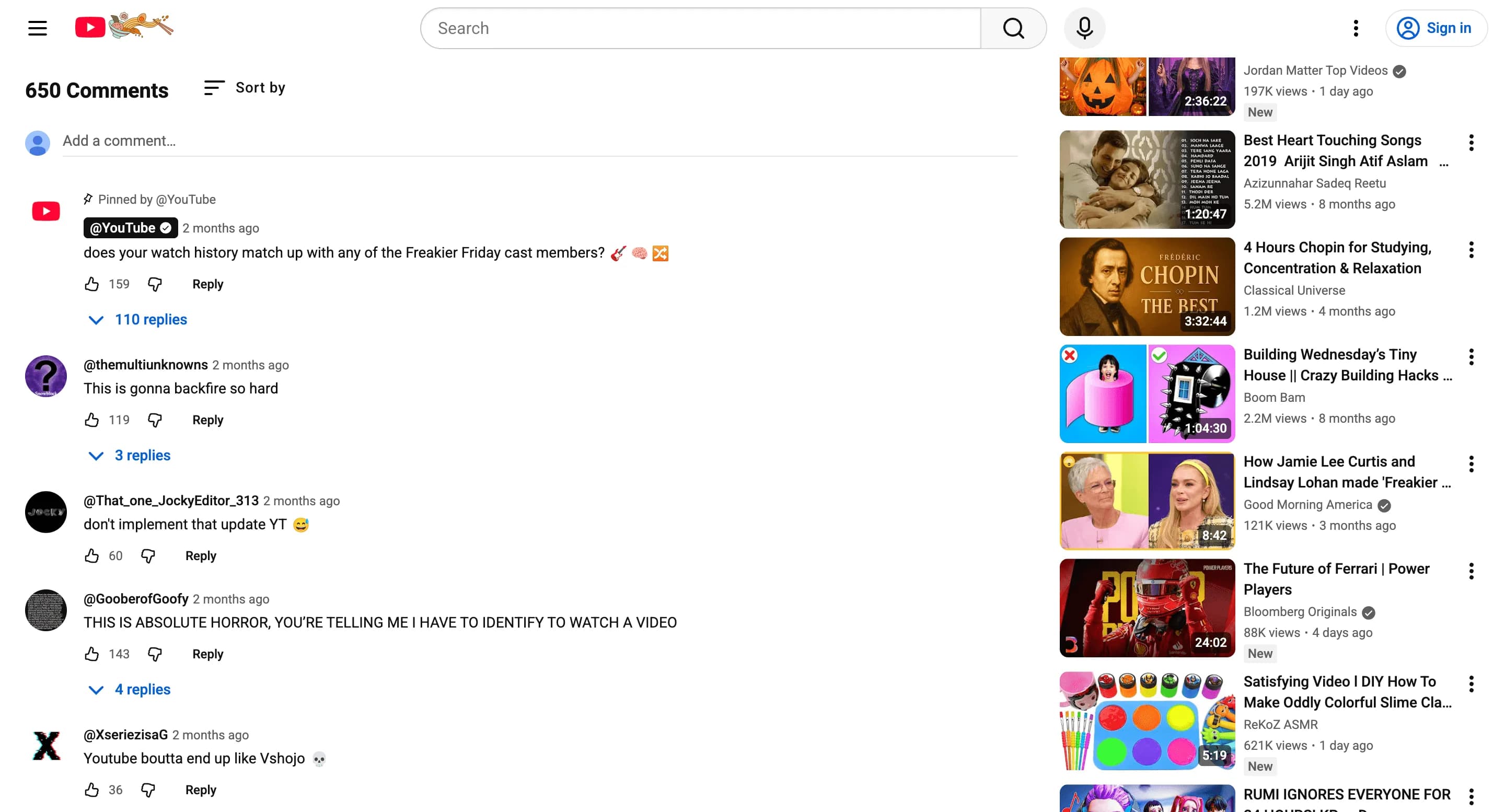
Collect posts, comments, likes, shares and engagement metrics from social platforms to monitor trends, influencers and campaign performance. Outputs structured datasets ready for social listening and content analysis.
Relevant For
How to Use
- 1
Define search scope
Choose hashtags, profiles, or subreddits and set date ranges for collection.
- 2
Select post fields
Choose content, author, date, likes, comments and tags to scrape.
- 3
Run & moderate
Run the scraper and filter out spam; sample results for relevancy.
- 4
Export & analyze
Export for trend analysis, social listening, or campaign optimization.
Fields Scraped
| Field | Type |
|---|---|
| Post Content | Text |
| Post Date | Date |
| Comments Count | Number |
| Likes Count | Number |
| Shares Count | Number |
| Tags | Text |
| Followers Count | Number |
| Profile Bio | URL |
| Website | URL |
| Location | Text |
| Description | Text |
| Rating | Number |
| Review Count | Number |
Export Formats
Example Output
| Comment | Author | Likes | Video Title | Timestamp |
|---|---|---|---|---|
| This video explained everything clearly | user123 | 421 | AI Tutorial | 2026-03-02 |
| Best coding tutorial I've seen | devguru | 210 | JavaScript Basics | 2026-03-01 |
Frequently Asked Questions
What information can be extracted from YouTube comments?
You can collect comment text, usernames, likes, timestamps, and video URLs.
Can YouTube comment data be used for sentiment analysis?
Yes, comment data can be analyzed to understand audience feedback and sentiment.
Can the comments be exported?
Yes, extracted comments can be exported to CSV, Excel, or JSON.
Related Scrapers
Instagram Profiles Scraper
Extract Instagram profile data including follower counts, bios, post counts, and engagement metrics. Bulk scrape public Instagram profiles for influencer research and market analysis.
YouTube Channels Scraper
Extract YouTube channel data including subscriber counts, view counts, video totals, and descriptions. Build creator datasets for influencer research and competitive analysis.
TikTok Profile Metrics Scraper
Scrape TikTok profile data including follower counts, following, likes, and video count from any public creator page. Build influencer lists and track profile growth over time.