
Google Play Store Apps Scraper
Scrape app listing and metadata from Google Play Store search and category pages, with results saved to your Clura account and exportable as CSV or JSON.
Run this templatePaid Plan
Full workflow, one-time payment
$29.99 one-time
Scrape, enrich, automate, and sync
- Unlimited local scrapes
- Unlimited records and pagination
- Enrichment and Sub Page Scrape
- Connectors and 14-day storage
- Priority support
- Cloud Agents with add-on credits
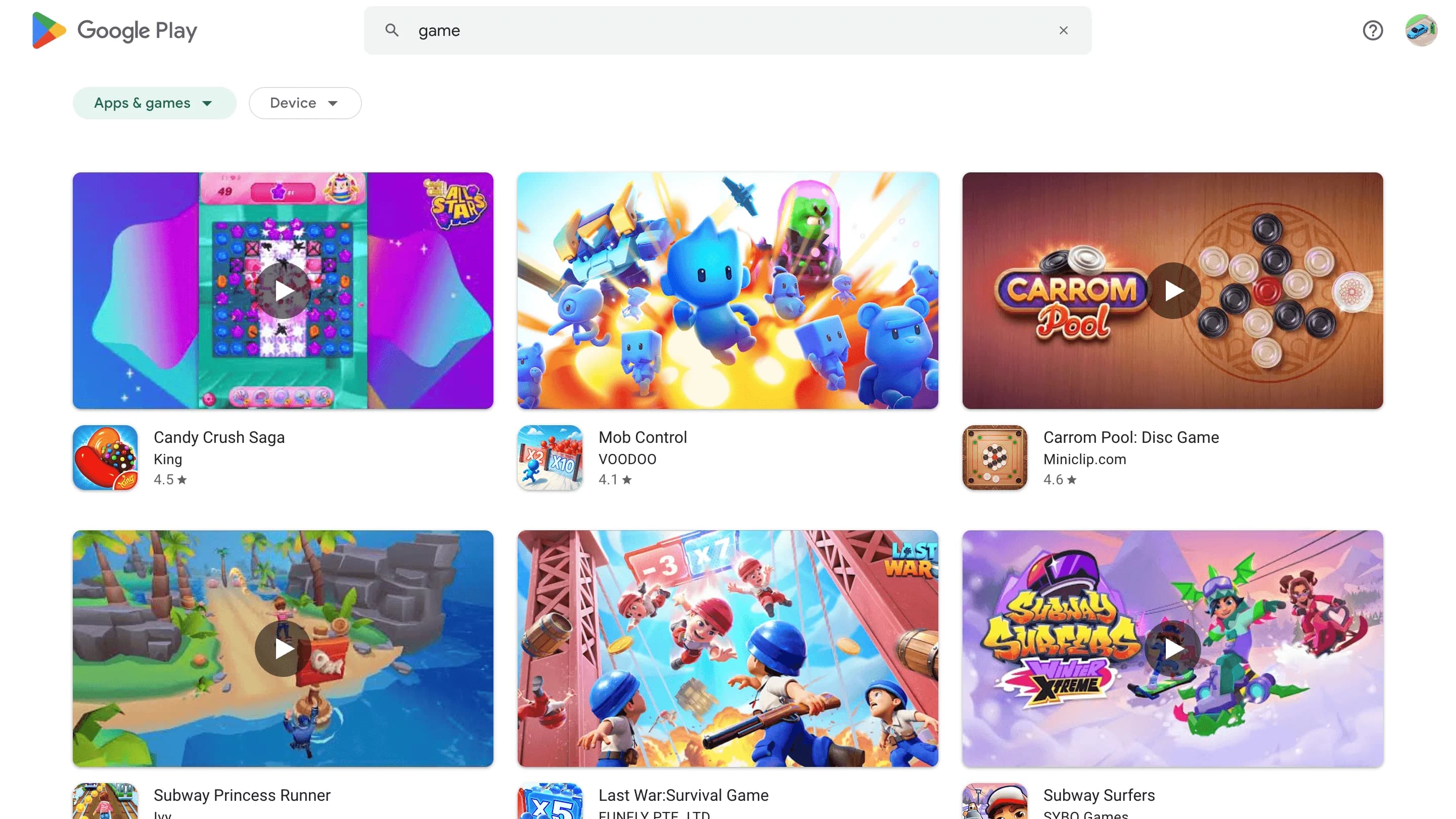
Clura’s Chrome extension includes a Google Play Store Apps Scraper template that extracts structured app data from the currently open Google Play Store pages. This template is built for users who research apps, competitors, and categories on Google Play Store and want to turn visible listings into clean, structured datasets.
After you complete your search or browse a category on the Play Store, the scraper reads the app cards and listing details shown on the page. You can review and customize which fields are extracted, confirm how the scraper should navigate results (pagination or infinite scroll, depending on the page), and add additional fields if required. Once run, the scraper collects app data across result pages, saves everything to your Clura account, and allows export as CSV or JSON for market analysis, ASO research, or reporting.
Relevant For
Founders & Indie App Builders
Research competing apps to understand pricing models, feature positioning, update frequency, and user feedback before launching or iterating on your own app.
Product Managers & Growth Teams
Analyze category leaders, review ratings, install ranges, and monetization strategies to guide roadmap decisions and growth experiments.
App Marketers & ASO Specialists
Scrape titles, descriptions, ratings, and reviews to improve App Store Optimization (ASO) and benchmark competitors’ store presence.
Investors & Market Researchers
Identify fast-growing apps and emerging categories by analyzing install counts, update recency, and developer activity.
How to Use
- 1
Search or browse on Google Play Store
Go to the Google Play Store and finish your search or category browsing until the app results match what you want to extract.
- 2
Open the Clura extension
Click the Clura Chrome extension icon. Available scraper templates will be shown.
- 3
Configure the scraper
Select the Google Play Store Apps Scraper template. Review and confirm:
- 4
Run, save, and export
Run the scraper. Extracted app data is saved to your Clura account. Once complete, export the results as CSV or JSON for further analysis.
Fields Scraped
| Field | Type |
|---|---|
| App Name | Text |
| Url | URL |
| Developer Name | Text |
| App Rating | Number |
Export Formats
Example Output
| App Name | Url | Developer Name | App Rating |
|---|---|---|---|
| Duolingo – Language Lessons | https://play.google.com/store/apps/details?id=com.duolingo | Duolingo | 4.5 |
| Notion – Notes & Databases | https://play.google.com/store/apps/details?id=notion.id | Notion Labs | 4.4 |
Frequently Asked Questions
What data does this scraper extract from Google Play Store?
It captures app name, Google Play store URL, developer name, and app rating for each app visible in search or category results.
Can I scrape apps from any category or search query?
Yes. Navigate to any Google Play search results or category page and activate Clura to collect all visible app listings.
Does it support pagination through multiple result pages?
Yes. Clura navigates through Google Play's result pages to collect apps beyond the first page of results.
Can I use this to research competitor apps?
Yes. Monitor competitor app ratings, developer portfolios, and category rankings to benchmark against your own app's performance.
How do I export the app data?
All scraped data is saved to your Clura account and can be exported as CSV, Excel, Google Sheets, or JSON.
Related Scrapers
Product Hunt Launches Scraper
Scrape product launch data from Product Hunt launch and leaderboard pages, with results saved to your Clura account and exportable as CSV or JSON.
Apple App Store Apps Scraper
Scrape app listing and metadata from Apple App Store search and category pages, with results saved to your Clura account and exportable as CSV or JSON.
App Annie Rankings Scraper
Scrape app ranking and leaderboard data from App Annie ranking pages, with results saved to your Clura account and exportable as CSV or JSON.