Discover how to extract data from websites using no-code tools and simple scripts. Our guide makes data extraction easy for any project or business need.
Ever wondered how competitors always seem to have the freshest pricing data or how sales teams find endless streams of perfect leads? The secret is learning how to extract data from websites — and it’s way easier than you think.
At its core, web data extraction is about automatically grabbing public information from a website and organizing it into a clean, usable format like a spreadsheet. It’s the ultimate way to ditch mind-numbing manual copy-pasting and turn the web into your personal data goldmine.
Why Extracting Data from Websites Is a Game-Changer

The internet is a massive public library, overflowing with competitor pricing, customer reviews, contact lists, and market trends. Learning how to extract data from websites unlocks this treasure trove, transforming raw information into your next big business advantage.
Forget the myth that this is a dark art reserved for developers. Modern AI-powered tools have thrown the doors wide open, making it incredibly simple for anyone to collect and structure web data in minutes. This isn't just about hoarding information; it’s about making smarter decisions based on fresh data, not hunches.
Practical Use Cases for Web Data
So, what does this look like in the real world? Imagine an e-commerce store that automatically checks rival prices every hour to stay competitive. Or a marketing team that builds a laser-focused prospect list from online directories. The possibilities are endless.
Here are a few popular ways businesses use web data:
Lead Generation: Build targeted prospect lists by scraping names, titles, and company details from business directories and social platforms.
Price Monitoring: Keep a constant eye on competitor pricing to adjust your own strategies and run smarter promotions.
Market Research: Dive deep into customer sentiment by gathering reviews from sites like Amazon or G2 to spot product gaps and opportunities.
Automated Recruiting: Uncover top talent by collecting profiles of ideal candidates from professional networking platforms.
Automating data collection isn't just a time-saver—it's a fundamental shift in how business gets done. It gives even the smallest teams the power to compete with industry giants.
The demand for these skills is exploding. The global market for web crawling tools is already worth over $1.03 billion and is on track to nearly double by 2030. This growth is fueled by savvy businesses that understand the value of data, with e-commerce companies making up about 48% of all users. You can explore more about these industry benchmarks to see how data extraction is reshaping business.
Mastering web data extraction gives you the power to find answers, spot opportunities, and automate tasks that used to eat up countless hours. Getting started is easier than you might think.
How to Extract Data from a Website with a No-Code Tool
Ready to see how simple this really is? Let’s pull data from a live website without writing a single line of code. All you need is your web browser and a modern AI scraping tool.
The easiest way to start is with a no-code browser extension. Think of it as a smart assistant that lives in your Chrome toolbar. With a few clicks, it can identify, grab, and organize information from almost any page, turning a messy site into a perfect spreadsheet. It's a game-changer for anyone who needs data now.
Step 1: Install a Browser Extension
First, you need the right tool. Installing a browser extension takes less than a minute. Just find it on the Chrome Web Store, click “Add to Chrome,” and you're set. No messy installation files or confusing settings.
Once installed, its icon will appear in your browser's toolbar, giving you one-click access whenever you find a page with data you want to capture. This makes web scraping feel like a natural part of your workflow. For help choosing, check out our guide on the best data scraping Chrome extensions.
Step 2: Point and Click to Select Your Data
Let’s use a real-world example: scraping product prices. Imagine you need to analyze laptops on a major e-commerce site. Doing this manually would take forever. With a no-code tool, it’s effortless.
Here’s the step-by-step workflow:
Go to the website. Navigate to the product category page you want to scrape.
Activate the extension. Click the tool's icon in your toolbar. Its AI will often detect the lists of data on the page automatically.
Click on the first data point. Click on the name of the first product. The AI is smart enough to figure out you want all the product names and will instantly highlight the rest.
Add more columns. Now, click on the price for that same product. Boom—it grabs all the prices. Do the same for star ratings or review counts. You're visually building a spreadsheet, column by column.
Step 3: Export Your Data to a Spreadsheet
Once you’ve selected all the information you need, just hit the export button. The tool will instantly collect everything and package it into a clean CSV file, ready for Excel or Google Sheets.
In just a few minutes, you’ve transformed a webpage into a structured dataset. No code, no headaches.
This point-and-click method is revolutionary. It empowers anyone to build a powerful scraper for a specific website in seconds—a task that used to require hours of a developer's time.
This same process works for almost any use case. Need a sales prospect list? Go to a business directory, search for "marketing agencies in New York," and use the same point-and-click method to grab company names, phone numbers, and websites. You can build a targeted lead list of 50+ companies in under five minutes.
Choosing the Right Data Extraction Method
You've seen how fast a no-code tool can be, but that's just one way to extract data from websites. Should you use a simple browser extension, a more powerful scraping application, or write your own code?
There's no single "best" tool. The magic is finding the best tool for the job. Your choice depends on the website's complexity, the amount of data you need, and your comfort level with technology. Picking the right approach upfront will save you a world of headaches.
Data Extraction Method Comparison
Here's a quick comparison to help you choose the right fit for your project.
Method | Best For | Technical Skill | Scalability |
|---|---|---|---|
No-Code Browser Extensions | Quick, one-off tasks and small projects. | None! Just point and click. | Low |
Dedicated Scraping Apps | Recurring, larger-scale, and automated jobs. | Low. Mostly visual setup. | Medium to High |
Custom Scripts (Python) | Unique site structures & full customization. | High. Requires coding knowledge. | Very High |
Let's break down when to use each one.
When to Use No-Code Browser Extensions
No-code browser extensions are the champions of speed and simplicity. If you need to grab data from a few dozen pages for a quick project, look no further.
They’re perfect for building a quick prospect list, snagging product prices, or gathering social media profiles for market research. Their point-and-click interface means you can have a scraper running in minutes.
This makes them a great choice for:
Quick tasks: Pulling data from just one or two websites.
Beginners: Anyone new to data extraction who wants to see results fast.
Small-scale projects: When you only need a few hundred or a few thousand rows of data.
This visual process breaks down no-code extraction into three core steps: targeting, selecting, and exporting data.
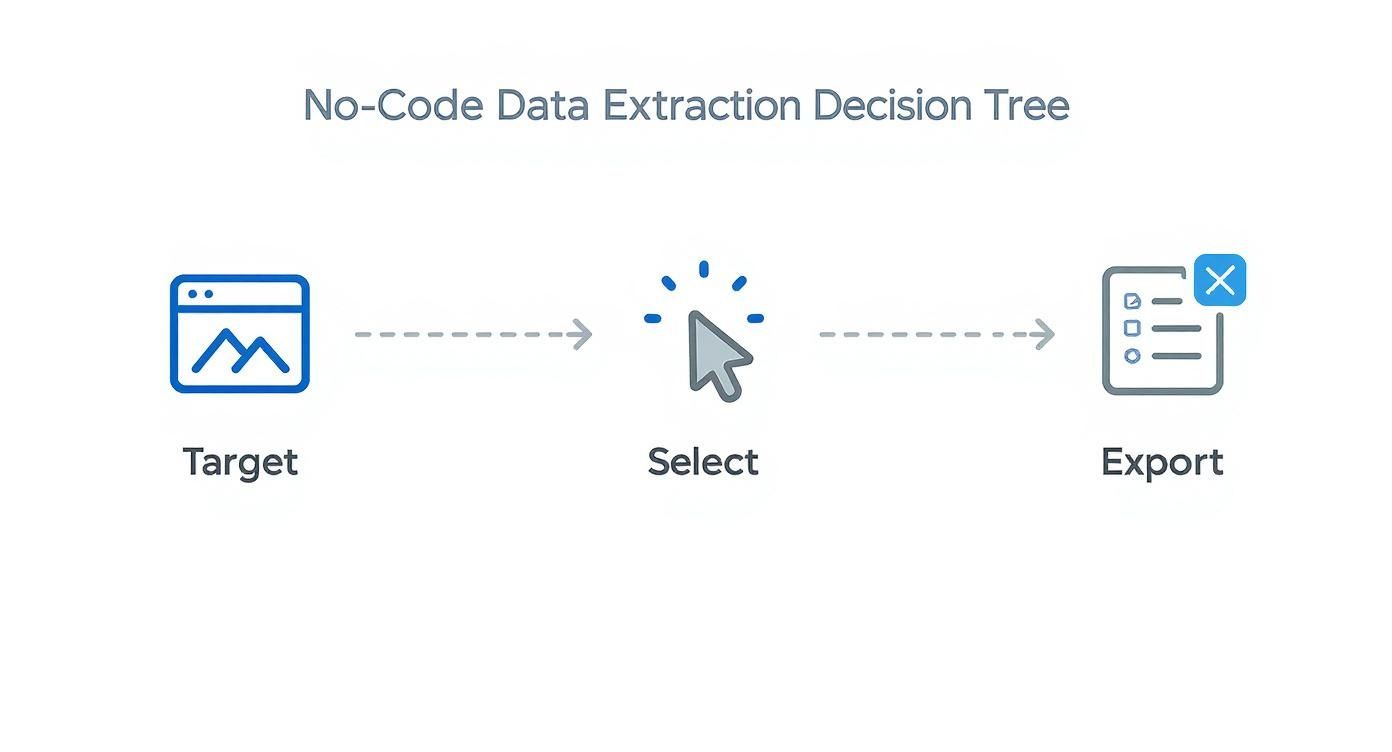
The workflow is a straightforward, visual process, making it incredibly accessible without getting bogged down in complex configurations.
When to Consider Dedicated Scraping Apps
As your needs grow, you may hit the limits of a simple extension. That's where dedicated desktop or cloud-based applications come in. These tools bring out the heavy artillery for bigger, more complex jobs.
Use a dedicated app when you need to handle thousands of pages, schedule regular data runs, or navigate websites with tricky layouts. If you need to monitor a competitor's entire catalog daily or automatically scrape job boards, a dedicated app is the logical next step. Many come with advanced features like IP rotation and cloud storage. Our guide can help you automate data extraction and take these bigger projects on.
A dedicated app is your go-to when web scraping shifts from a one-time task to a continuous, automated part of your business strategy.
When a Custom Script Is the Right Call
For developers or anyone comfortable with code, writing a custom Python script offers ultimate freedom. Using libraries like Requests, Beautiful Soup, or Playwright, you can build a scraper perfectly tailored to any website.
This is the best path when:
You’re scraping a site with a quirky structure that trips up visual tools.
You need to send the data directly to another application via an API.
You’re a developer who wants total control over the process.
It has the steepest learning curve, but coding your own scraper gives you the power to conquer any data extraction challenge.
Overcoming Modern Web Scraping Challenges
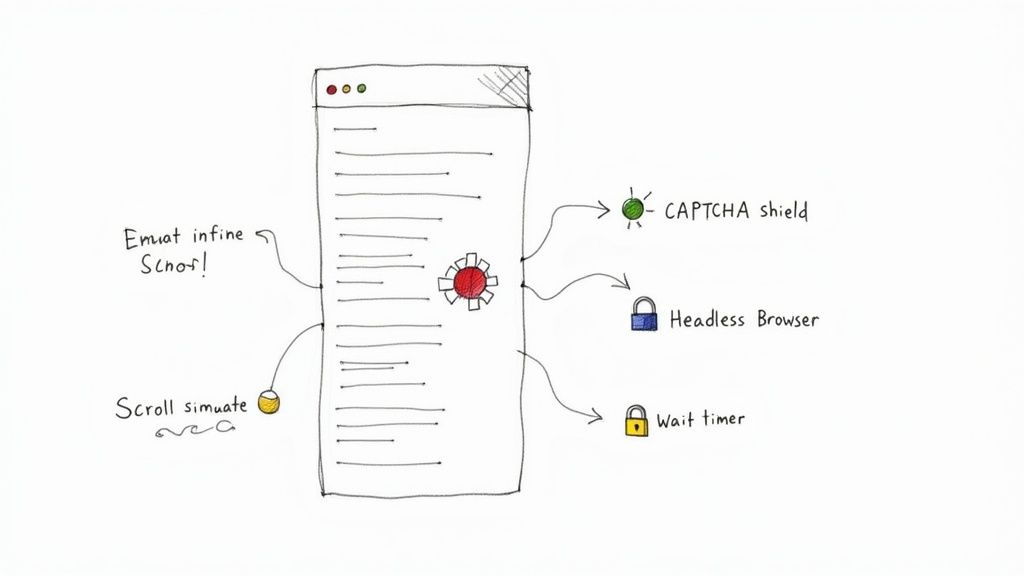
Scraping simple websites is one thing, but what happens when data only appears when you scroll or is hidden behind a login? Modern websites are dynamic, which is great for users but can challenge data extraction tools.
The good news? These are solvable problems. With the right approach, you can navigate these complex sites like a pro. Let's dive into how to tackle these tricky scenarios.
Handling Dynamic Content and User Actions
Have you ever been on a site where new posts magically appear as you scroll? That’s infinite scroll, a common hurdle where data loads with JavaScript as you interact with the page. To get that data, your scraper needs to act more like a person.
Simulate Scrolling: Most no-code scraping tools can handle this. You can configure your scraper to scroll down the page a set number of times or until it hits the bottom, ensuring all content loads before collection begins.
Click "Load More" Buttons: Your tool also needs to know how to click "Load More" or "Show More" buttons repeatedly until no new data appears.
Add Delays: Data can take a moment to appear after a scroll or click. Adding a small pause—even a second or two—between actions gives the page time to load and prevents your scraper from missing data.
Navigating Logins and Session-Based Access
What about valuable data behind a login, like a private forum or customer dashboard? Authenticated scraping is the answer, and it’s easier than you might think.
Many scraping tools let you "teach" them how to log in by recording your actions once. The tool watches you enter a username and password, then saves that sequence to repeat automatically. Just like that, your scraper has access to the same pages you do.
Automating logins unlocks a treasure trove of valuable data from private communities, dashboards, and customer portals that basic scrapers can't touch.
The demand for these advanced capabilities is growing. The web scraping tools market is projected to hit $1.1 billion by 2028, driven by the need to access the 90% of web content that isn't neatly organized. You can learn more about data scraping in 2025 to see how the industry is evolving.
Dealing with Anti-Scraping Measures
As you scrape more, you’ll encounter websites that try to block bots with CAPTCHAs and rate limiting. There are ethical and effective ways to navigate these defenses.
Here’s how to build a resilient and respectful scraper:
Pace Yourself: Don't hammer a website with hundreds of requests per second. Be a good internet citizen and add small delays between page requests. A few seconds can make all the difference.
Use Rotating Proxies: If you’re scraping at scale, a website might block your IP address. A proxy service solves this by rotating your IP for each request, making your traffic look like it's coming from many different users.
Look Like a Real Browser: Advanced scrapers let you set a User-Agent string. This is a digital name tag that tells the website which browser you're using. By setting it to a common browser like Chrome, your scraper appears more like a regular human visitor.
Mastering these techniques is what separates casual data gathering from professional-grade data extraction.
Turning Raw Data into Actionable Insights
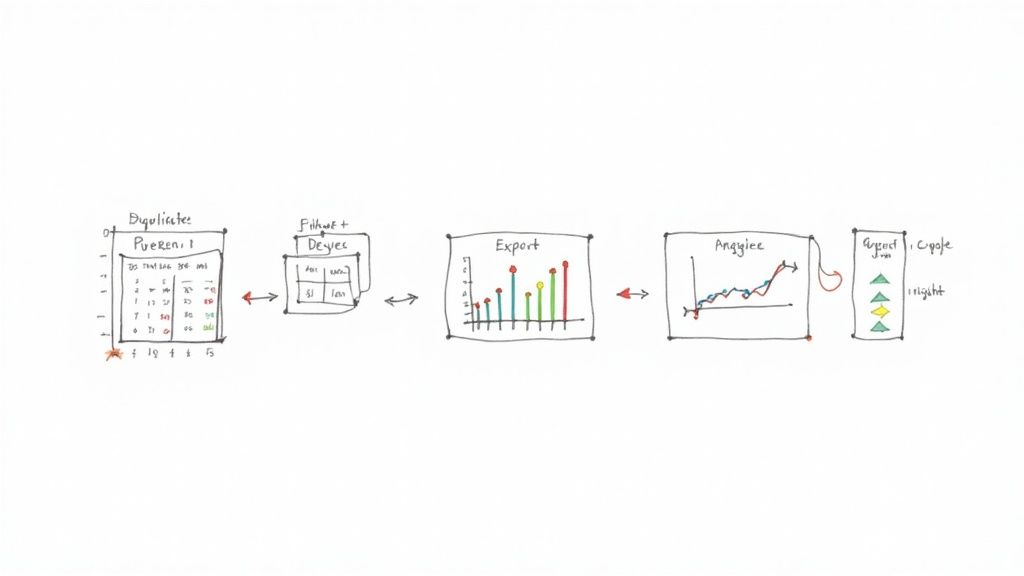
You've successfully extracted your data. Awesome! But the job isn't done. Raw data is like a pile of uncut gems—the potential is there, but you can't see the sparkle yet.
This next step is where the magic happens. We’ll clean, organize, and polish that data until it becomes a source of powerful insights. This is the crucial final mile where a jumble of information becomes a strategic asset.
Mastering Essential Data Cleaning Techniques
Before you can spot trends, your dataset needs to be clean and consistent. Even the best scrapers pull in imperfections like extra spaces, weird formatting, or duplicate entries. Tackling these issues is essential for trustworthy results.
Here are the core cleaning tasks you’ll want to master:
Ditch the Duplicates: This is job number one. Duplicate entries will skew your analysis, so remove them to ensure every row of data is unique.
Standardize Your Text: Inconsistencies will cause problems later. Convert text to a consistent case (like lowercase), trim extra whitespace, and ensure names are spelled the same way.
Handle Missing Data: It's common for some fields to be empty. Decide on a strategy for missing values. Will you remove the row, or will you fill the gap with a placeholder like "N/A"?
A clean dataset is the foundation of everything that follows. Don't skip this step.
Modern web scrapers can achieve a success rate over 99%, and data deduplication is just as accurate. This high level of precision makes your initial cleanup much faster. For a deeper dive, check out the research on web crawling benchmarks.
Getting Your Data Ready for Analysis
Once your data is clean, it’s time to get it into a tool where you can put it to work. The most common formats are CSV (Comma-Separated Values) and direct integrations with platforms like Google Sheets.
Exporting to a CSV file is the universal standard. It's a simple text file that can be opened by any spreadsheet or data analysis program, from Excel and Google Sheets to Tableau. This makes it easy to share your findings or plug them into other systems.
If you're working with a team, exporting directly to Google Sheets is a fantastic option that allows for real-time collaboration.
A Quick Example: Visualizing Price Data
Let's make this practical. Imagine you just scraped the prices of 50 competing products. You’ve cleaned the data and loaded it into a Google Sheet.
Select Your Data: Highlight the columns with product names and their prices.
Insert a Chart: Go to "Insert" > "Chart" in the menu. Google Sheets will usually suggest a good chart type.
Choose a Bar Chart: A simple bar chart is perfect for comparing prices and gives you an instant visual snapshot.
In just a few seconds, you've transformed a boring list of numbers into a clear visual comparison. You can immediately see which products are the most and least expensive and where the market average sits. This is what it's all about—turning raw data into a story you can use. For more ideas, check out our guide on web scraping for lead generation.
Staying Ethical and Legal with Web Scraping
Web scraping is a game-changer, but you have to play by the rules. With great power comes the responsibility to be a good neighbor on the web. Scraping data ethically isn't just about legal compliance; it’s about ensuring your projects are sustainable and respectful.
The golden rule of the internet applies: scrape others as you'd want them to scrape you. This means being mindful of the sites you visit and only grabbing public data without crossing legal lines. Stick to a few best practices to keep your data projects successful and responsible.
Your Ethical Scraping Checklist
So, how do you keep things on the up-and-up? It boils down to respecting a website's rules and resources.
Before you run a scraper, your first stop should always be the robots.txt file. Just add /robots.txt to the end of a site's main URL (e.g., example.com/robots.txt). This file is the website owner's way of telling bots which pages are okay to visit and which are off-limits. You must respect what it says.
Here are a few more best practices:
Slow down. Don't hammer a website's server with thousands of requests a second. A simple delay of a few seconds between requests is a polite, low-impact approach.
Identify yourself. Your scraper sends a "User-Agent" with every request. Set a clear one that identifies your scraper and includes contact information. Honesty is the best policy.
Scrape during off-peak hours. If you have a big job, run it late at night or during the site's slowest periods to minimize the impact on their regular visitors.
Navigating Terms of Service and Personal Data
Beyond technical etiquette, you must review a site’s Terms of Service (ToS). This is the legal contract between you and the website, and it often has a section on automated data gathering. Ignoring the ToS can put your project at risk.
The most important rule of thumb? Stick to public, non-sensitive information. Never scrape personal data like private phone numbers, copyrighted material, or anything behind a login you don't have permission to access.
Following these ethical guidelines doesn't just avoid legal trouble—it can get you better data. Reports show that companies using advanced consent management saw a 40% drop in legal issues while also getting more of the data they needed. You can discover more insights about these best practices to see how being a good digital citizen pays off.
When you're respectful and transparent, you're building a sustainable data strategy that will serve you well for years to come.
Still Have Questions? Let's Clear Things Up
Got a few more questions? Perfect. Let's tackle some of the most common things people ask when they're first diving into web data extraction.
Is web scraping legal?
This is always the first question! The short answer is yes, scraping public data is generally legal. However, you must be smart and ethical about it.
Always check a website's robots.txt file and review its Terms of Service. These documents explain what the site owner is comfortable with. As a rule of thumb, stick to information that’s publicly available and steer clear of personal data to stay on the right side of the line.
What's the easiest way to get started?
If you're new to this and the thought of code is intimidating, a no-code browser extension is your best friend.
These tools are incredibly intuitive. You just point your mouse at the data you want on a page, click, and the tool learns what to grab. There's no code to write, you can get started in minutes, and you'll see results almost instantly. It's the perfect way to get your feet wet.
Web scraping has exploded from a niche developer trick to a massive online force. By 2025, it's projected to make up a staggering 36% of all global website traffic. This shows how vital automated data has become for business intelligence and AI. To see where things are headed, you can explore the latest 2025 web scraping trends.
What if a website tries to block me?
It's a classic cat-and-mouse game. Many sites use CAPTCHAs or IP blocks to stop bots. The secret is to make your scraper behave less like a robot and more like a real person.
Here are a few pro tips:
Don't be a speed demon. Add small, random delays between your requests. A real person doesn't click 100 links per second.
Use proxies. By rotating through different IP addresses, your activity won't look like it's all coming from one machine.
Change your disguise. Set a common "User-Agent" string so your scraper identifies as a normal browser, like Chrome or Firefox, instead of a script.
Ready to stop copying and pasting for good? With a modern no-code tool, you can build powerful scrapers in seconds. Jump into prebuilt templates and see for yourself how easy it is to turn any website into a structured spreadsheet.
